FeaturesRunBuilt into WordPress
A WordPress plugin, not a platform you move to
Native WP AI installs like any plugin and keeps everything in your WordPress: pages, templates, submissions, analytics, reports. It uses WordPress’s users and roles, menus, Media Library, post types and custom fields, and it updates from the Plugins screen. Your posts, media and users stay yours.
- “Edit with Native WP AI” on every page, in the admin bar and post lists
- Roles and permissions for every capability
- Optional features you switch on only when you need them
Where you already work
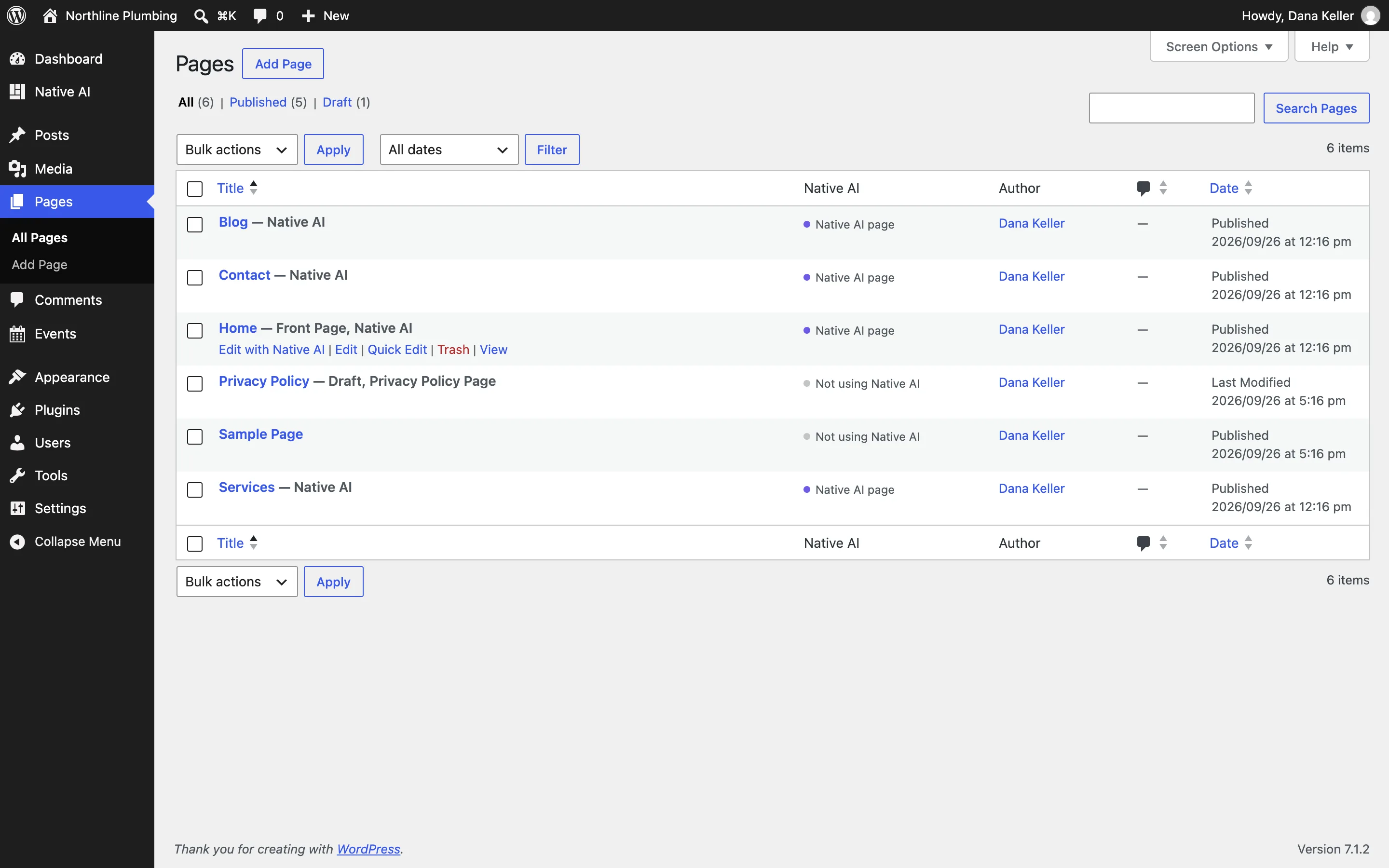
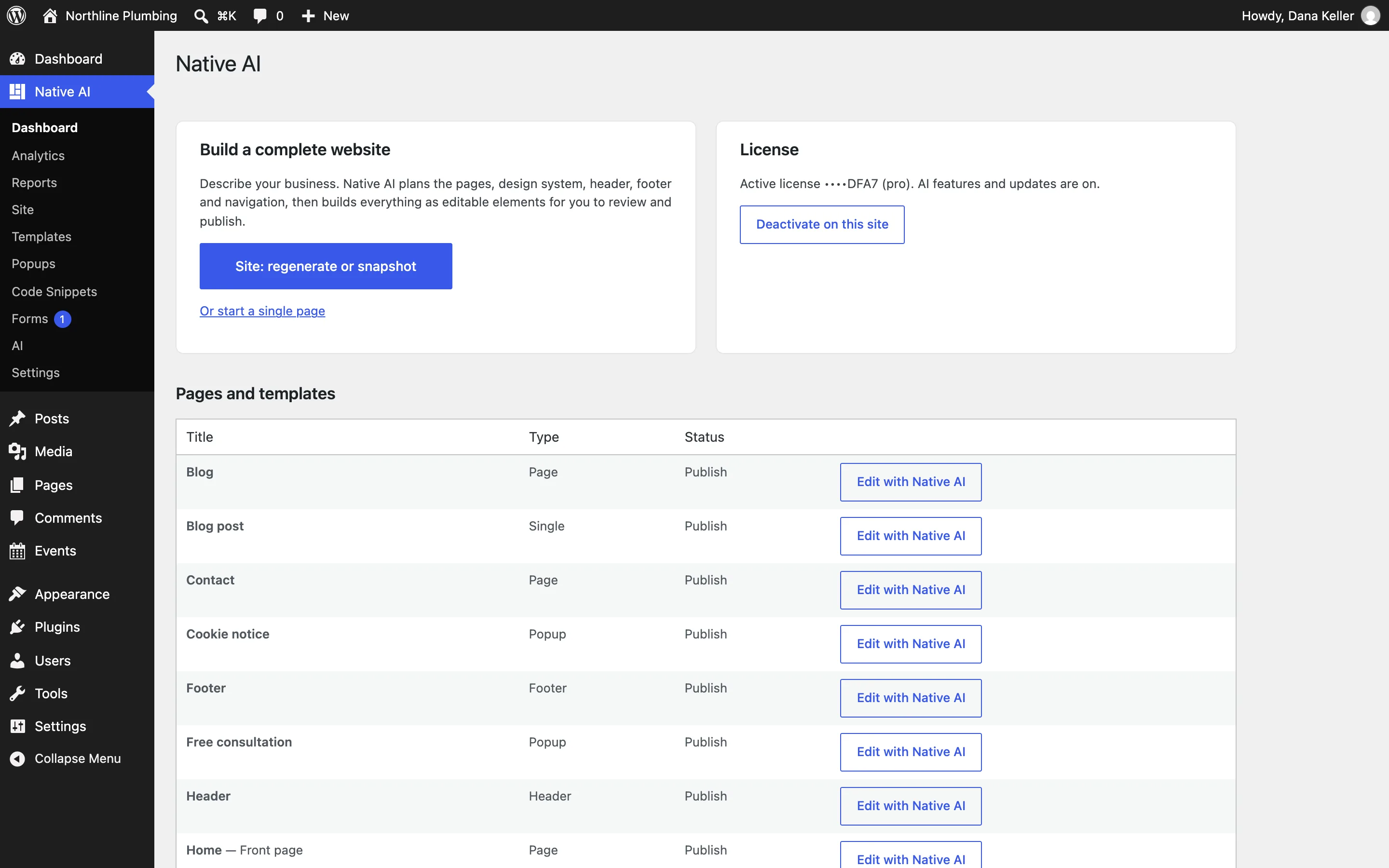
Pages built with Native WP AI are marked in the Pages list, each with an Edit with Native WP AI link; the admin bar has one too. Native WP AI → Dashboard shows the license and every page and template, with shortcuts.
Choose which post types can use Native WP AI, and whether a post gets its own layout or uses its template.
- Edit with Native WP AI in lists and the admin bar
- A Native WP AI column in post lists
- Post type rules and layouts per post
Permissions for every role
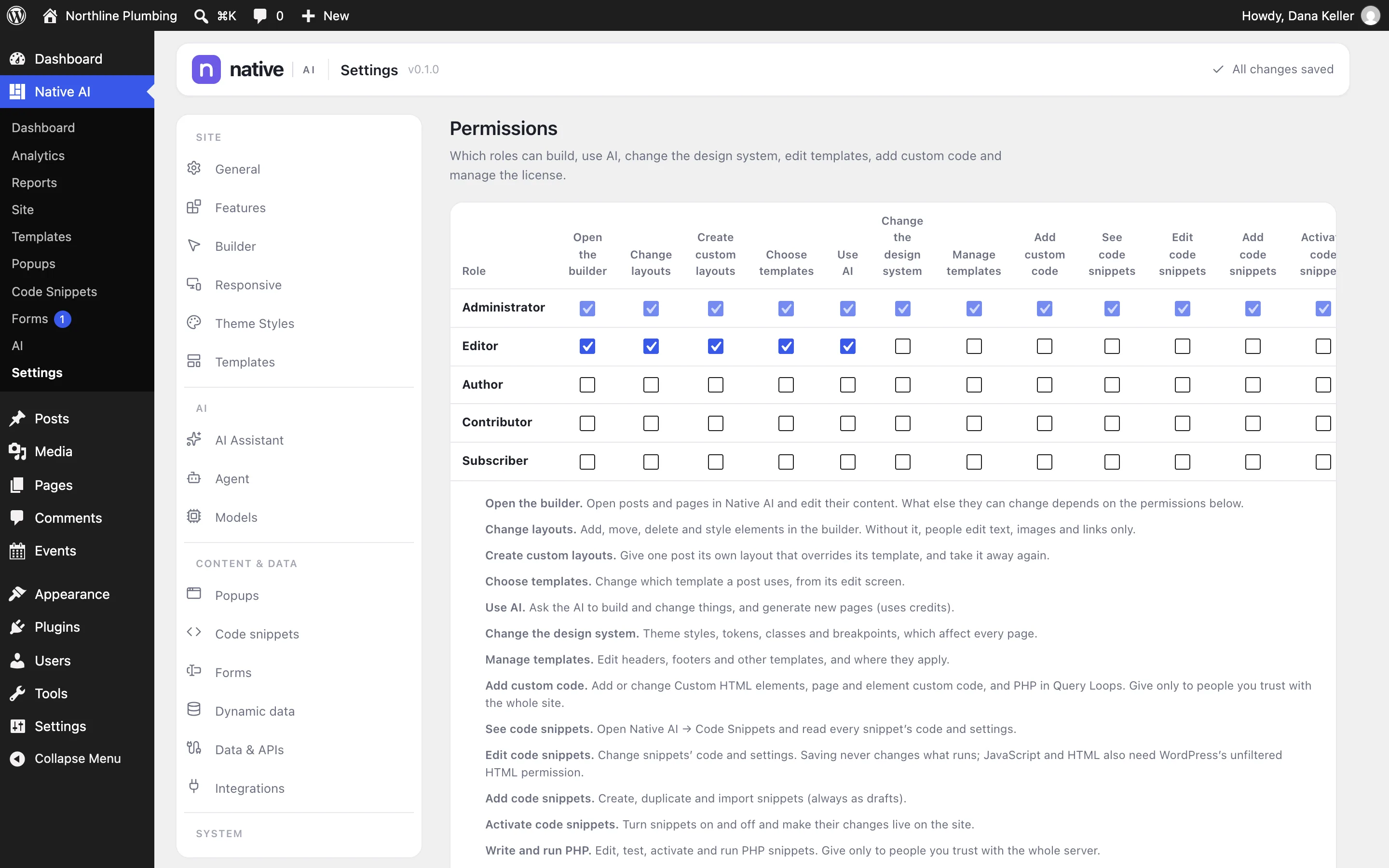
A permissions matrix decides what each WordPress role can do: open the builder, change layouts (or only edit text, images and links), create custom layouts, choose templates, use AI, change the design system, manage templates, add custom code, and see, edit, add or activate code snippets.
- Content-only editing for roles that shouldn’t change layouts
- AI access per role
- Separate permissions for code
Only the features you use
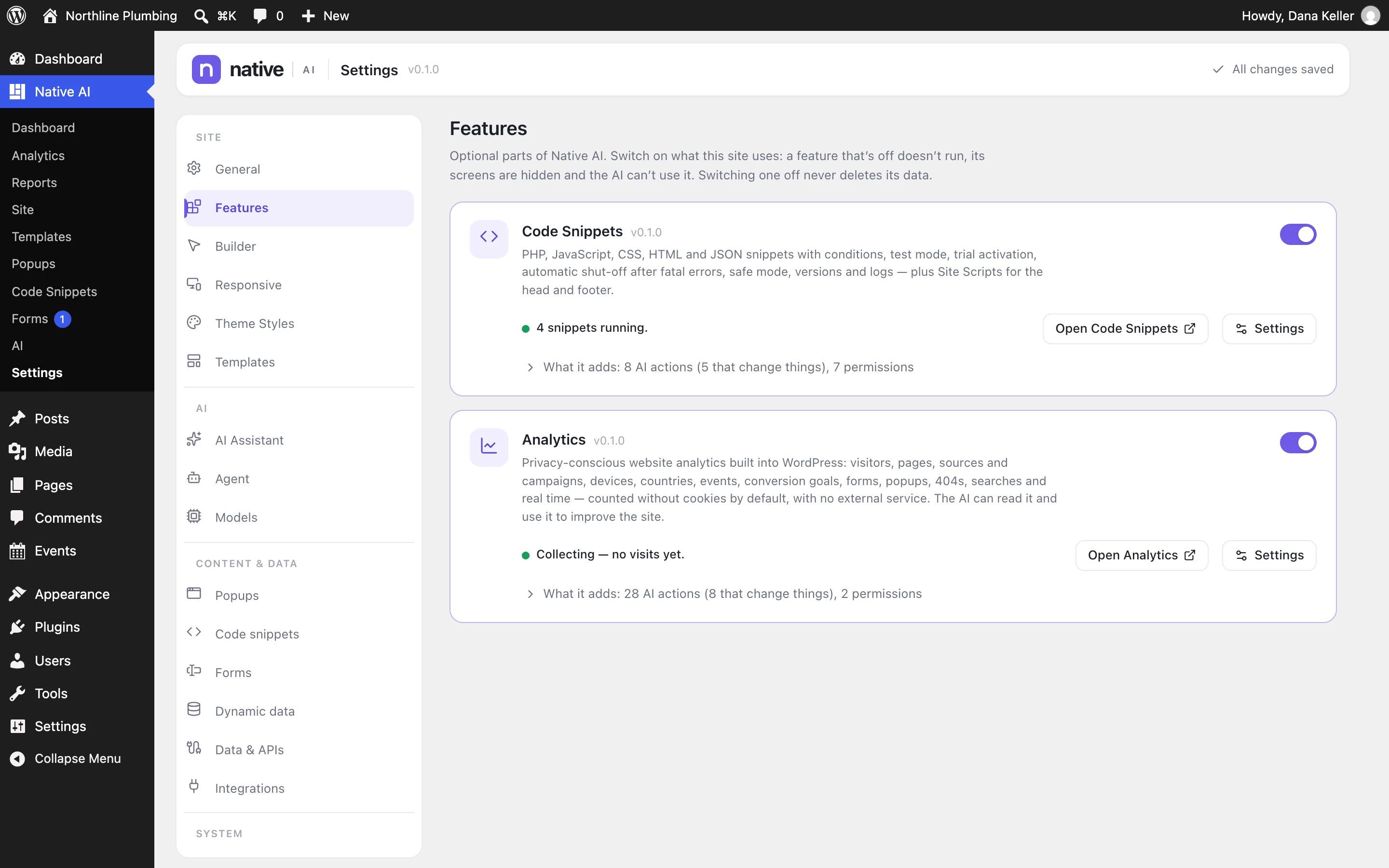
Analytics and Code Snippets are optional features. Switch them on when a site needs them; a feature that’s off doesn’t run, its screens are hidden and the AI can’t use it. Switching one off never deletes its data.
Uninstalling keeps your pages’ last published content. Native WP AI’s data is only deleted if you choose that in Settings → Advanced.
- Optional features with their own permissions
- Nothing deleted by switching off
- A clean uninstall only when you ask for it
Built into WordPressEverything included
Everything in built into WordPress
Integration
- Edit with Native WP AI links
- Native WP AI column in post lists
- Post type rules and per-post layouts
- Custom post types, taxonomies and custom fields of every ACF PRO type (ACF or Native WP AI’s own)
- WordPress menus, Media Library, custom fields
- Updates in the Plugins screen
Requirements
- WordPress 6.9 or later
- PHP 8.1 or later
- Any host that runs WordPress
- Tested up to WordPress 7.1
Administration
- Roles and permissions matrix
- Optional features
- Settings import and export
- Background jobs and logs
- Notifications
- Clean uninstall on request
- White label for client sites (Agency plan)
Questions about built into WordPress
Where is my data stored?
In your WordPress database and uploads folder, on your hosting. The Native WP AI service only handles AI requests, licenses and updates.
Does my site need to be public for the AI?
No. The AI service only receives what the builder sends for the request you make; your WordPress site doesn’t need to be reachable from the internet.
Can my agency put its own name on it?
Yes, on the Agency plan. With white label, your clients see your product name and logo in WordPress, the builder and the AI, your plugin folder and author in the Plugins list, and addresses with your name; Settings and the license are only for the administrators you choose. Updates arrive already in your name.
Built into WordPressKnowledge base
How to use it
Step-by-step articles, settings and answers in the knowledge base.
- Install Native WP AIThe requirements, installing the plugin from its zip file, and two settings recommended on live sites.
- Activate your licenseTurn on AI features and plugin updates for a site with your license key, and move a license from one site to another.
- Native WP AI in the WordPress adminWhat each screen under Native WP AI in wp-admin is for, who can open it, and where Native WP AI appears in the rest of WordPress.
- Native WP AI and WordPress postsHow a post gets its design — its own layout, a template or your theme — how the builder and the WordPress editor work together, and which post types can use Native WP AI.
- Custom post types and custom fieldsAdd custom post types (services, team, projects), their own categories, and custom fields — ACF field groups when ACF is active, Native WP AI’s own otherwise — by hand or by asking the AI.
- White label for agenciesOn the Agency plan, your clients see your product instead of Native WP AI: your name and logo in WordPress, the builder and the AI, your plugin folder and author in the Plugins list, and addresses with your name.
- Update Native WP AIWith an active license, new versions arrive in WordPress’s Plugins screen like any other plugin. Here’s how to update safely, and how to update by hand.
- Roles and permissionsDecide what each WordPress role can do with Native WP AI — open the builder, change layouts or only content, use AI, change the design system, manage templates, forms, code, analytics and reports.
- Optional featuresCode Snippets, Analytics, SEO, the Translator, the Permalink manager, Content Studio, the CRM, the Chatbot, Email delivery, Cookie consent, the WooCommerce Storekeeper, Memberships, Courses, the Role editor and Security are switched on per site. A feature that’s off doesn’t run, its screens are hidden and the AI can’t use it — and switching it off never deletes its data.
- Settings referenceEvery setting in Native WP AI → Settings, with its default and what it does.
- Performance and maintenance toolsHow Native WP AI keeps pages light, and the tools in Settings for regenerating CSS, clearing caches, moving settings between sites and debugging.
- Uninstall Native WP AIWhat happens to your pages and data when you deactivate or delete the plugin, and how to remove everything if you want to.
- What is Native WP AI?An agentic website builder for WordPress: a complete visual builder, and an AI agent that builds, edits and runs the site with the same elements you use by hand.
Works well with
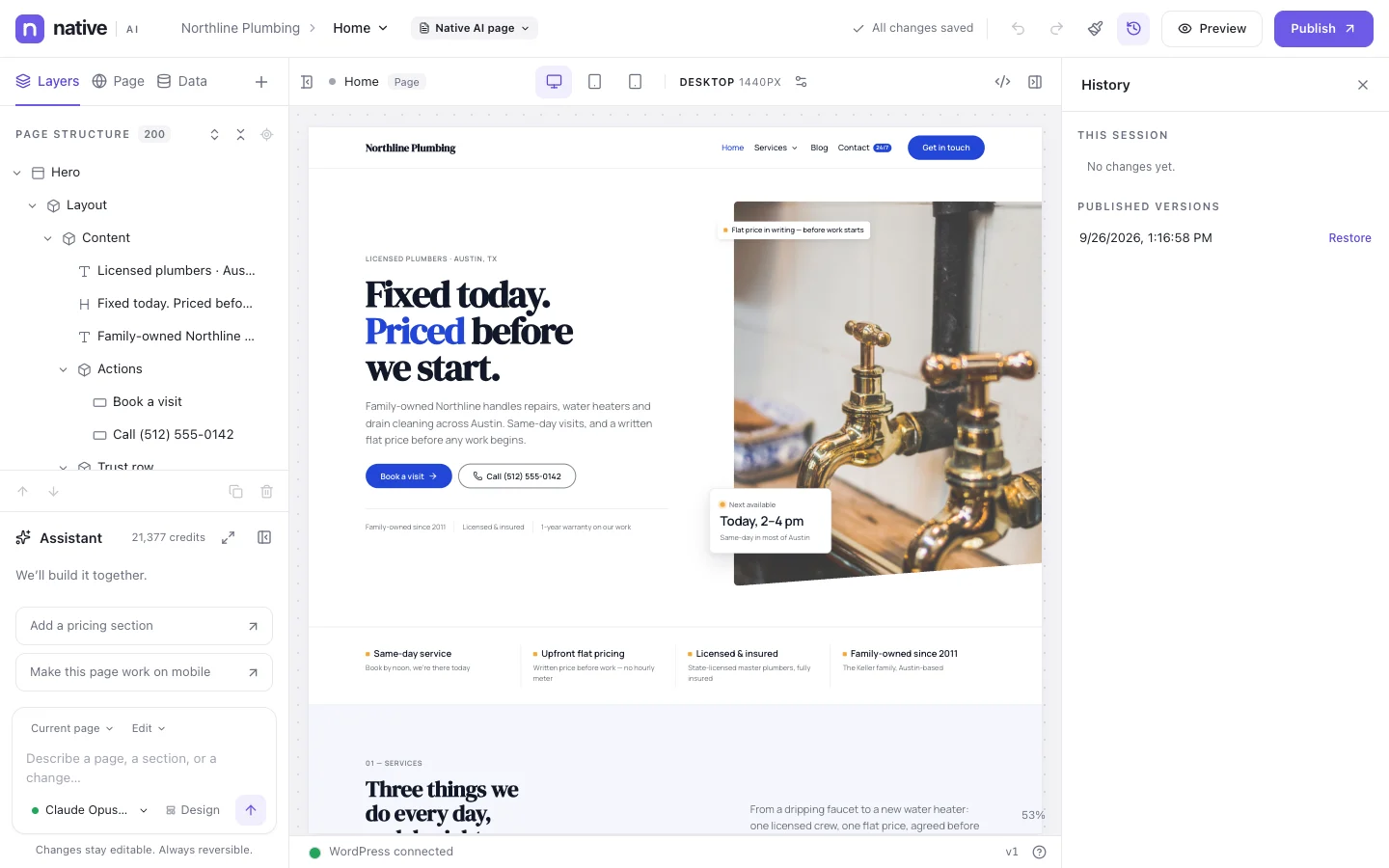
“Build a website for my plumbing business in Austin.”
Plans the pages and writes them in a look of their own, with a header, footer, templates and a design system you can edit.
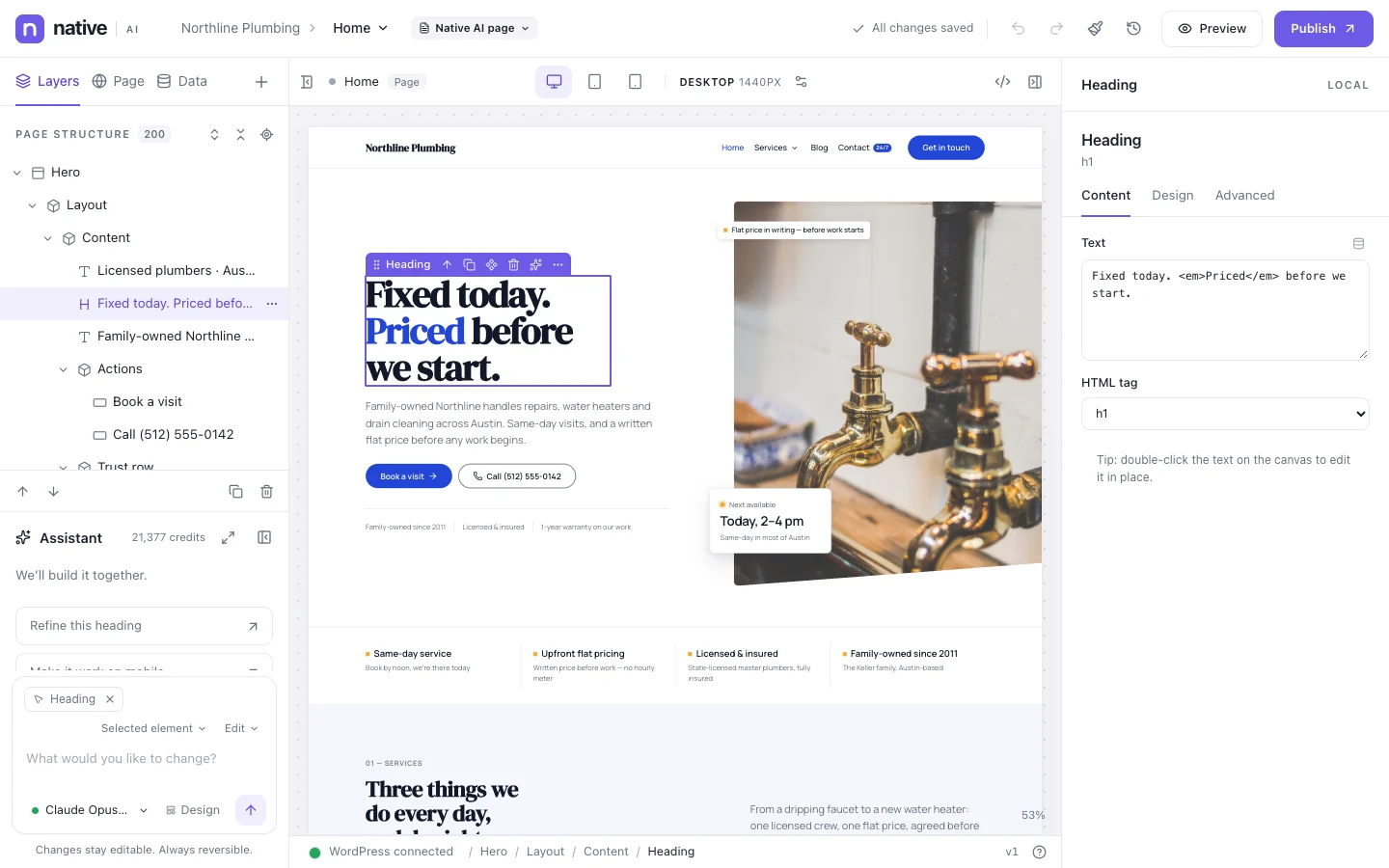
“Make every button on the site pill-shaped.”
Finds the shared class behind every button, shows you the plan, then changes it once.
“Write meta descriptions for every page that doesn’t have one.”
Writes them from each page’s own words in a background job, shows the credits first, and puts each one beside its page for you to approve.
“Add an exit-intent popup offering a free consultation.”
A native popup with its trigger and how often it shows. It starts as a draft.
“Which pages lost visitors this month?”
Compares this month with last, page by page, and checks recent changes to those pages.
“Find unfulfilled orders.”
Lists the paid orders waiting to ship, oldest first.
“Write a six-lesson course on home budgeting with a quiz after each lesson.”
Writes the outline, every lesson and the quizzes as drafts for you to review, and sets who can take it.
“Why was a customer locked out this morning?”
Reads the security log, finds the lockout and its address, and can unblock it for you.
“Which plugins need updates?”
Lists the installed plugins and the ones with an update waiting.
“Use the color scheme of this website: https://…”
Opens the site, reads the colors and fonts it uses most, and sets your design system from them.
“Create a Services post type with Price and Duration fields.”
Its own menu in WordPress and custom fields — in ACF when it’s active — ready for a template.
“Add the prices from this PDF to the Services page.”
Reads the attached price list and builds it into the page in your design.
“Count quote requests as a conversion.”
Adds a conversion goal for the form, so Analytics counts every request.
“Show me low-stock products.”
Reads stock from WooCommerce and lists what’s running low or out, with how many are left.
“Refund order 1042 and put the items back in stock.”
Prepares the refund with the amount and how it’s paid back, and waits for your confirmation.
“When someone buys the course bundle, enroll them and tag them in the CRM.”
Builds the automation — the purchase, the enrollment, the CRM tag — as a draft, and asks before switching it on.
“What happened on the site this week?”
Reads the activity record, updates, errors and health checks, and sums them up.
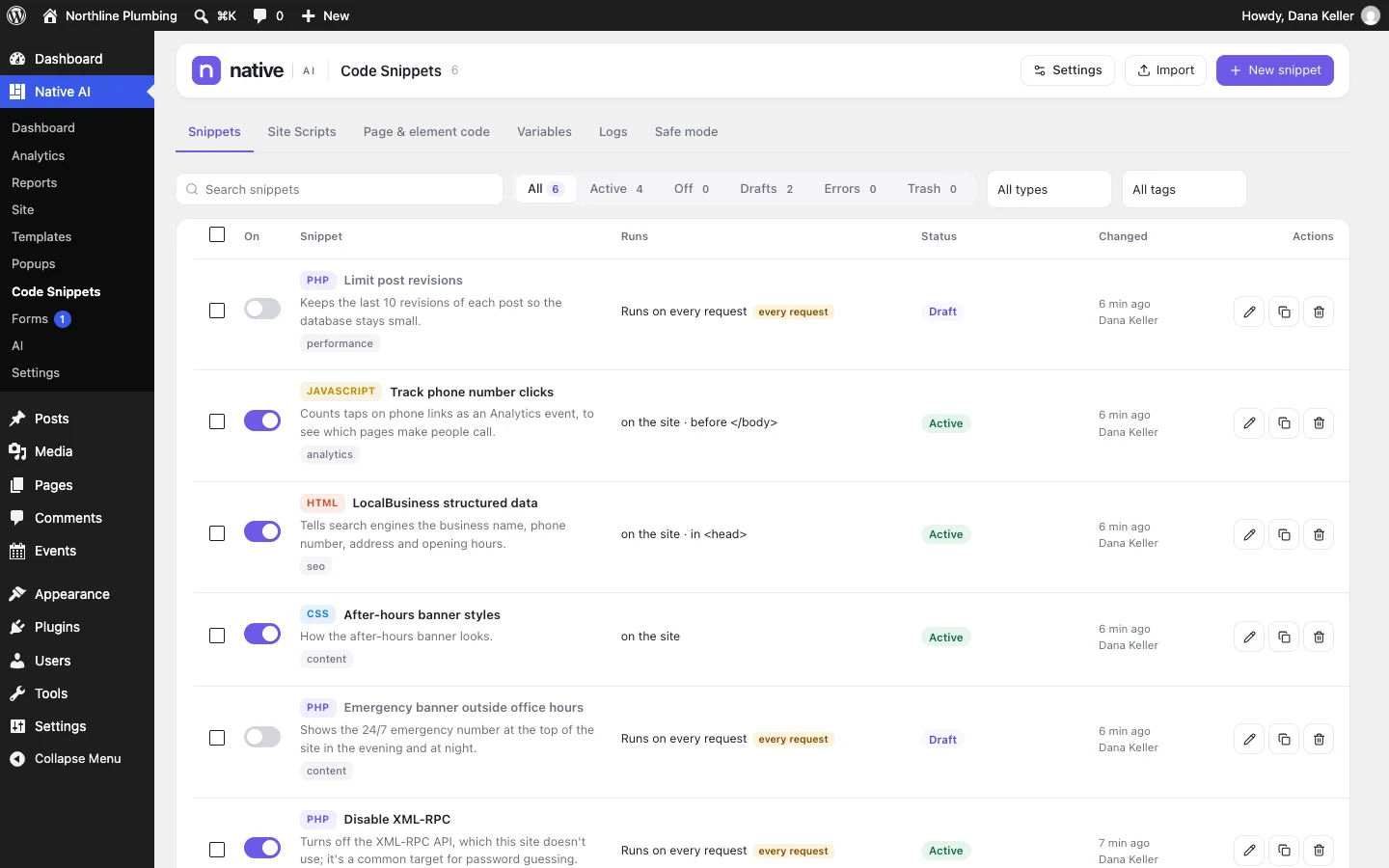
“Add a snippet that turns off comments on pages.”
Writes and checks the code, and saves it as a draft that you switch on.
One plugin. One agent. Your whole site.
Start free: a license for one website and AI credits to build with, no card needed. Describe your business and watch Native WP AI design your home page.