FeaturesGrowAnalytics
Analytics that live in your WordPress, without cookies
Switch Analytics on and Native AI counts visits, pages, sources, campaigns, devices, countries, events, goals, forms and popups — in your own database, with no external service and no cookies by default. The overview compares periods and writes plain-language insights; the AI can read it to improve the site.
- First-party and cookieless by default
- Goals and conversions from forms, events, pages and popups
- Insights in plain language, and AI that can act on them
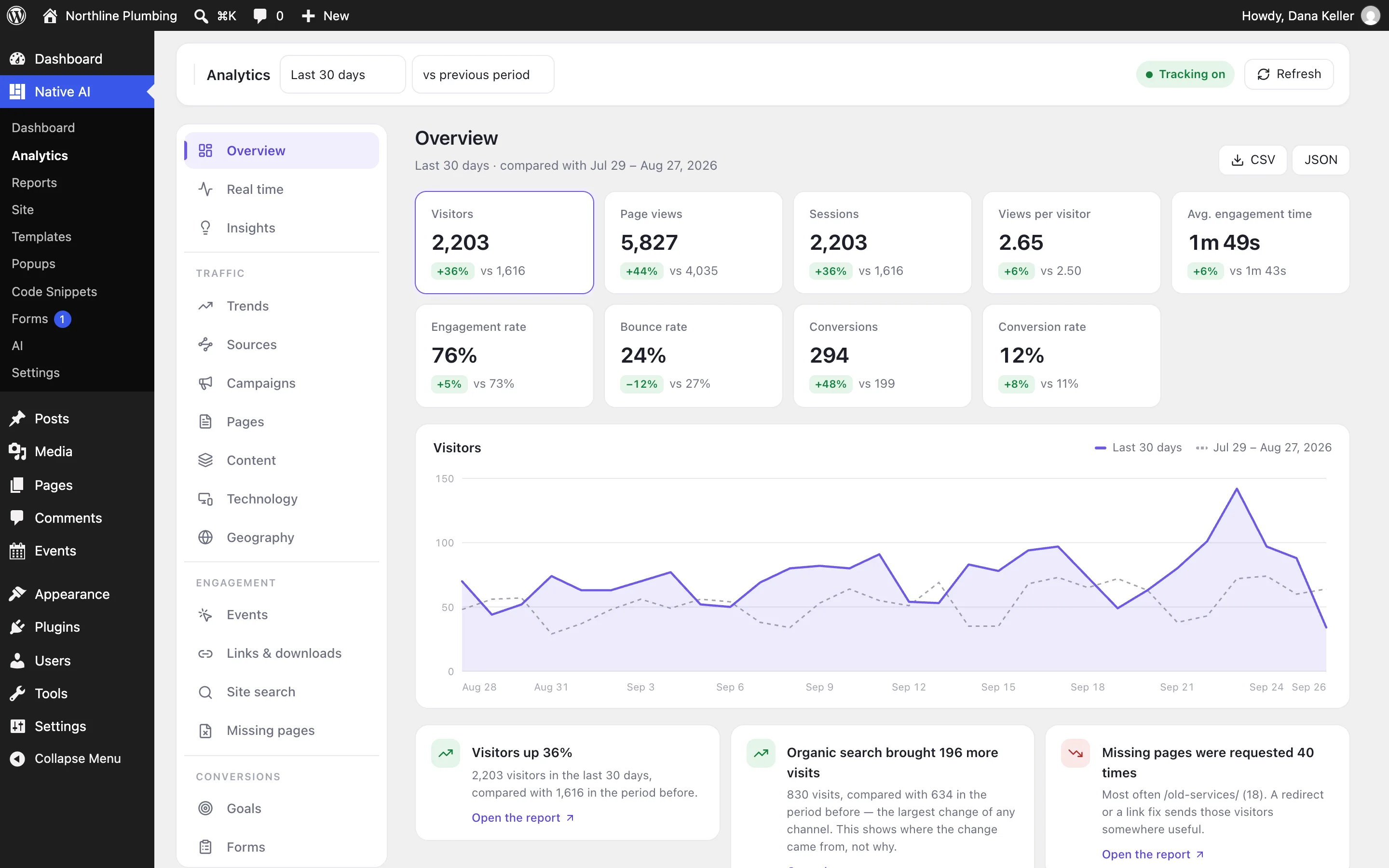
The overview you’ll actually read
Visitors, page views, sessions, views per visitor, engagement time, engagement and bounce rates, conversions and conversion rate — each compared with the previous period. Below the chart, insights explain what changed: “Visitors up 36%”, “Organic search brought 190 more visits”, “Missing pages were requested 40 times”, with a link to the report.
- Period comparisons on every number
- Plain-language insights
- CSV and JSON export
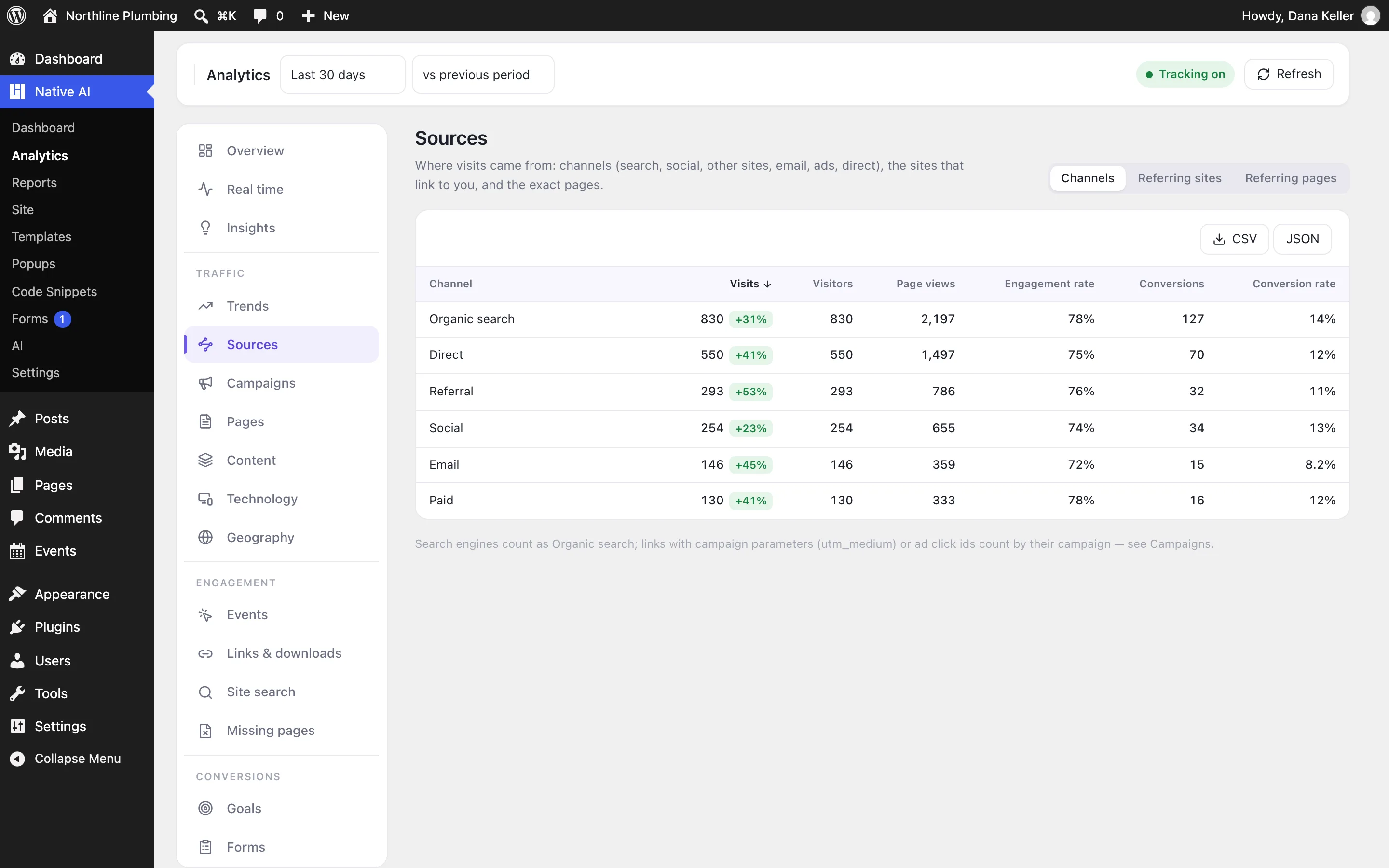
Where visitors come from, and what they read
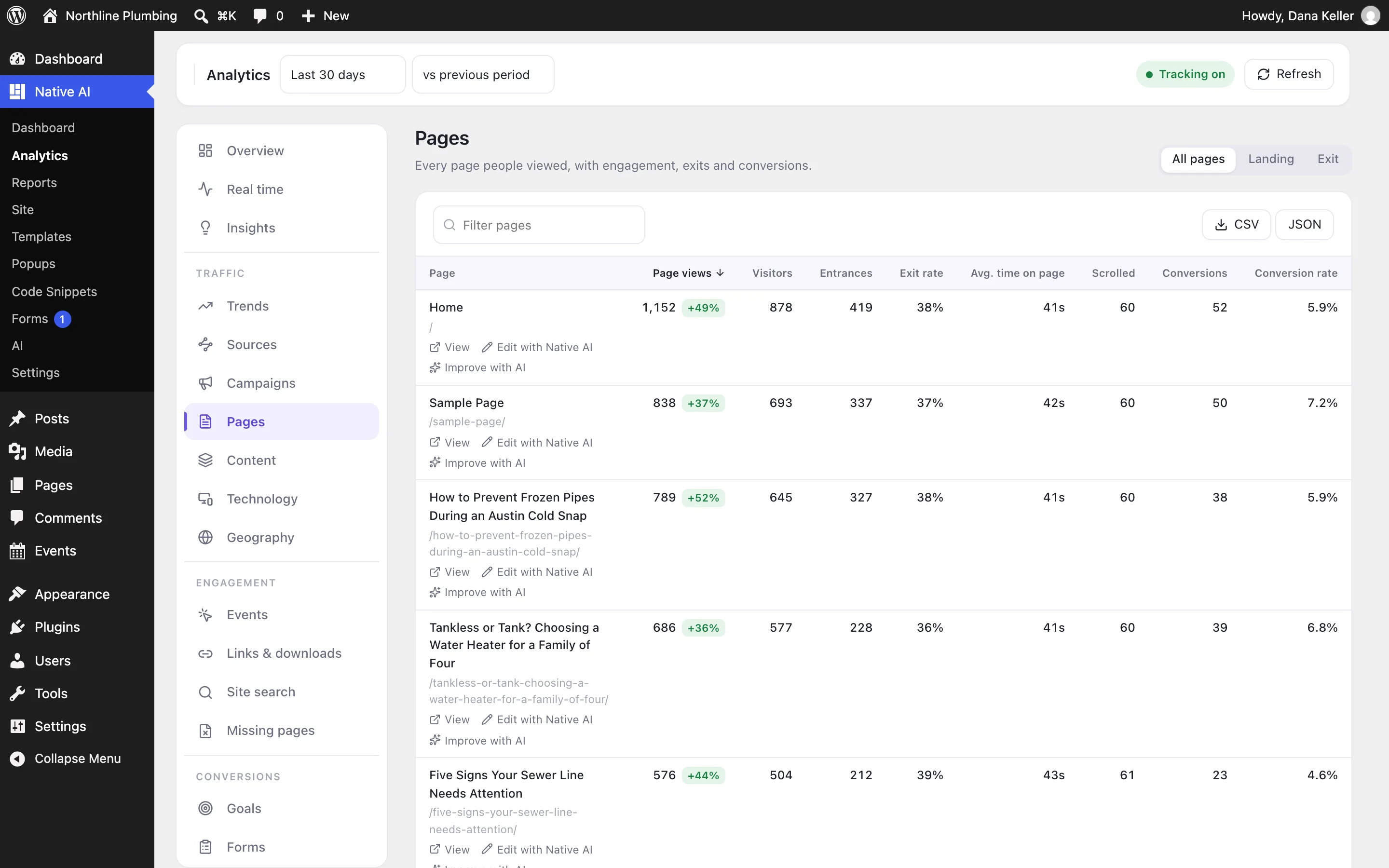
Sources group visits into channels — organic search, direct, referral, social, email, paid — with referrers and campaigns (UTM tags). Pages show views, visitors, entrances, exits, engagement, scroll depth and conversions per page; Content groups them by post type, category or author.
Technology and Geography show devices, browsers, systems and countries.
- Channels, referrers and campaigns
- Pages, landing pages and exits
- Content, technology and geography
Goals, forms and popups
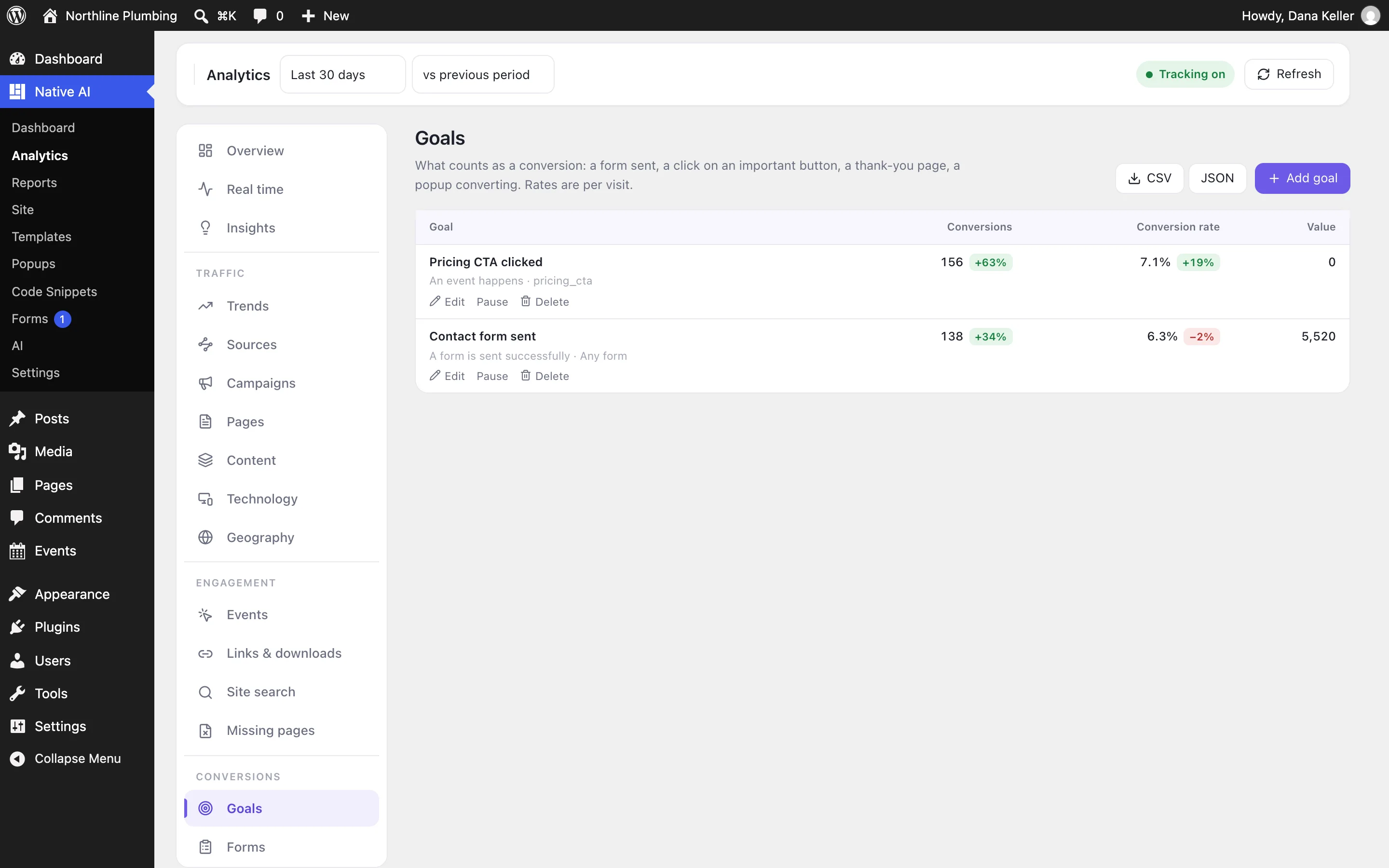
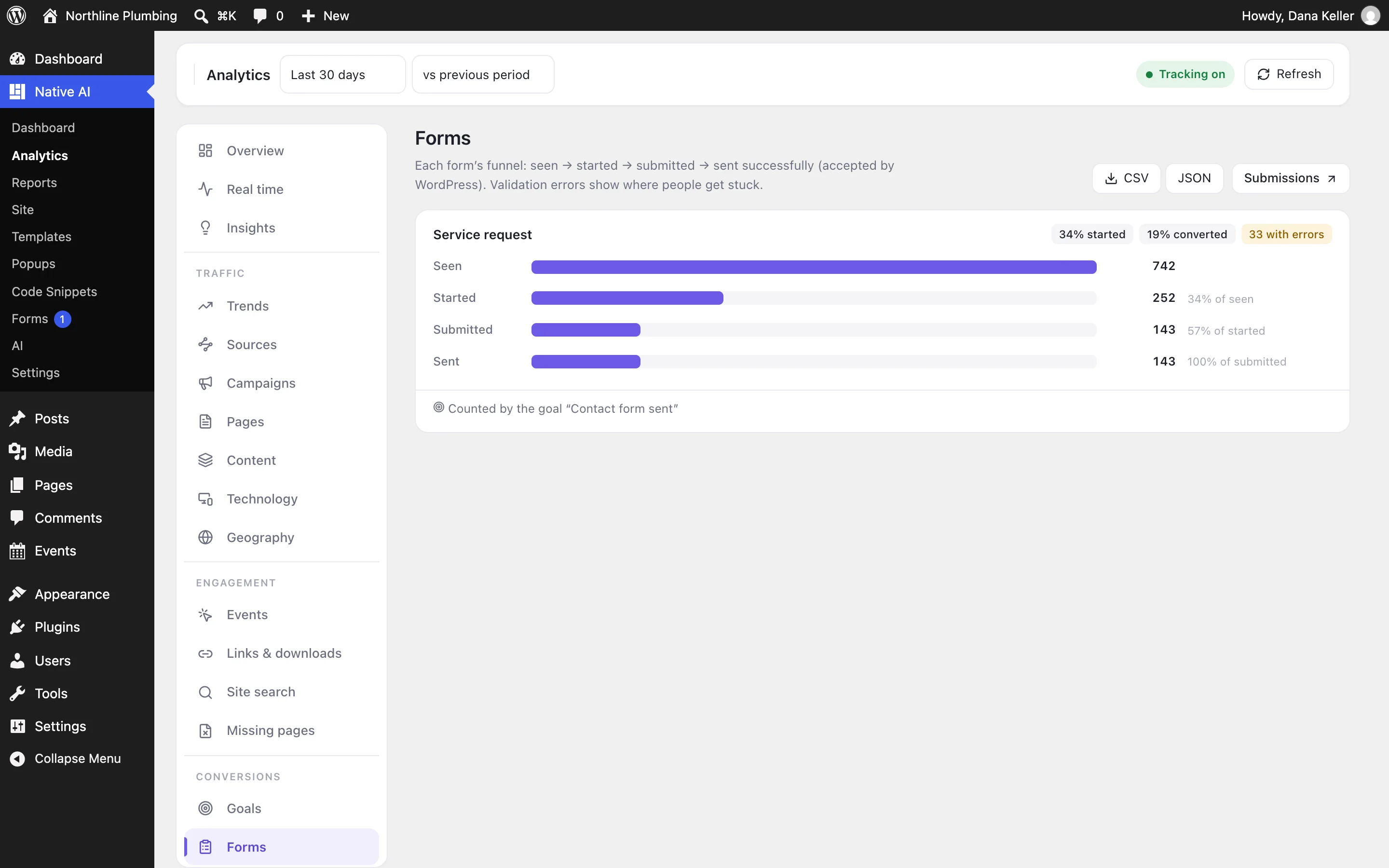
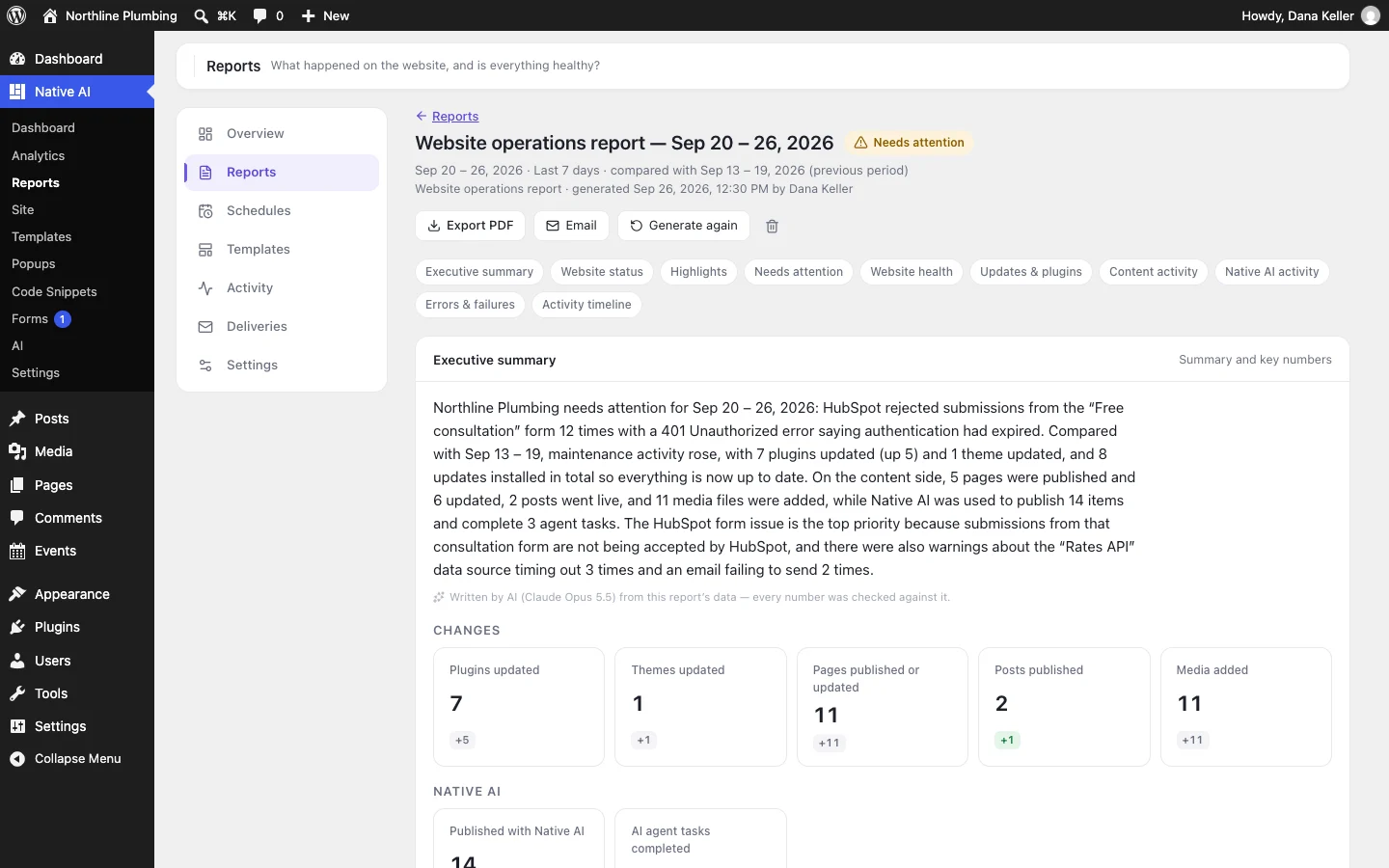
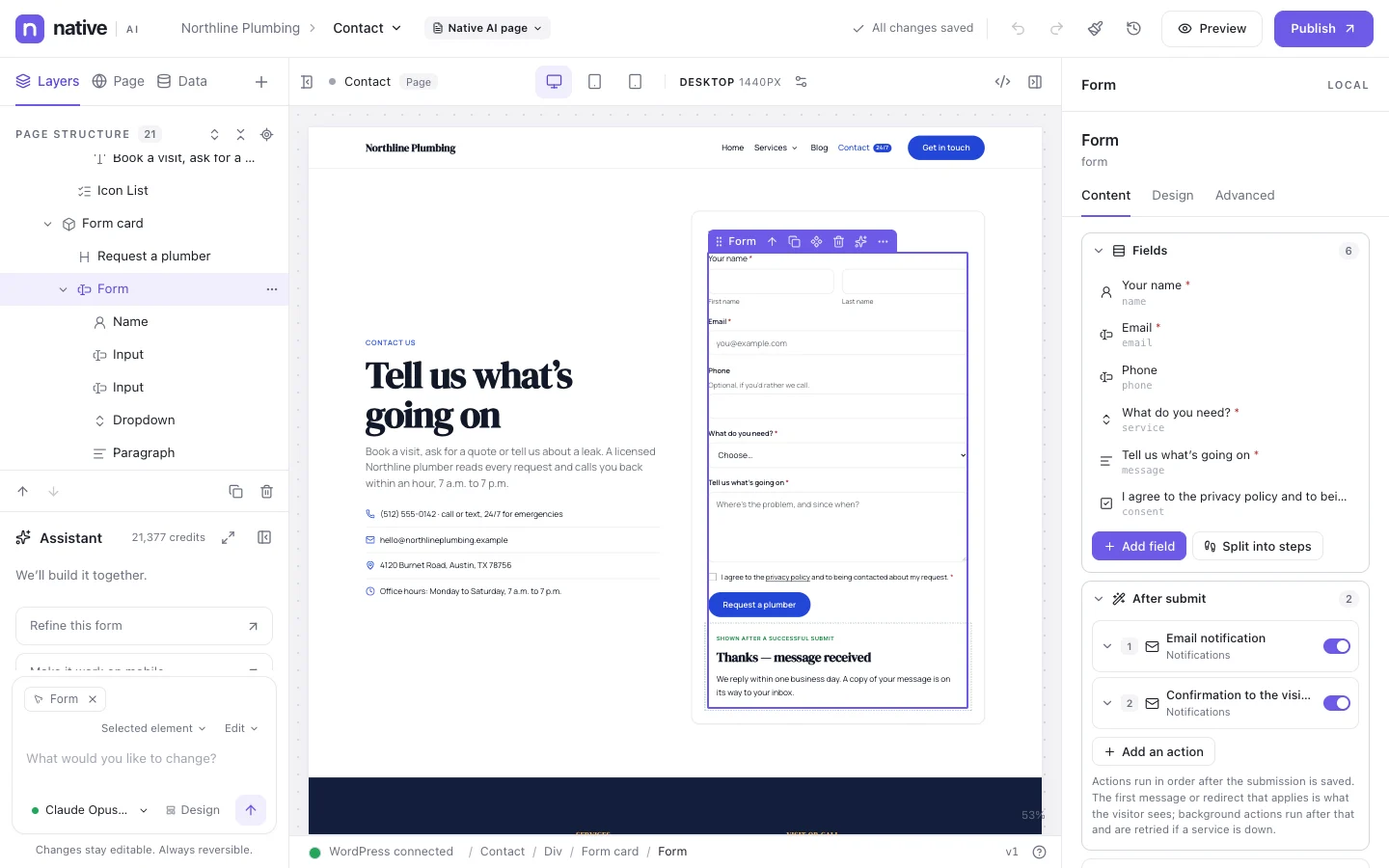
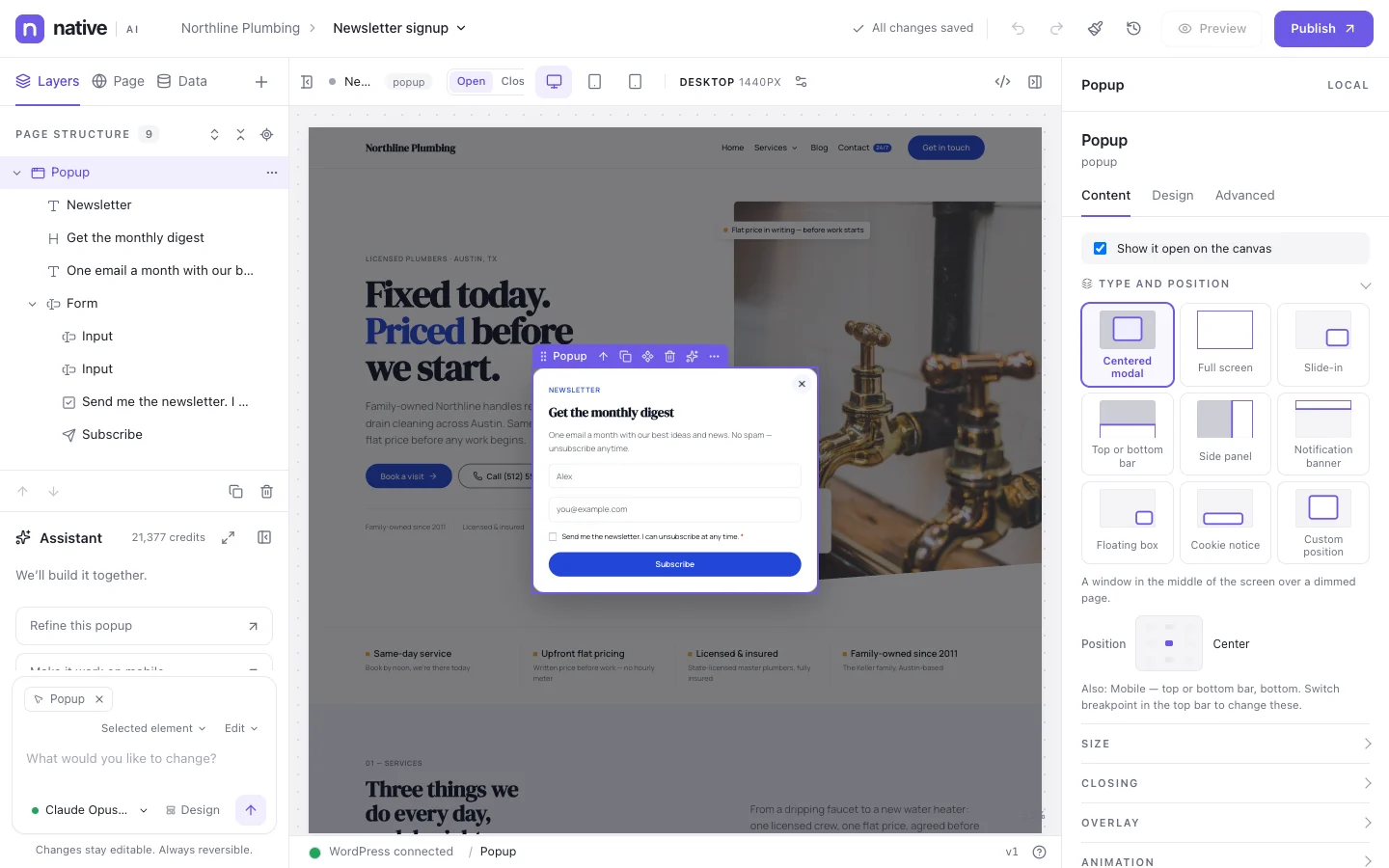
Goals count what matters as conversions: a form sent, a click on an important button, a thank-you page, a popup converting — with a value if you want one. Forms and Popups reports show how each one performs.
Engagement reports cover events, outbound links and downloads, site search terms and missing pages (404s).
- Goals with values and conversion rates
- Form and popup reports
- Events, links, downloads, site search, missing pages
AnalyticsEverything included
Everything in analytics
Traffic
- Overview with comparisons
- Real time
- Insights
- Trends
- Sources and channels
- Campaigns (UTM)
- Pages, landing pages, exits
- Content by type, category, author
- Technology and geography
Engagement
- Events
- Links and downloads
- Site search
- Missing pages (404s)
- Engagement time and scroll depth
Conversions
- Goals with values
- Forms: views, starts, submissions
- Popups: views and conversions
Privacy
- Cookieless by default: a daily-changing hash, never stored with an IP address
- Stored in your WordPress database
- No external analytics service
- Do Not Track and Global Privacy Control respected
- Country from the time zone or your CDN, never an IP lookup
- CSV and JSON export
Questions about analytics
Do I need a cookie banner for Native AI Analytics?
Analytics works without cookies by default and stores data in your own database. Whether your site needs a consent banner depends on everything else it uses and the law that applies to you; Native AI includes a cookie notice popup type if you need one.
Is Analytics required?
No. It’s an optional feature you switch on in Settings → Features. Switching it off hides its screens and stops collection; it never deletes data.
Works well with
Build your next WordPress site with AI you can edit.
Native AI is in early access. Tell us about your sites and we’ll set you up with a license.