FeaturesBuildMenus & mega menus
Navigation that looks designed, on every screen size
Build menus in the builder: nested items with icons, descriptions, badges and display conditions. The Menu element decides how they look and behave — dropdowns, flyouts, mega menus designed with any elements, and a mobile menu that slides in or fills the screen. Menus are kept in WordPress too, so themes and other plugins can use them.
- Mega menus made of real elements: columns, images, buttons, loops
- Icons, descriptions, badges and conditions per item
- Mobile menus: dropdown, off-canvas or full screen

Items with more than a label
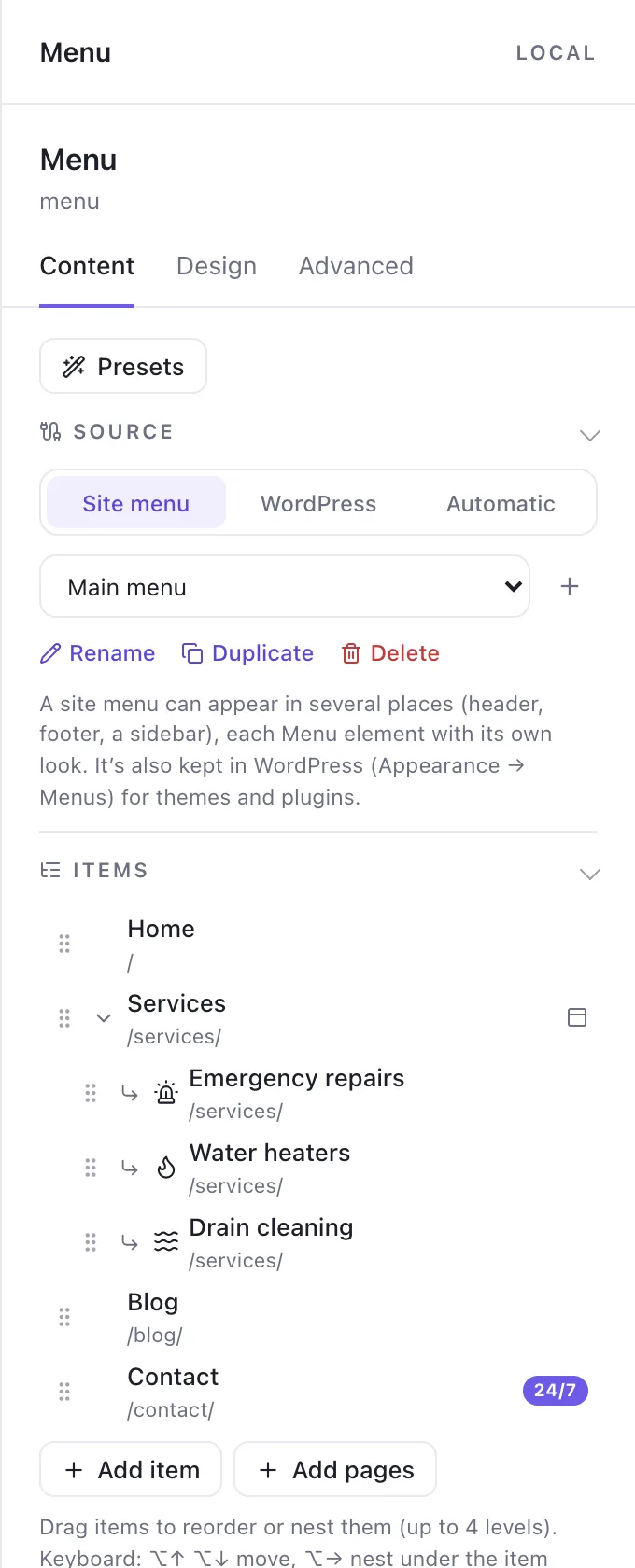
Each menu item can carry an icon, a short description, a badge (“24/7”, “New”) and conditions — show an item only to logged-in visitors, or only on some pages. Nest items up to four levels, and drag to reorder.
A menu can be a site menu edited here, a WordPress menu from Appearance → Menus, or an automatic list of pages, posts or categories.
- Icons, descriptions, badges, conditions
- Four levels of nesting
- Site menus, WordPress menus or automatic lists
Mega menus you design
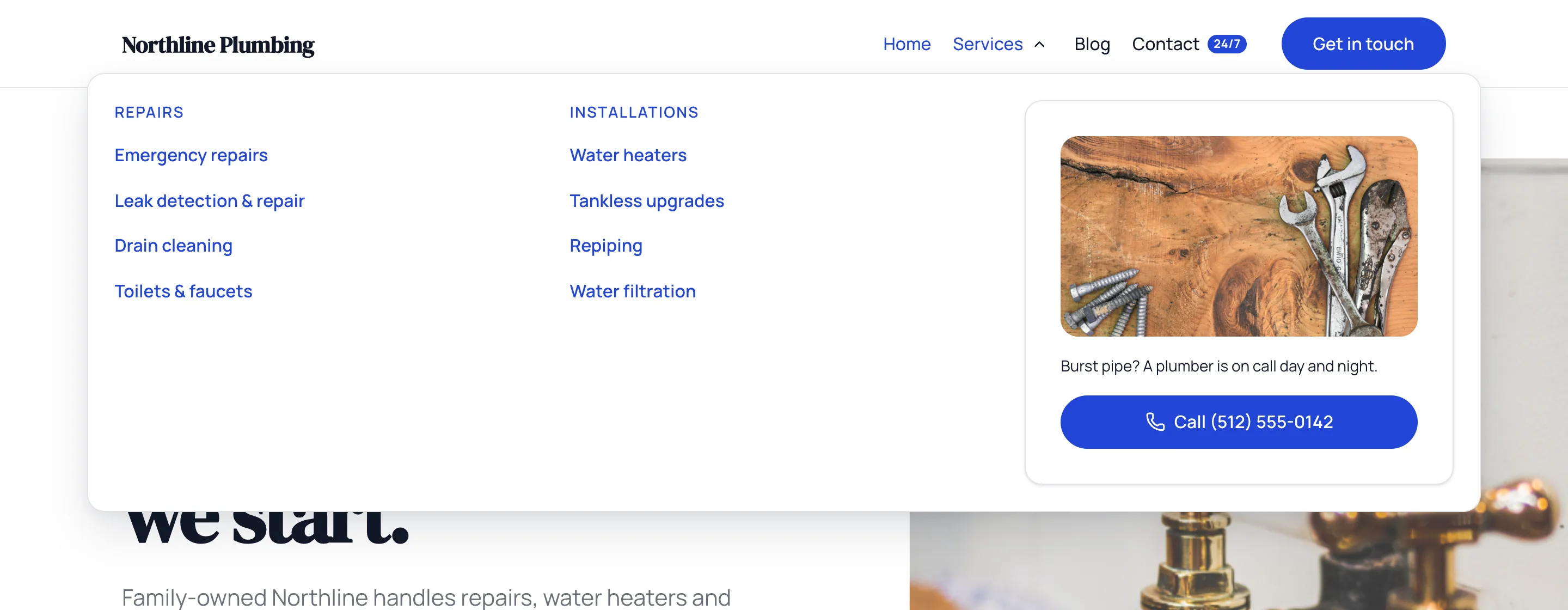
A mega menu is a panel made of normal elements: columns of links, an image card, a button, a Query Loop of the latest posts, even a Global Block. It opens from its menu item on hover or click, at the width of the container or the full screen.
The one in the pictures has two columns of services and an emergency card with a call button.
- Any elements in the panel
- Opens on hover, click or both
- Container or full width
Mobile menus that work
Choose the breakpoint where the menu collapses and how the mobile menu opens: a dropdown, an off-canvas panel or full screen, with submenus as accordions, drill-down screens or expanded lists. Keyboard access and the current page are handled for you.
- Dropdown, off-canvas or full screen
- Accordion, drill-down or expanded submenus
- Current page and its parents marked
- Keyboard accessible
Menus & mega menusEverything included
Everything in menus & mega menus
Sources
- Site menus (mirrored to WordPress menus)
- WordPress menus
- Automatic lists of pages, posts or terms
Items
- Icons, descriptions and badges
- Display conditions per item
- Up to four levels
- Dynamic data in labels
Behavior
- Dropdowns and flyouts
- Mega menus from any elements
- Open on hover, click or both
- Animations
- Mobile: dropdown, off-canvas, full screen
- Presets for common styles
Questions about menus & mega menus
Do menus work with my theme?
Yes. Site menus are mirrored into WordPress menus, so a theme or another plugin can show them too.
Works well with
Build your next WordPress site with AI you can edit.
Native AI is in early access. Tell us about your sites and we’ll set you up with a license.