FeaturesBuildTemplates & Global Blocks
Templates for every part of the site, shown exactly where you want
Design the header, the footer, the template for blog posts or any post type, archives, search results and the 404 page — then decide where each applies with display conditions: the entire site, the front page, a post type, specific pages, categories and more. Global Blocks are sections you design once and use on any page; editing the block updates every page.
- Header, footer, single, archive, search, 404, parts and popups
- Display conditions with include, exclude and priority
- Global Blocks: design once, update everywhere
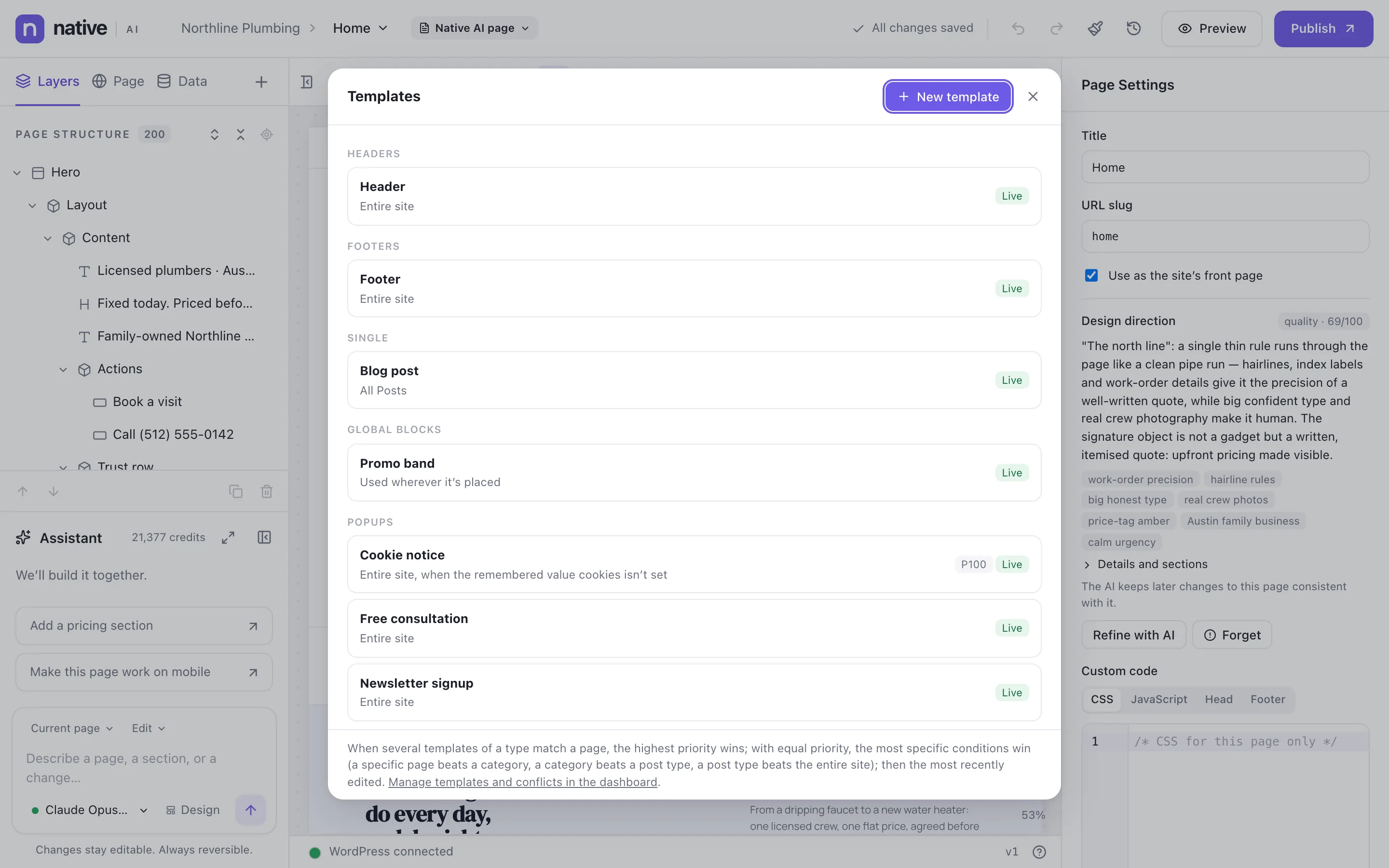
Where each template applies
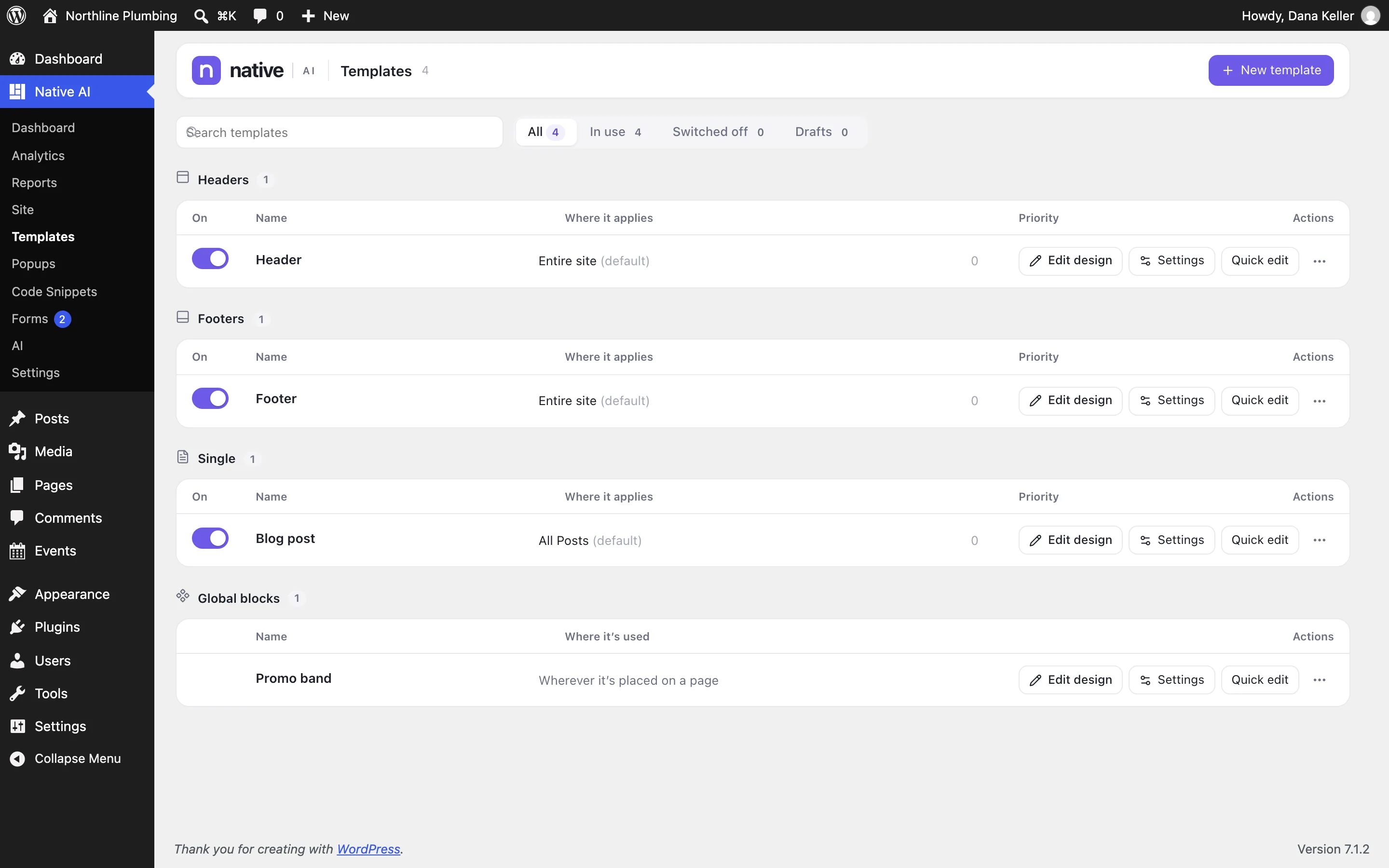
Every template has conditions: include the entire site, exclude a landing page; include all posts, or only one category. When several templates match a page, the highest priority wins, then the most specific conditions — a specific page beats a category, a category beats a post type, a post type beats the entire site.
Native AI → Templates lists them all with where they apply, a switch to turn each on or off, and quick editing of conditions.
- Conditions: entire site, front page, blog page, post types, specific pages, archives, taxonomies and more
- Include and exclude rules
- Priority and specificity rules you can see
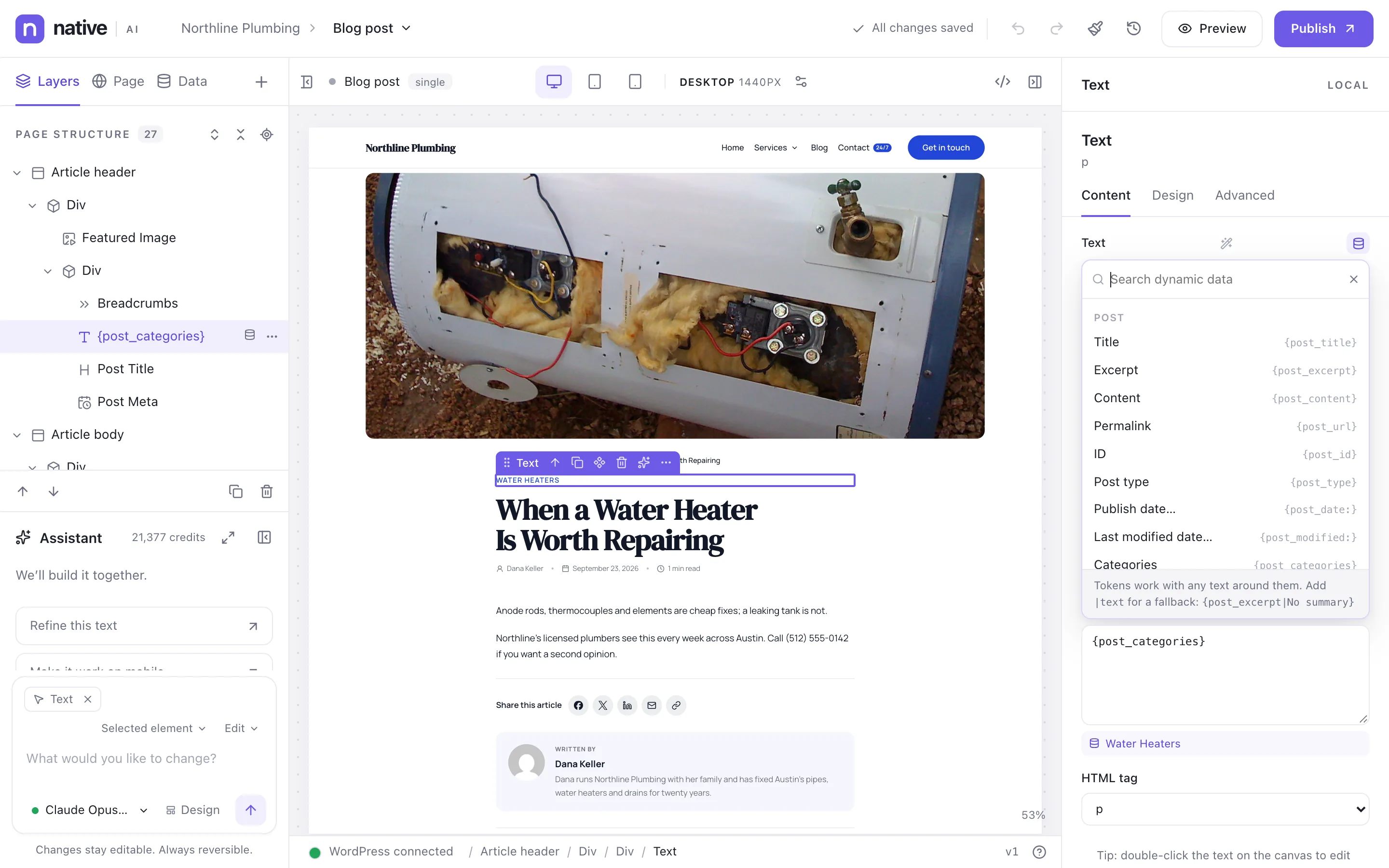
Templates made of dynamic data
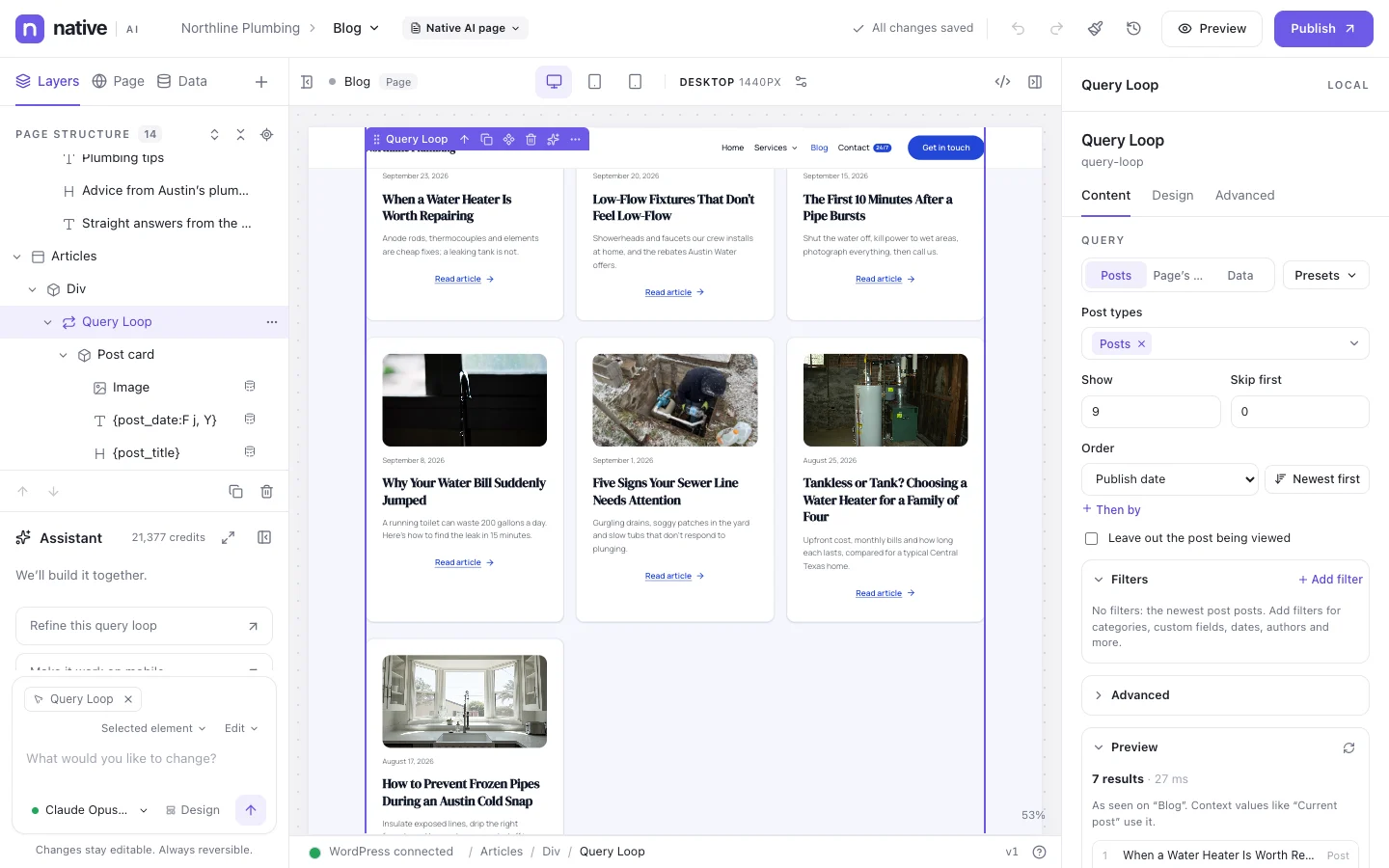
A blog post template uses dynamic elements — post title, meta, featured image, content, author box, share buttons, previous and next posts — and dynamic data in any text. The canvas previews the template with a real post.
Any post type can have its own template, including custom post types and their custom fields.
- Dynamic elements for posts, archives and search
- Preview with a real post
- Templates for custom post types
Global Blocks
Save any section as a Global Block and place it on as many pages as you like: a promo band, a call to action, a trust bar. Edit the block once and every page updates. Global Blocks appear first in the element library.
- Save any element as a Global Block
- Edit once, update everywhere
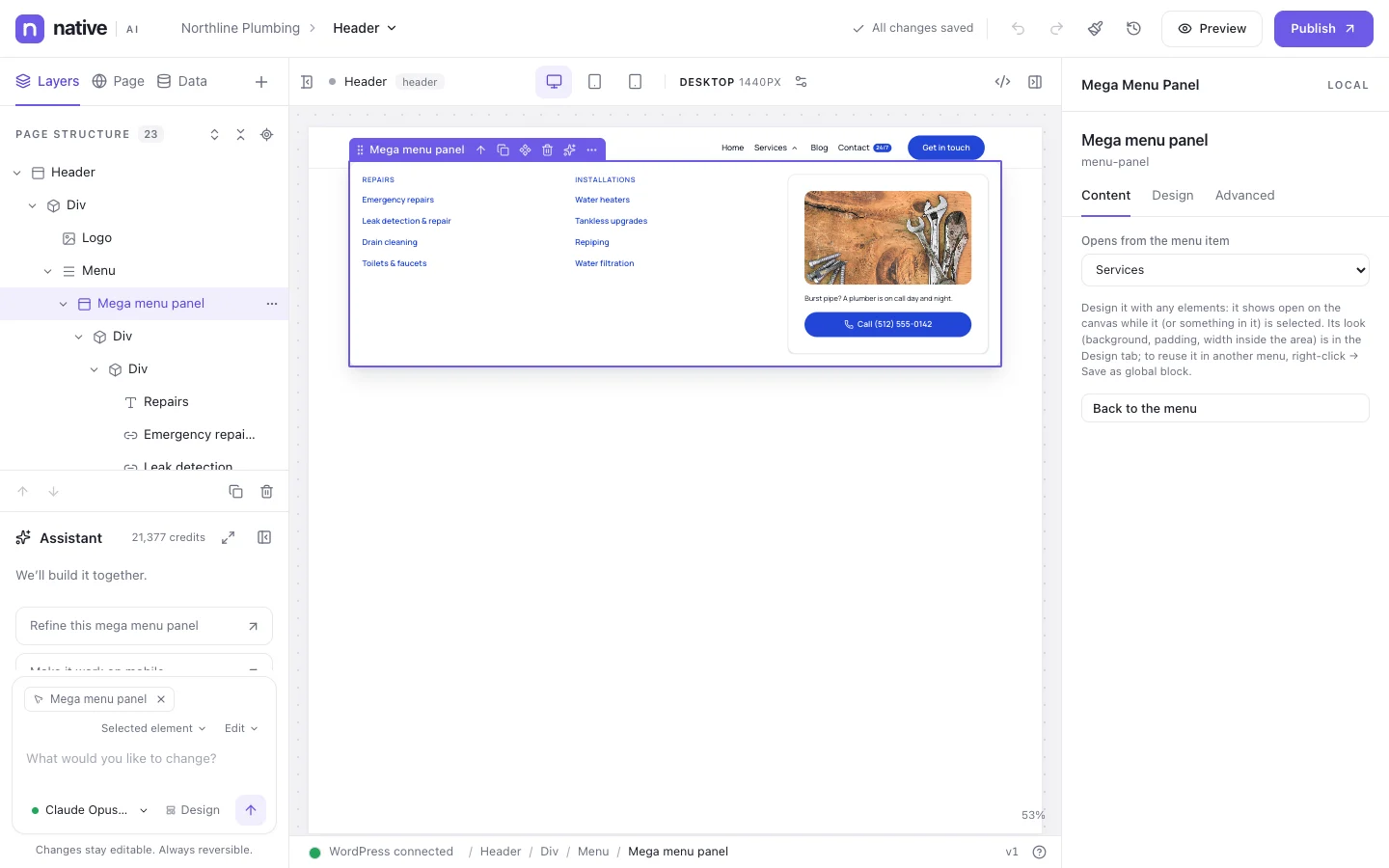
- Use Global Blocks inside mega menus
Templates & Global BlocksEverything included
Everything in templates & Global Blocks
Template types
- Header and footer
- Single (posts, pages, custom post types)
- Archive and search results
- 404 page
- Parts and Global Blocks
- Popups
Conditions
- Entire site, front page, blog page
- Post types and specific posts
- Archives, categories, tags and custom taxonomies
- Include and exclude groups
- Priority, then specificity
Management
- Switch templates on or off
- Drafts and publishing
- Duplicate a template
- Templates manager in the builder and in wp-admin
Questions about templates & Global Blocks
Can I keep my theme’s header on some pages?
Yes. A Native AI header applies where its conditions say. Settings → Templates can also limit the Native AI header and footer to chosen post types.
Works well with
Build your next WordPress site with AI you can edit.
Native AI is in early access. Tell us about your sites and we’ll set you up with a license.