FeaturesRunSite Reports
Know what happened on every site, and whether it’s healthy
Native AI keeps a timeline of everything that happens on the site — updates, content, users, AI work, snippets, forms, integrations, emails, errors — and turns it into reports: a status, what needs attention and why, the site’s health, and the numbers, with an executive summary written by AI and checked against the data. Export a PDF, or email it on a schedule.
- A status with the problems grouped, why they matter and what to do
- PDF reports emailed daily, weekly, monthly or every few days
- An AI summary where every number is checked
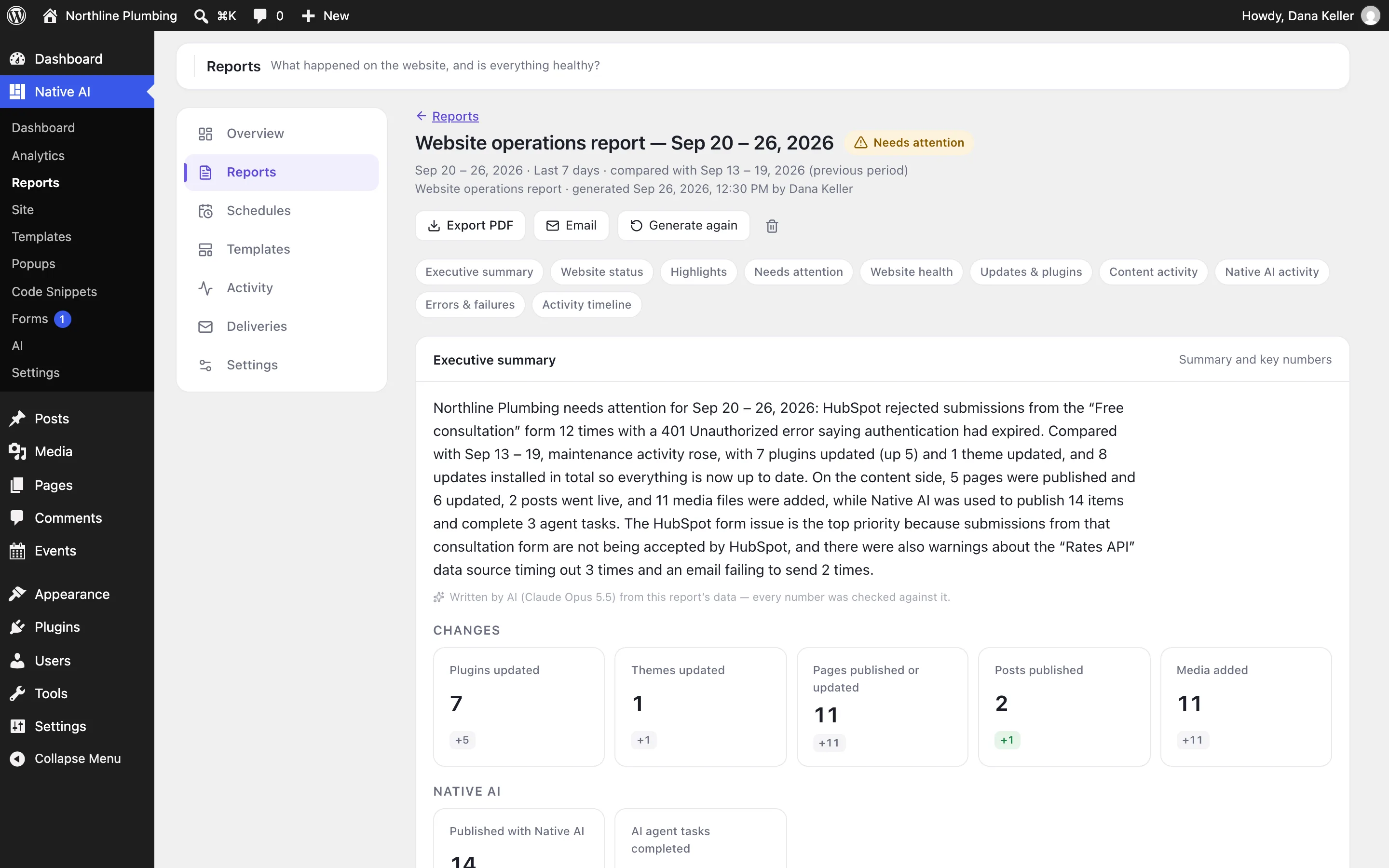
The site’s status at a glance
The overview says whether the site is healthy or needs attention, and lists the problems grouped with how many times they happened, why each matters and what to do — a CRM rejecting form submissions, an API timing out, emails that couldn’t be sent.
Generate a report for any period, compared with the previous one, with or without an AI executive summary.
- Healthy, needs attention or critical
- Grouped problems with why and what to do
- Reports on demand for any period
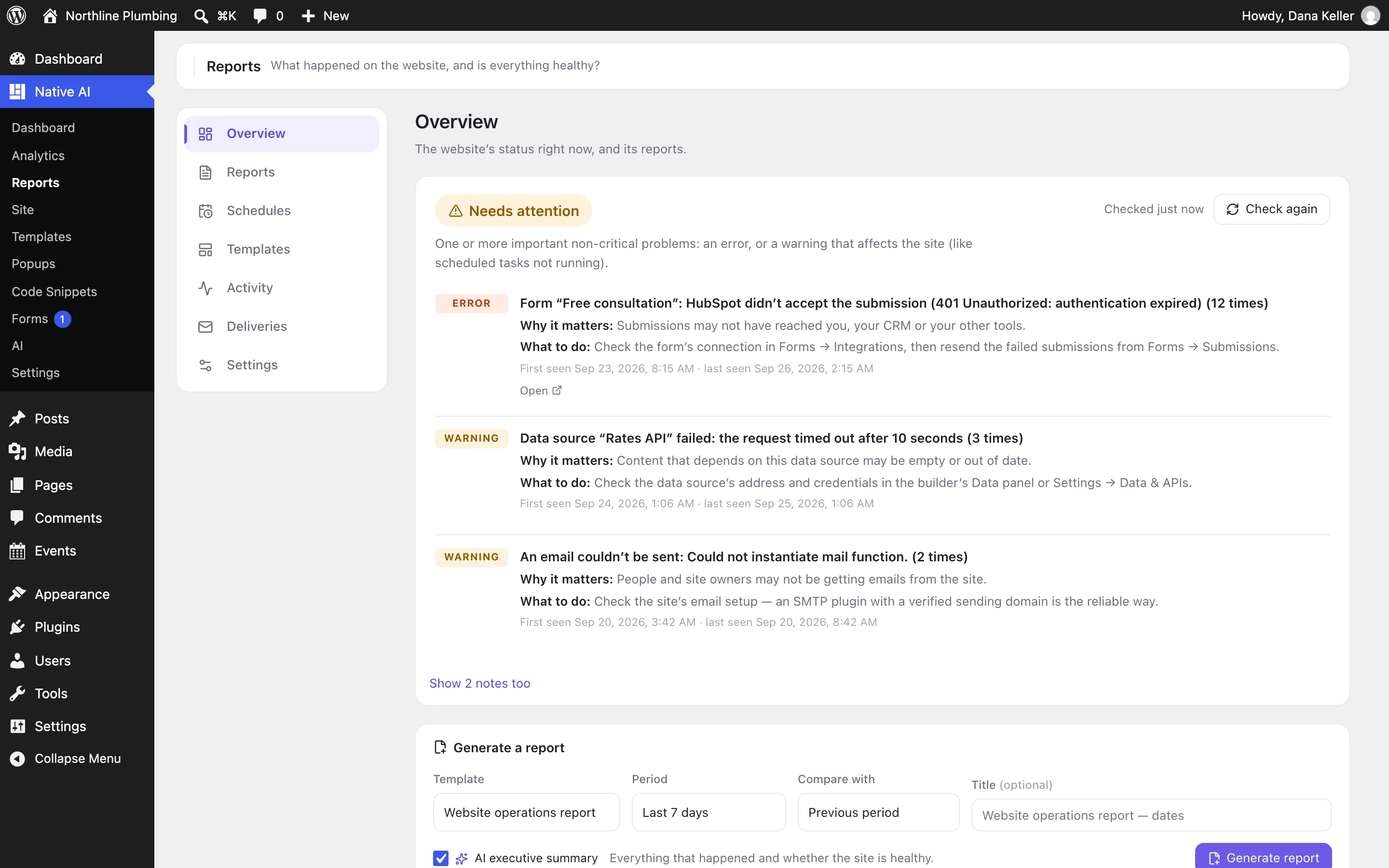
Reports people want to read
A report has up to 16 sections: executive summary, website status, highlights, needs attention, website health, updates and plugins, content activity, Native AI activity, analytics, security, backups, code snippets, forms, errors and failures, the activity timeline and user activity. Three templates are included — operations, marketing, maintenance — and you can make your own.
The executive summary is written by AI from the report’s facts only — no content, code or personal data — and every number in it is checked against the report.
- 16 sections, 3 templates, your own templates
- AI executive summary, numbers checked
- PDF export
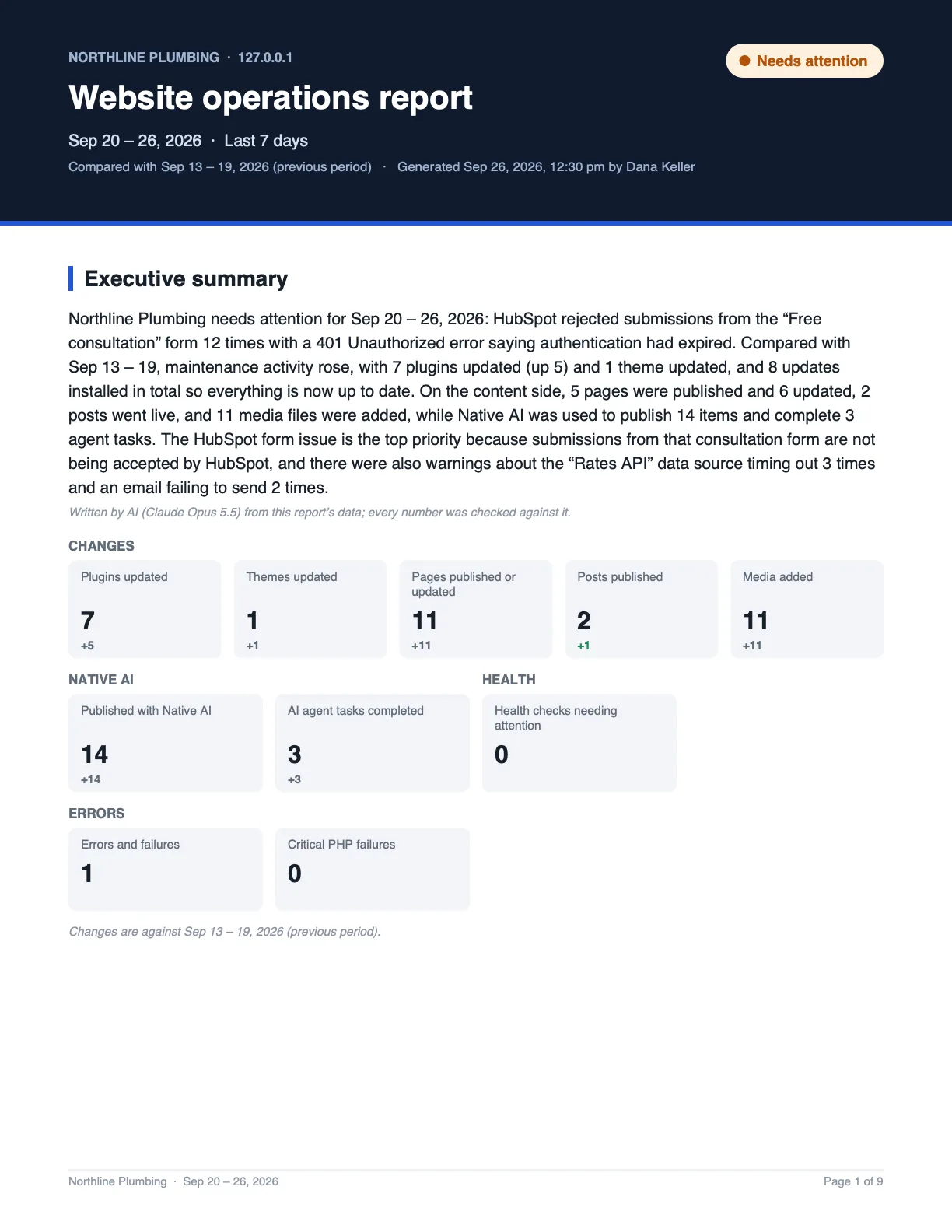
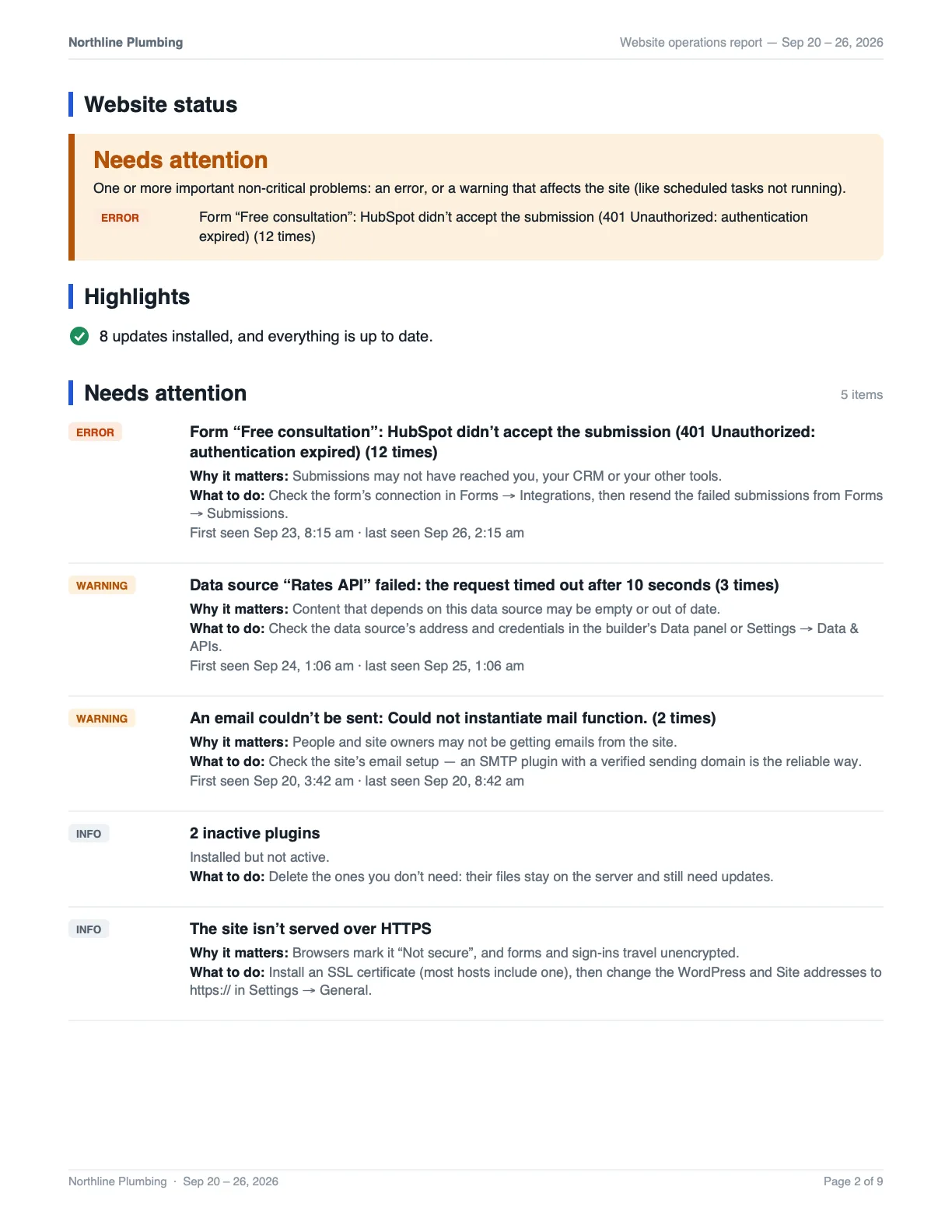
On a schedule, by email
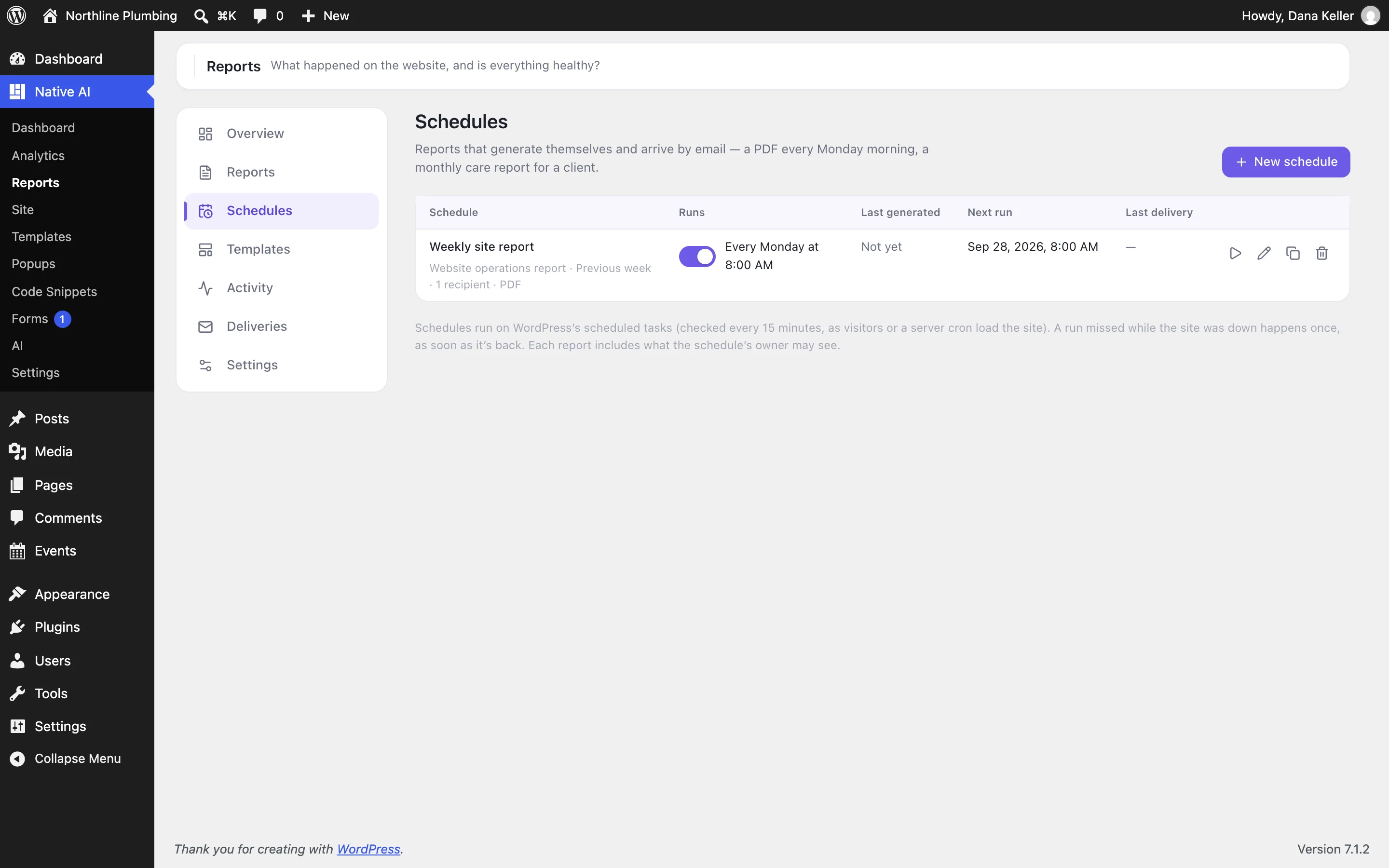
Schedules generate reports by themselves and email them as PDFs — a weekly report every Monday at 8:00, a monthly care report for a client. Choose the template, the period, the recipients, the subject and the message. The deliveries list shows what was sent, with resend.
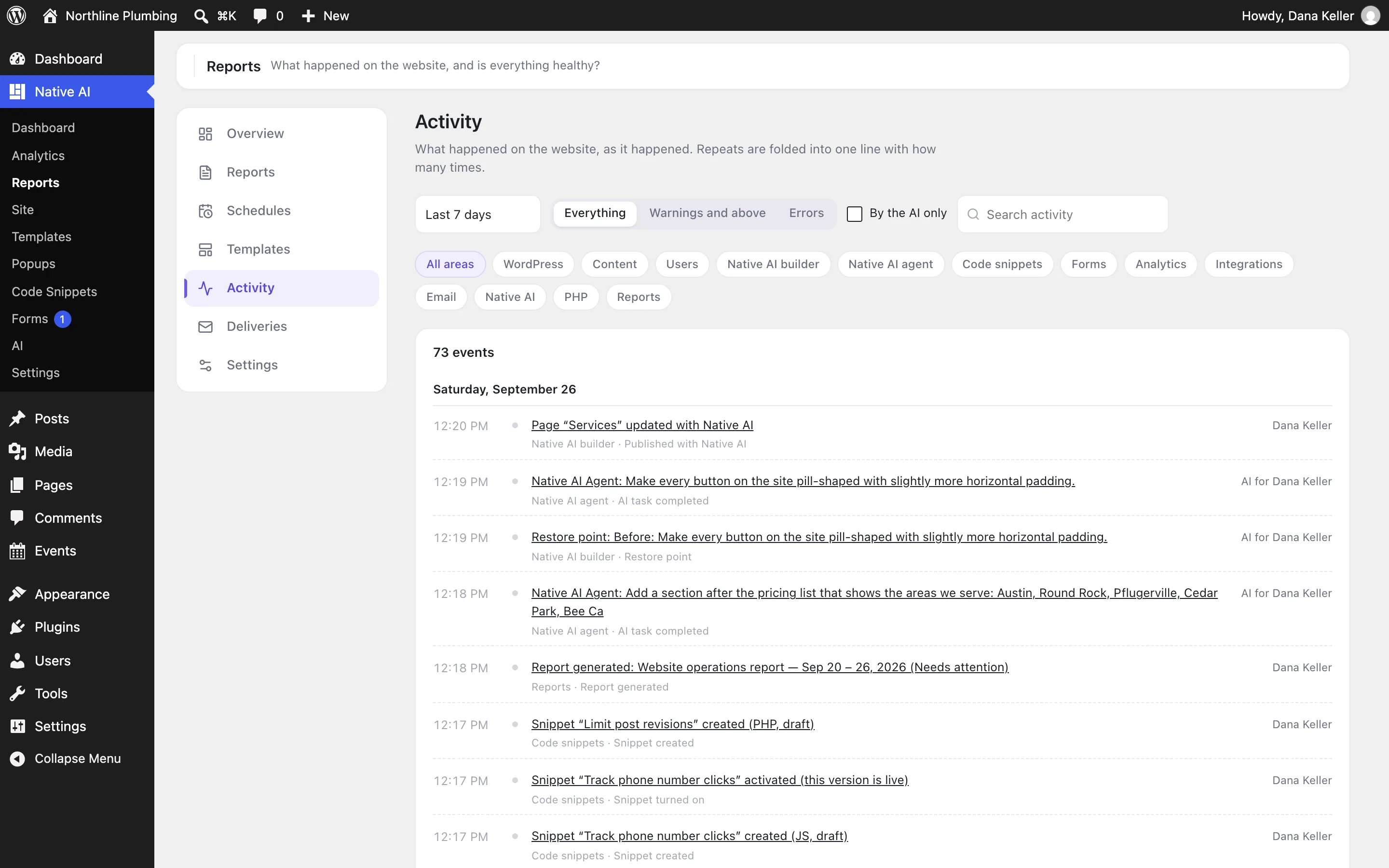
The activity timeline shows every event as it happened, with filters by area and severity, and repeats folded into one line.
- Daily, weekly, monthly or every few days
- Recipients, subject and message
- Delivery history with resend
- Activity timeline with filters
Site ReportsEverything included
Everything in site Reports
Reports
- 16 sections
- Operations, marketing and maintenance templates
- Custom templates
- Any period with comparison
- AI executive summary, fact-checked
- PDF export
Schedules
- Daily, weekly, monthly, every N days
- Recipients, subject, message
- Deliveries with resend
- Runs on WordPress’s scheduled tasks
Monitoring
- Activity timeline of the whole site
- Grouped problems with what to do
- Health checks: WordPress and PHP versions, HTTPS, scheduled tasks, storage and more
- Failed sign-ins and user changes
- Errors from forms, integrations, data sources and emails
Questions about site Reports
Does the AI see my site’s content for the summary?
No. The summary is written from the report’s facts — numbers, titles and statuses — never page content, code or personal data.
Do schedules need a real cron job?
They run on WordPress’s scheduled tasks. On a site with few visitors, ask your host for a real cron job that loads wp-cron.php every 5–15 minutes so reports go out on time.
Works well with
Build your next WordPress site with AI you can edit.
Native AI is in early access. Tell us about your sites and we’ll set you up with a license.