FeaturesGrowForms & submissions
Forms that collect, qualify and hand off every lead
Build forms from native fields on the canvas — single or multi-step, with conditional logic and a designed success state. Every submission lands in an inbox in WordPress with its status, notes and the actions that ran. Send it on to your CRM, email platform, spreadsheet or chat with 20 integrations, webhooks or REST API calls.
- 17 field types, steps, groups with logic and 11 templates
- A submissions inbox with statuses, notes, search and export
- 20 integrations plus webhooks and REST API calls
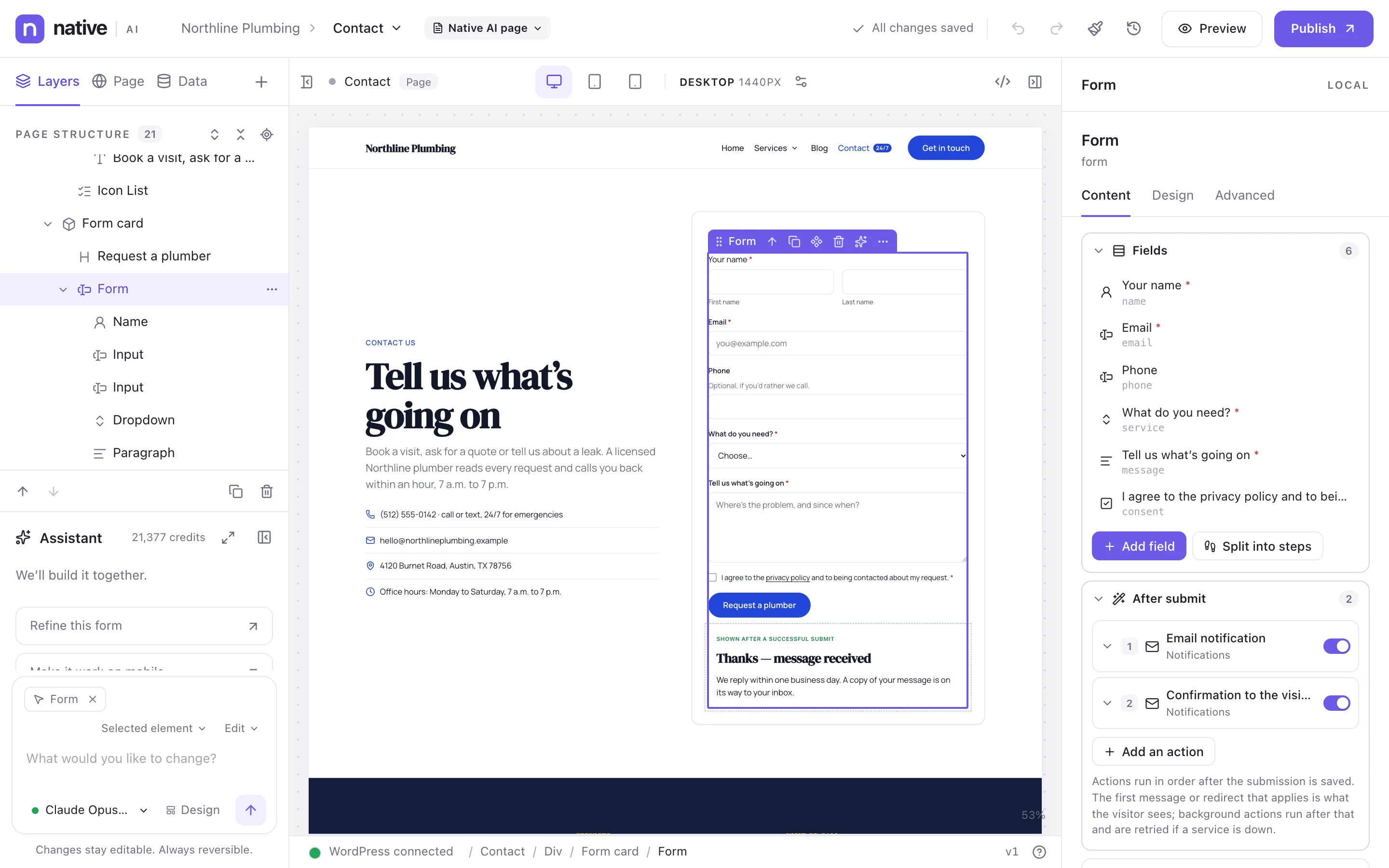
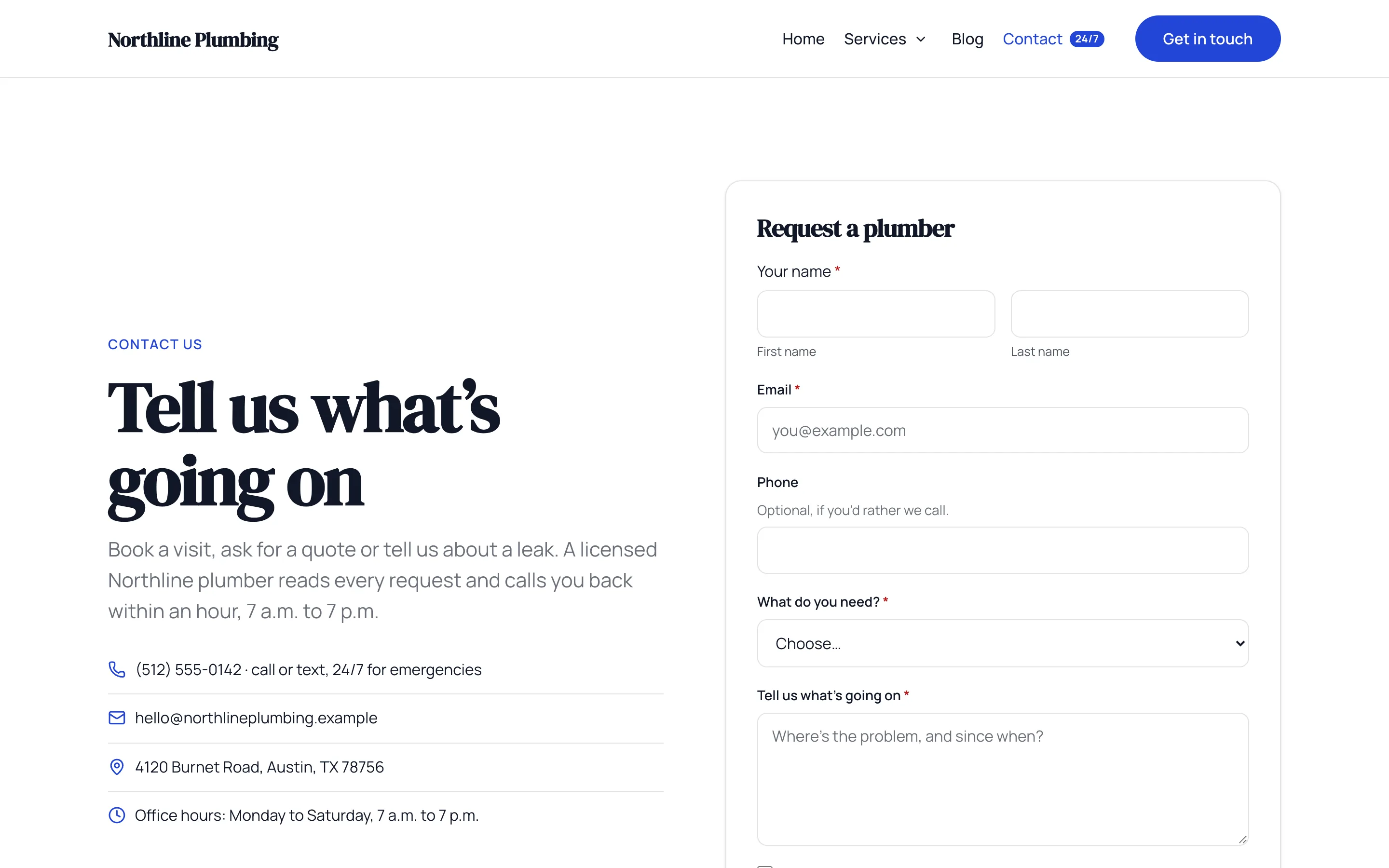
Designed like the rest of the page
Forms are made of elements, so they take your design system and you can style every field. Start from a template — contact, lead generation, newsletter, quote request, job application, event registration, support, booking, multi-step lead, user registration, post submission — or add fields one by one.
Fields: text, email, phone, number, dates, name, address, choices (radio and checkboxes), dropdowns, long text, file uploads, signatures, ratings, ranges, consent, hidden fields and CAPTCHA.
- 11 templates
- Multi-step forms with progress
- Groups shown or hidden by conditional logic
- A success state you design
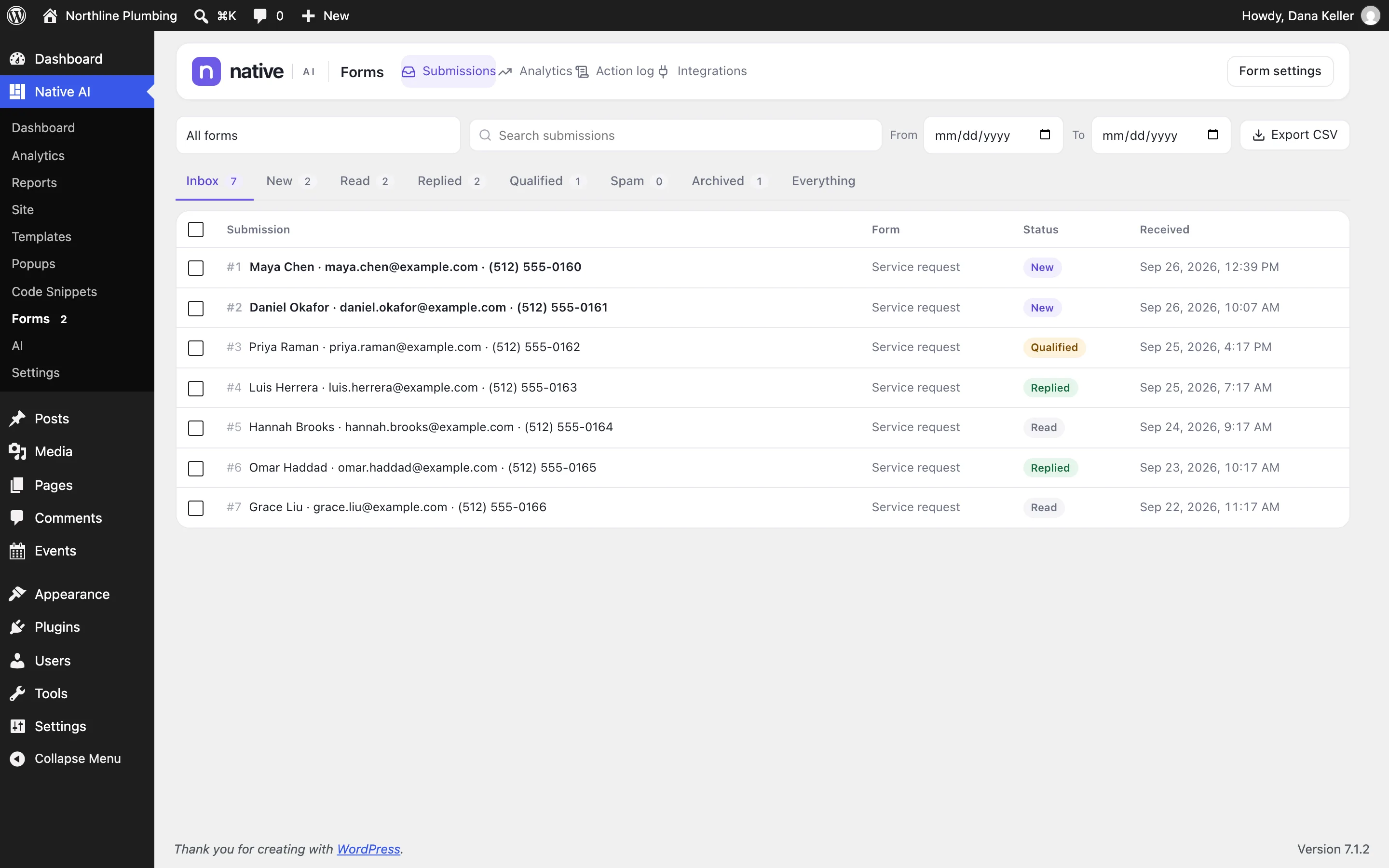
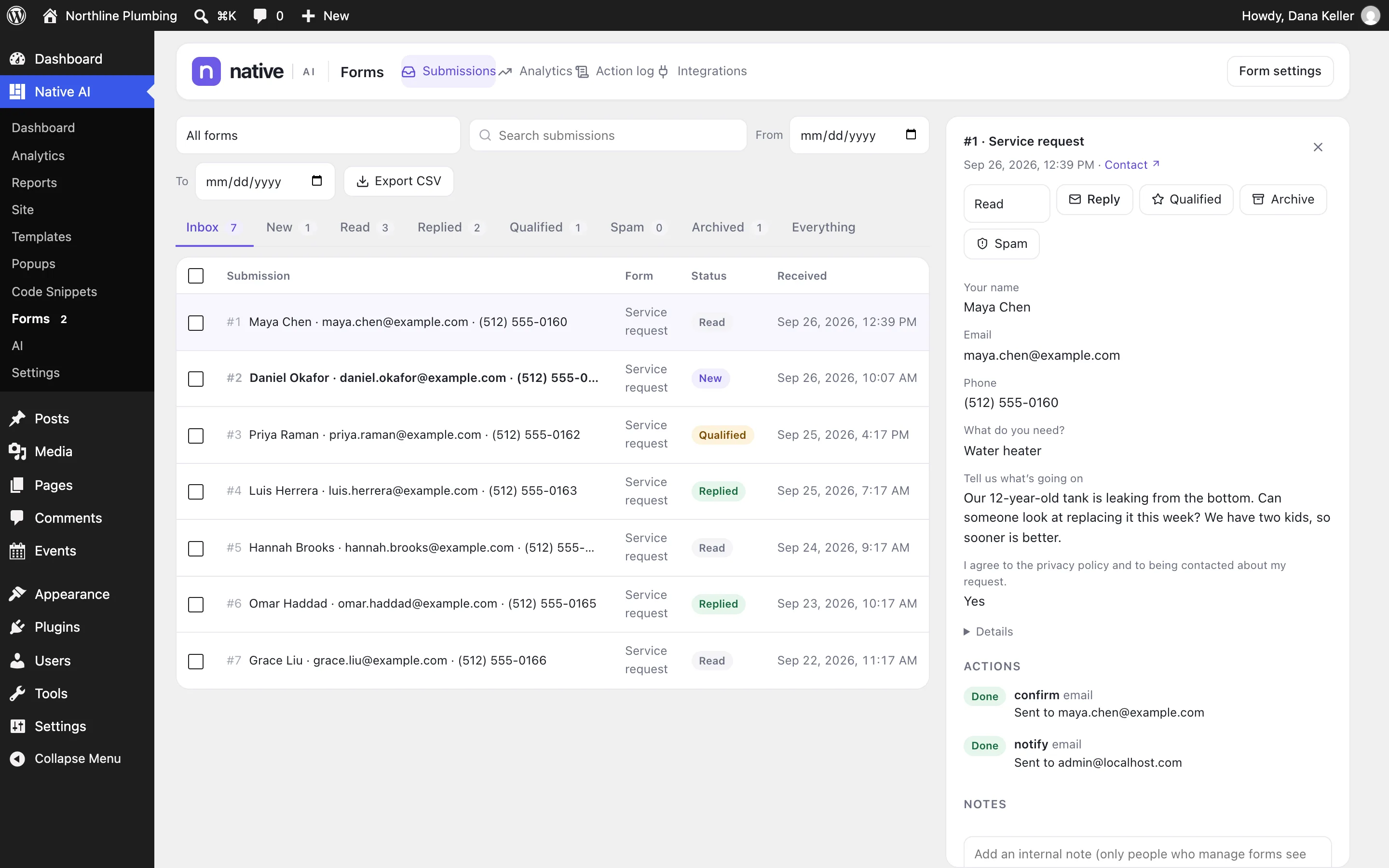
An inbox in WordPress
Native AI → Forms keeps every submission with its status — new, read, replied, qualified, spam, archived — the page it came from, and every field. Search, filter by form and dates, export to CSV, add notes for your team, and see each action that ran after the submission, with a way to retry.
- Statuses, notes and bulk actions
- Search, date filters and CSV export
- Action log with retries
- Private file uploads
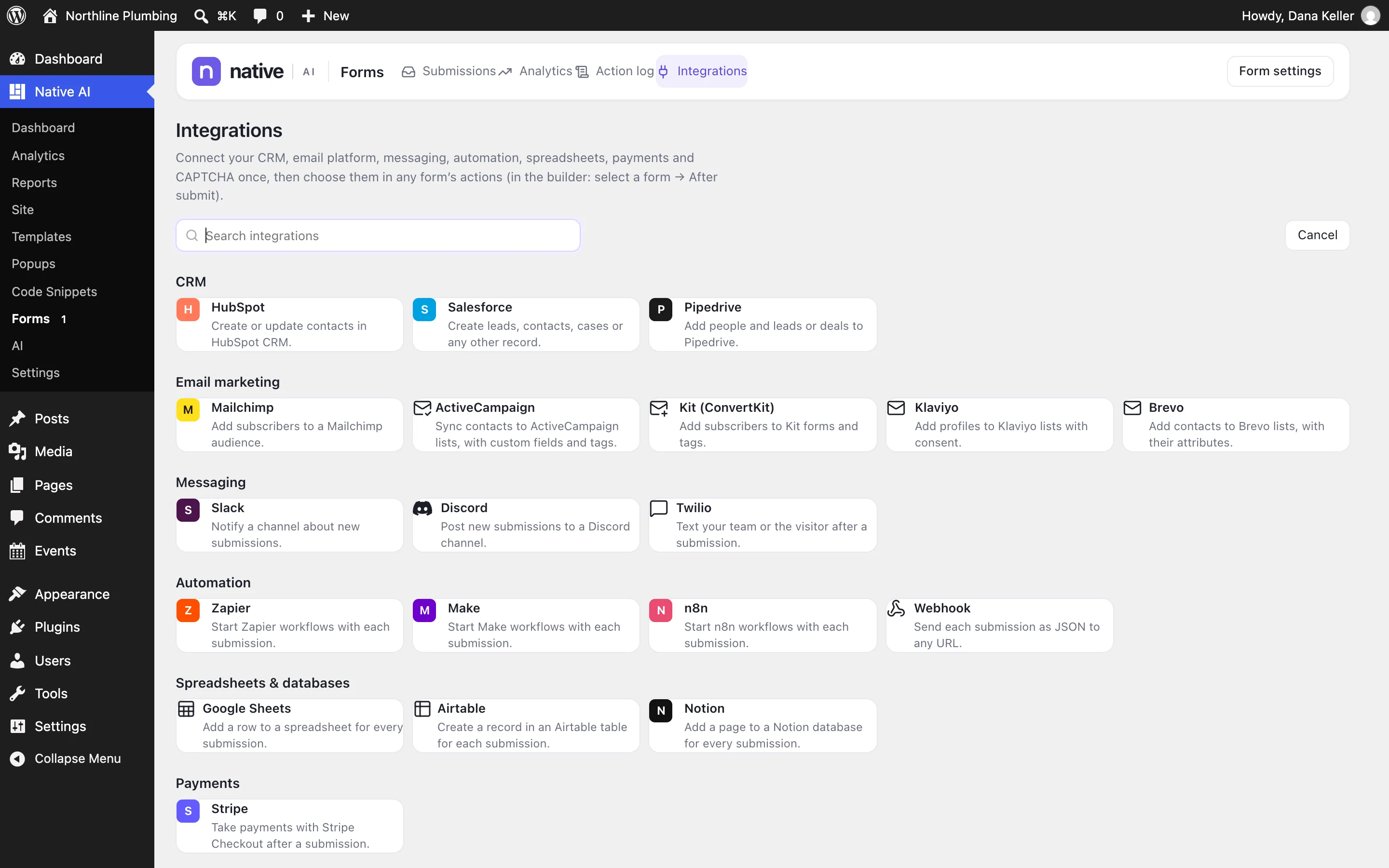
Connected to the tools you use
After a submission is saved, its actions run in order: email notifications and confirmations, a message or redirect for the visitor, and integrations. Connect a tool once in Forms → Integrations and use it in any form.
Credentials stay encrypted in WordPress and are never shown again or sent to the AI. A failing integration never loses the submission: it’s stored first, and background actions are retried.
- CRM: HubSpot, Salesforce, Pipedrive
- Email marketing: Mailchimp, ActiveCampaign, Kit, Klaviyo, Brevo
- Messaging: Slack, Discord, Twilio
- Automation: Zapier, Make, n8n, webhooks
- Data: Google Sheets, Airtable, Notion
- Payments: Stripe · CAPTCHA: reCAPTCHA, Turnstile
Spam stays out, and you see what works
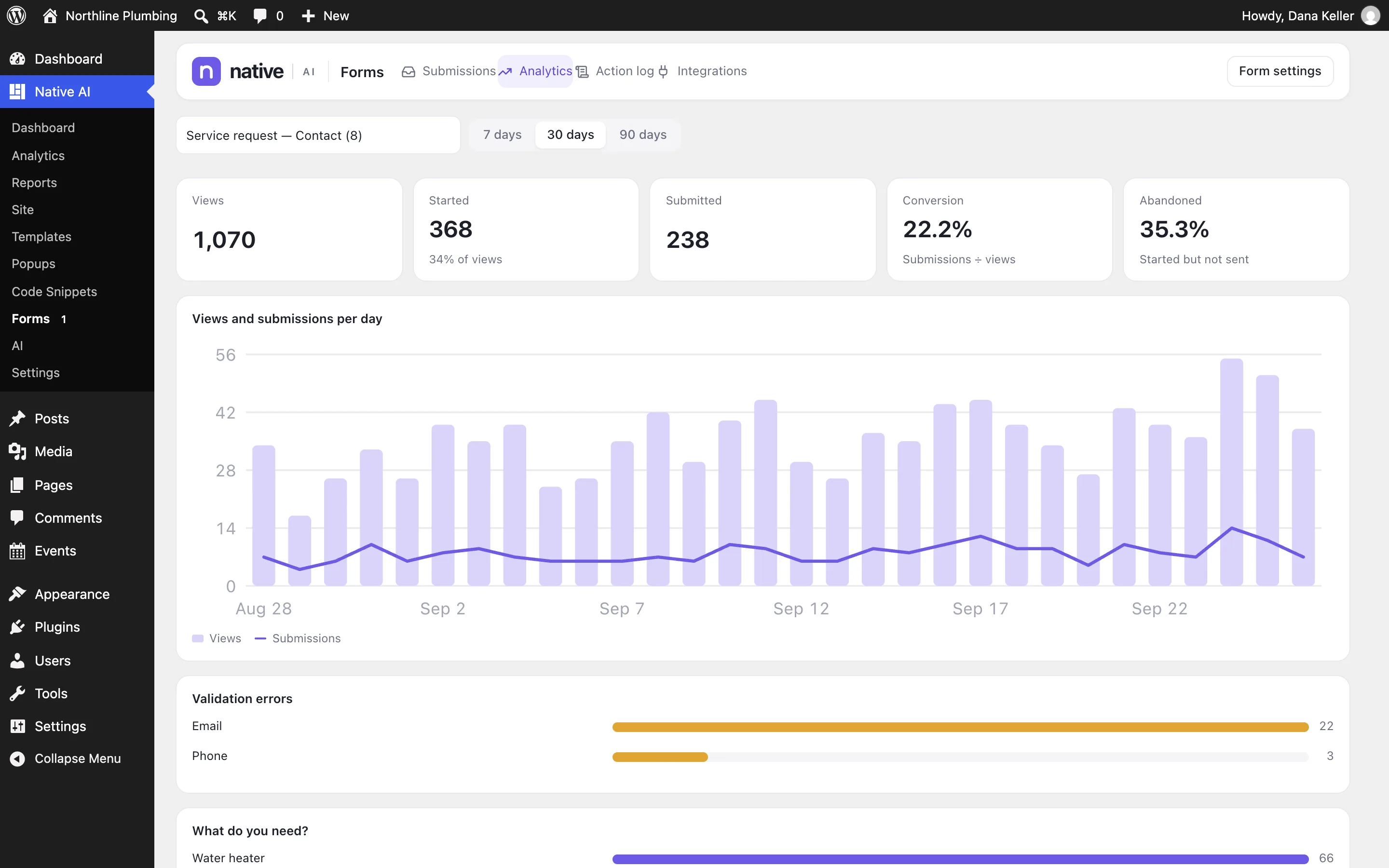
A hidden honeypot field, a minimum time to fill in the form, per-visitor rate limits, WordPress’s disallowed words, a limit on links, Akismet when it’s active and CAPTCHA when you want it. Spam is kept for review, not deleted.
Form analytics show views, starts, submissions, the conversion rate, how many people abandon the form, which fields cause validation errors, and how people answered choice questions.
- Honeypot, timing, rate limits, disallowed words, link limits, Akismet, CAPTCHA
- Views, starts, submissions, conversion and abandonment
- Validation errors by field; answers to choice questions
Forms & submissionsEverything included
Everything in forms & submissions
Building
- 17 field types
- Multi-step forms
- Conditional logic on fields and groups
- 11 templates
- Designed success state
- Dynamic data in defaults and hidden fields
After submit
- Email notifications and confirmations
- Messages and redirects
- Webhooks and REST API calls
- 20 integrations
- Stripe payments
- Actions run in order, background actions retried
Inbox
- Statuses, notes, search, filters
- CSV export
- Action log with retries
- Private file uploads
- Retention: delete after a number of days
- IP addresses not stored unless you choose
Protection
- Honeypot and minimum time
- Rate limits per visitor
- Disallowed words and link limits
- Akismet and CAPTCHA (reCAPTCHA, Turnstile)
Questions about forms & submissions
Are submissions stored if an email fails?
Yes. A submission is saved before any action runs, so a failing email or integration never loses it. The action log shows what failed, and you can retry.
Can I use forms inside popups?
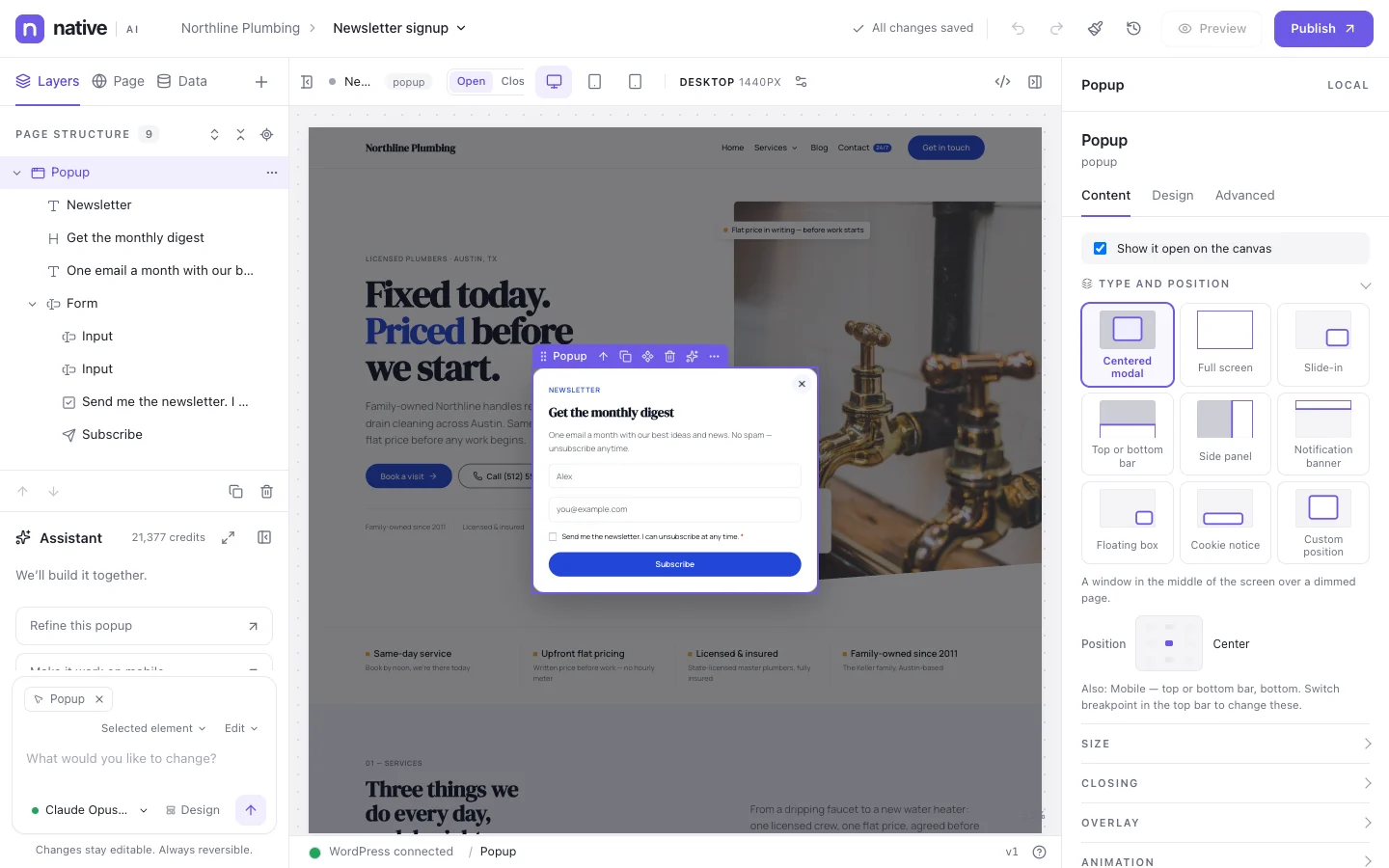
Yes. Forms work anywhere, including popups; a popup can stop showing once its form is sent.
Works well with
Build your next WordPress site with AI you can edit.
Native AI is in early access. Tell us about your sites and we’ll set you up with a license.