FeaturesAIWhole websites from a description
Describe a business. Get a complete website you can edit.
Write a few sentences about the business and the website you want. Native AI proposes a plan — design direction, pages, templates, forms, blog — with its cost. Approve it and it builds everything as native elements: a design system, the header and footer, every page, the navigation and the forms. Then you edit anything, by hand or with the assistant.
- A plan with its credit cost before anything is built
- Your real details (phone, address, prices, hours) used exactly
- Draft site first; it goes live as a whole when you’re ready
Start from a description
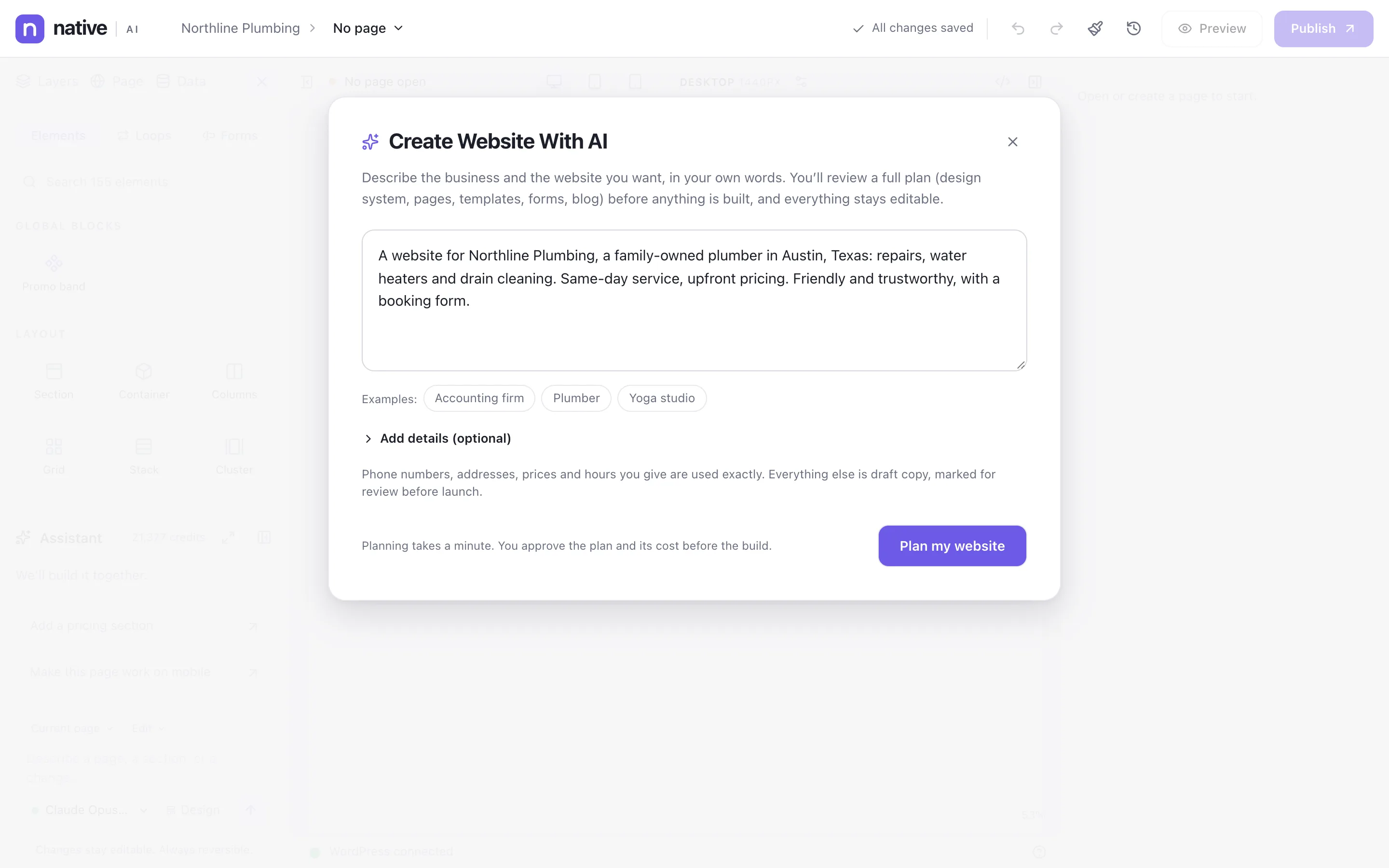
Open the builder in site mode and describe the business in your own words: what it does, where, for whom, the pages you want, the feel. Add optional details — location, audience, tone, style — or start from an example.
Phone numbers, addresses, prices and hours you give are used exactly. Everything else is draft copy, marked for review before launch.
- Plain-language brief, with optional details
- Examples to start from
- Real business details kept exactly as given
Review the plan before it builds
Planning takes about a minute. You see the design direction, the pages and sections, templates, forms and blog — and the credits the build will use. Change it, or approve it.
The build then creates the design system (colors, type, spacing, classes), the header and footer, each page with its sections, the menus and the forms, all from native elements.
- Design direction, pages, templates, forms and blog in one plan
- The build’s credit cost shown up front
- Pages built in parallel, with progress as they finish

A draft site, then live in one step
A generated site goes into a draft first, so a live site isn’t touched while you review. When it’s right, it goes live as a whole from Native AI → Site. A snapshot of the previous design is taken automatically, and any snapshot can be restored.
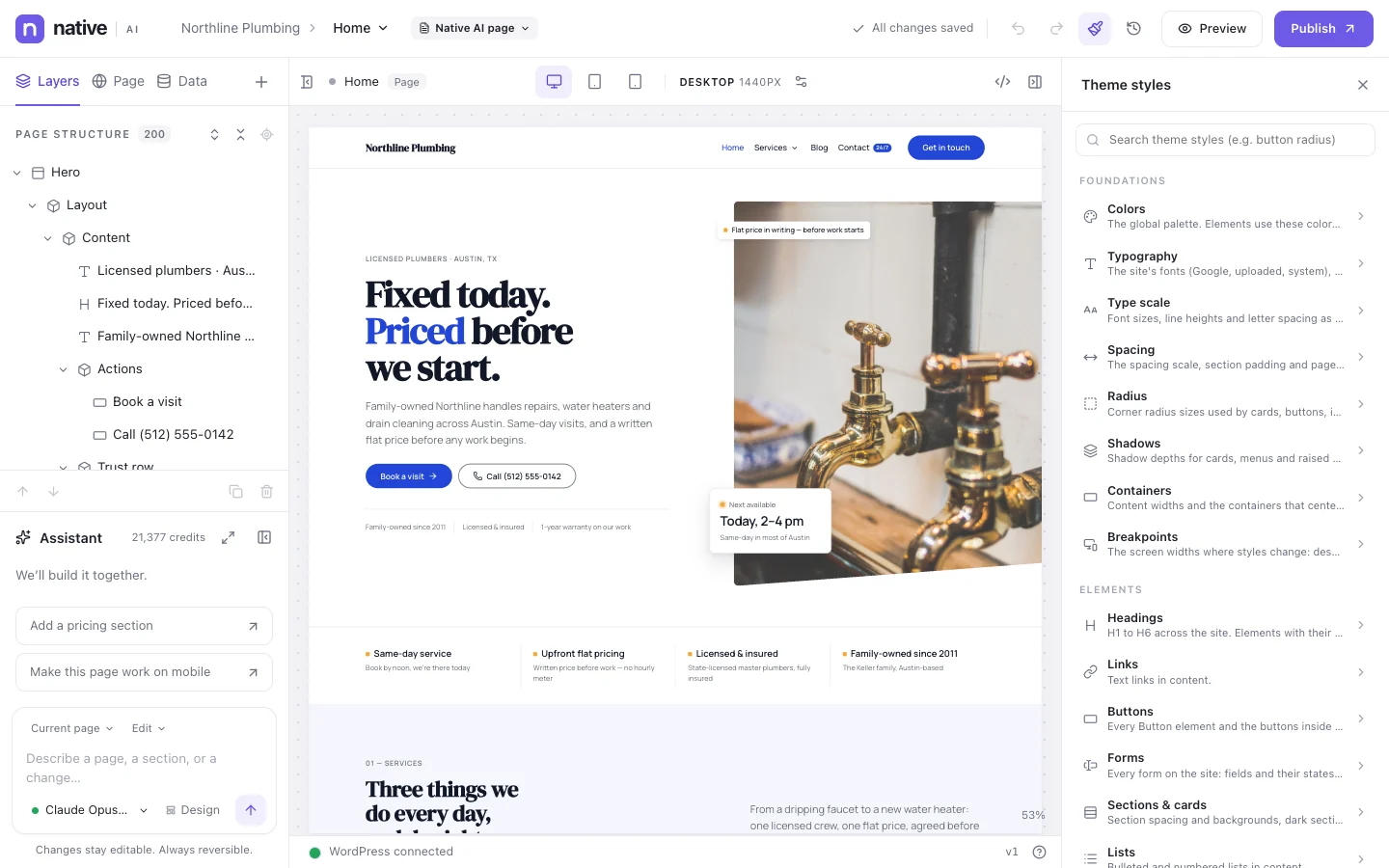
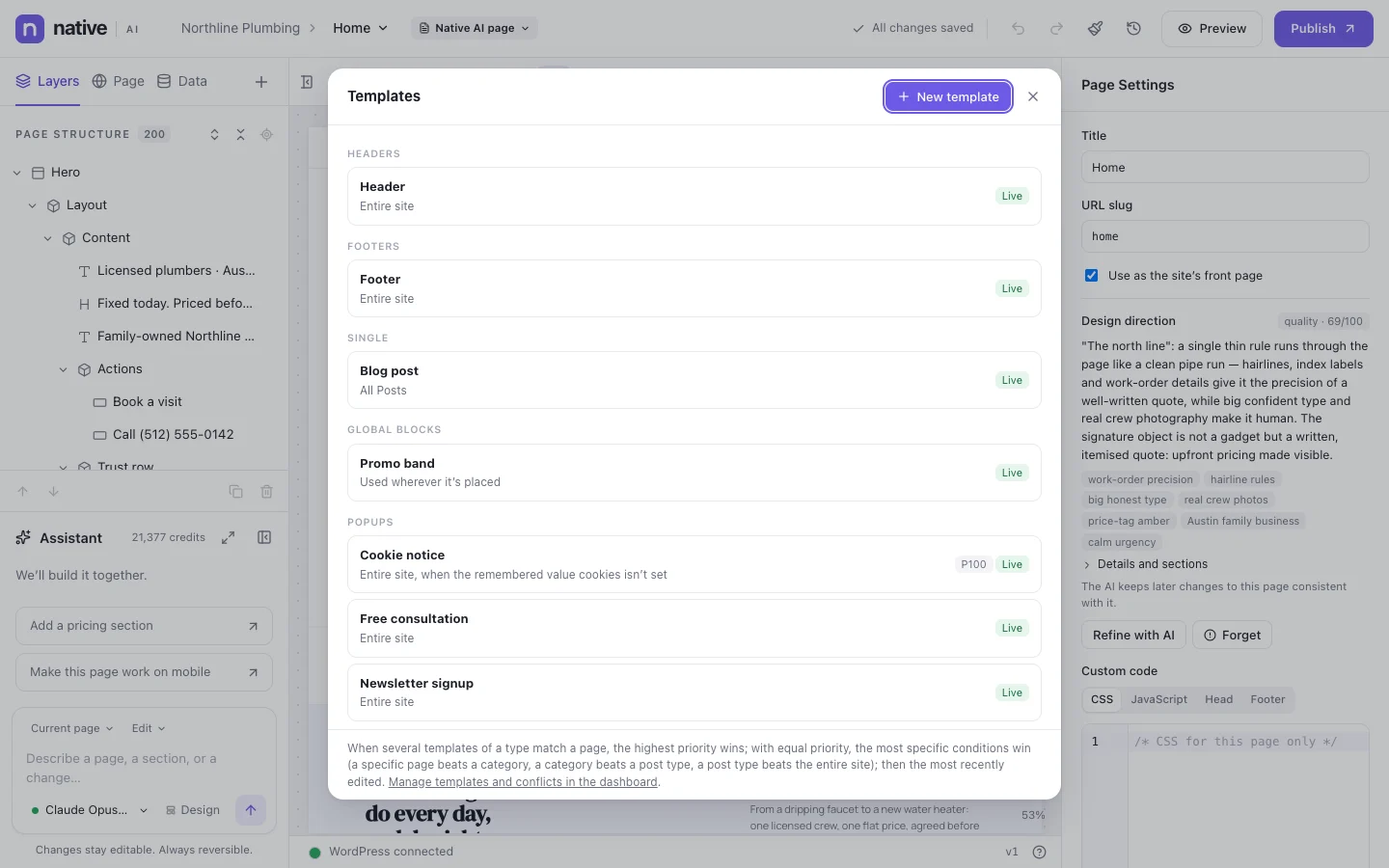
The homepage in the pictures was designed by Native AI from a one-paragraph brief for a plumbing company: the layout, the typography, the copy structure and the design system are all native, editable elements.
- Draft site, reviewed before it goes live
- Automatic snapshot before regenerating or going live
- Restore any snapshot; restoring never deletes anything

Regenerate — or redesign what you have
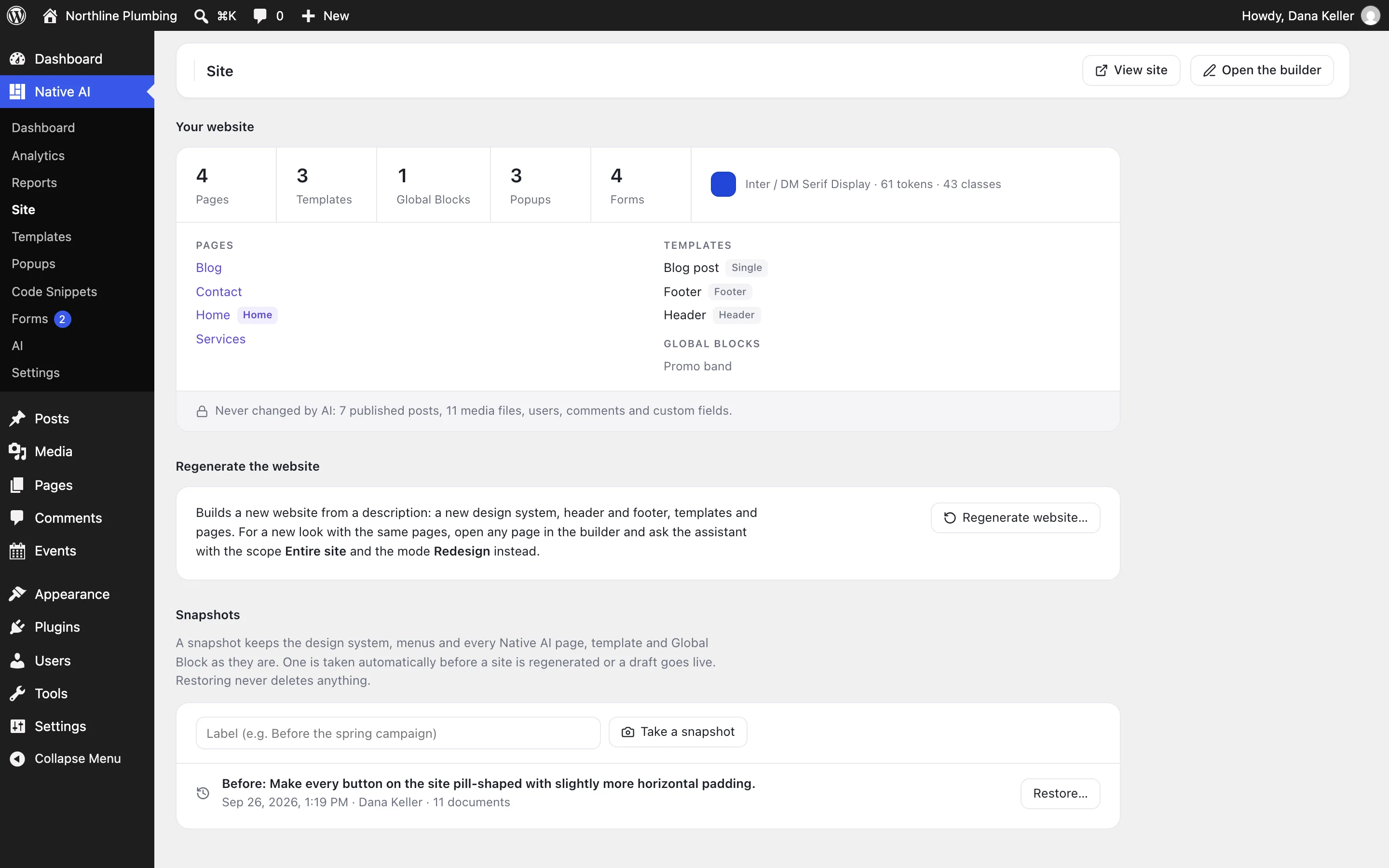
Native AI → Site shows what the website is made of — pages, templates, Global Blocks, popups, forms, the design system — and what the AI never changes: your posts, media, users, comments and custom fields.
Regenerate builds a new website from a new description, as a draft or replacing chosen parts. For a new look with the same pages, ask the assistant with the scope Entire site and the mode Redesign instead.
- Regenerate as a draft, or replace chosen parts
- Posts, media, users and comments are never changed by AI
- Snapshots with your own labels (“Before the spring campaign”)
Whole websites from a descriptionEverything included
Everything in whole websites from a description
Planning
- Brief in your own words, with optional details
- Plan with design direction, pages, templates, forms and blog
- Credit cost shown before the build
- Approve, change or cancel the plan
Building
- Design system: colors, fonts, type scale, spacing, radius, shadows, classes
- Header, footer and navigation menus
- Every page with its sections
- Forms with their actions
- Stock photos or generated images where pictures belong
Safety
- Draft site first
- Automatic snapshots before going live or regenerating
- Restore any snapshot
- Your content (posts, media, users, comments) never changed
Questions about whole websites from a description
Is the generated site a theme?
No. It’s a normal Native AI site: a design system, templates and pages made of elements, all editable in the builder. Your WordPress theme stays installed; Native AI renders the pages it builds.
Can I generate just one page?
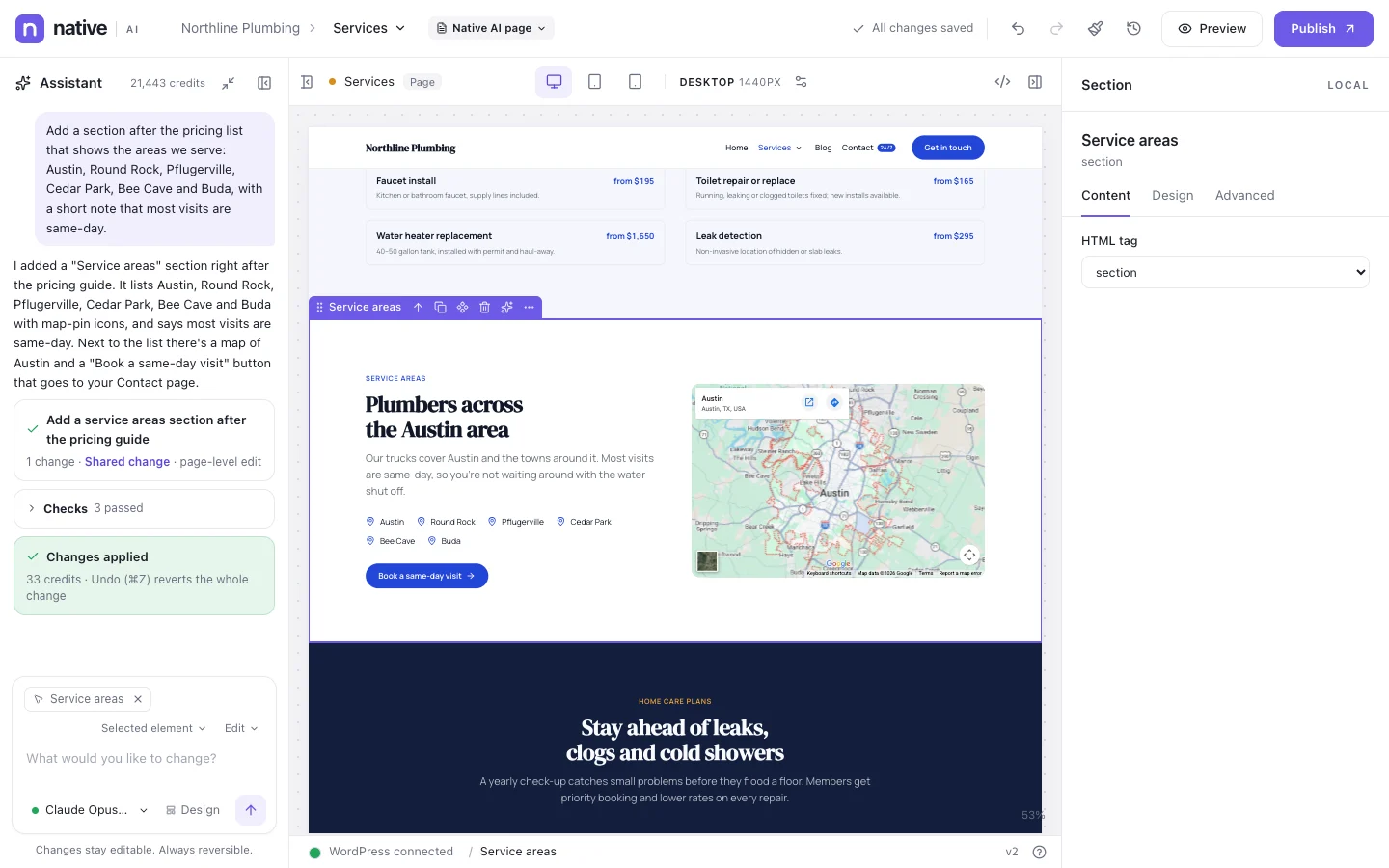
Yes. In the builder, the assistant’s Design mode designs a single page from a description, with controls for style, density, corners, energy, layout and typography, and up to four reference images.
What if I don’t like the result?
Ask the assistant for changes, edit by hand, or restore the snapshot taken before the build. Nothing is published until you choose to go live.
Works well with
Build your next WordPress site with AI you can edit.
Native AI is in early access. Tell us about your sites and we’ll set you up with a license.