FeaturesBuildDynamic data & Query Loops
Pages built from your real content and data
Put WordPress data into any text or setting — the post’s title and date, the author, custom fields, ACF fields, the visitor’s name — and repeat designs over lists with Query Loops: posts, pages, custom post types or data from an external API. Filter, sort and paginate without code.
- Dynamic data in any text, link or image
- Query Loops over posts, custom post types and APIs
- Filters, sorting, pagination and a live preview
Query Loops without code
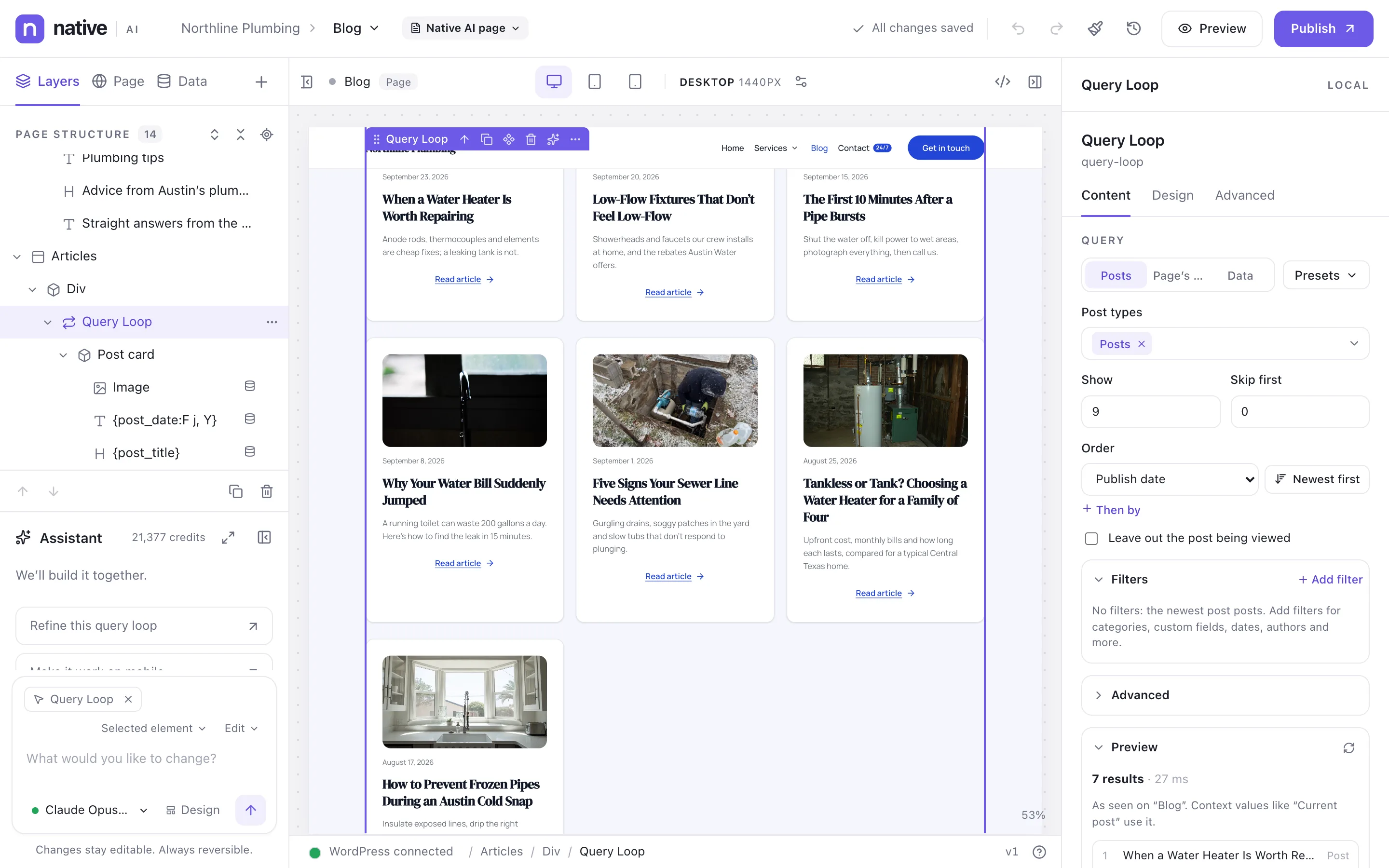
Select a loop to choose what it shows: posts, the page’s own query (for archives and search results), or data. Pick post types, how many, where to start, the order, and filters on categories, tags, custom fields, dates and authors. The preview shows the results and how long the query took.
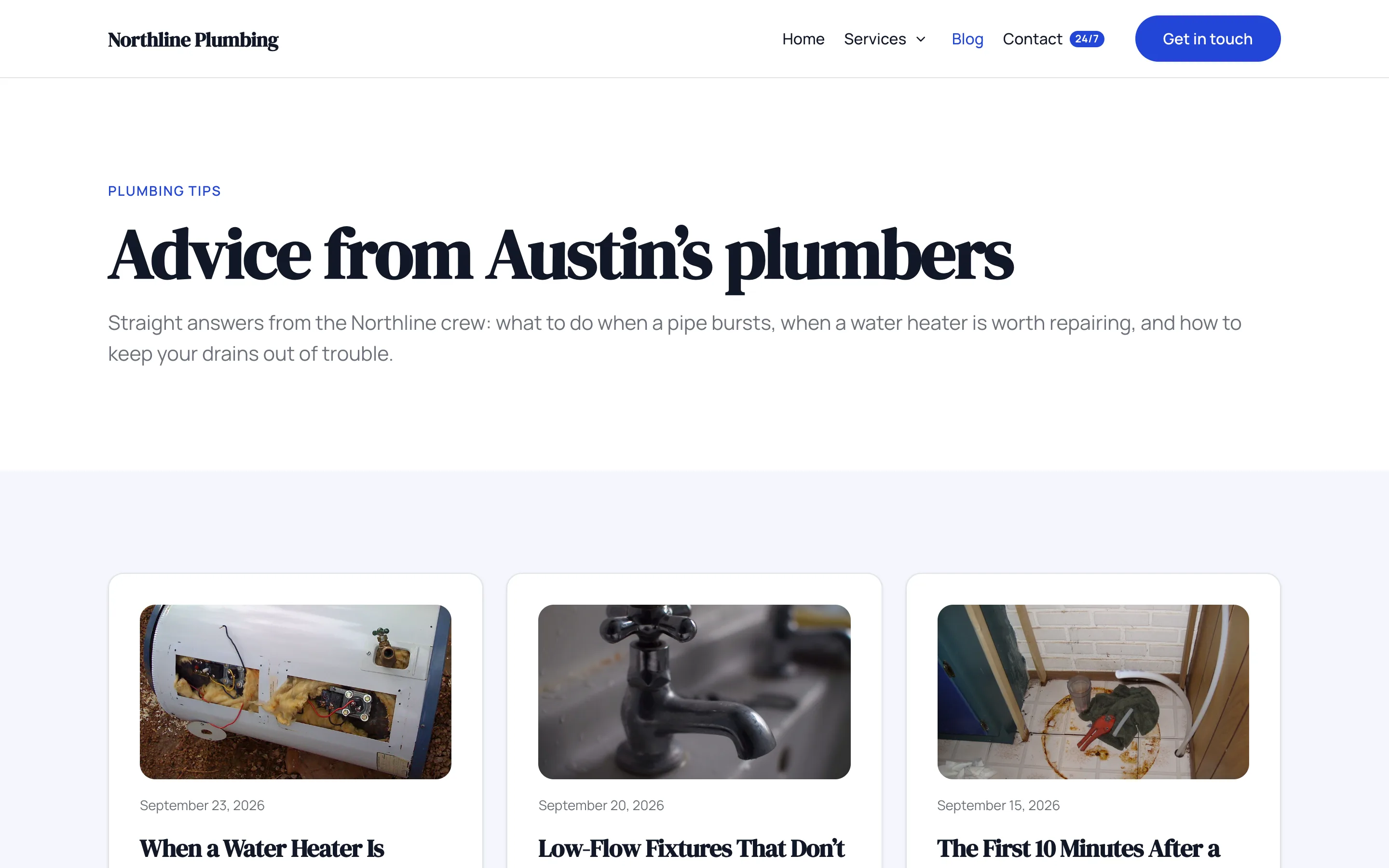
Design one card and it repeats for every result. Add pagination with numbered pages or a Load more button, and an empty state for when nothing matches.
- Posts, pages, custom post types, the page’s query, or data
- Filters: terms, custom fields, dates, authors
- Order by date, title, menu order, custom field, random and more
- Numbered pagination or Load more
Dynamic data anywhere
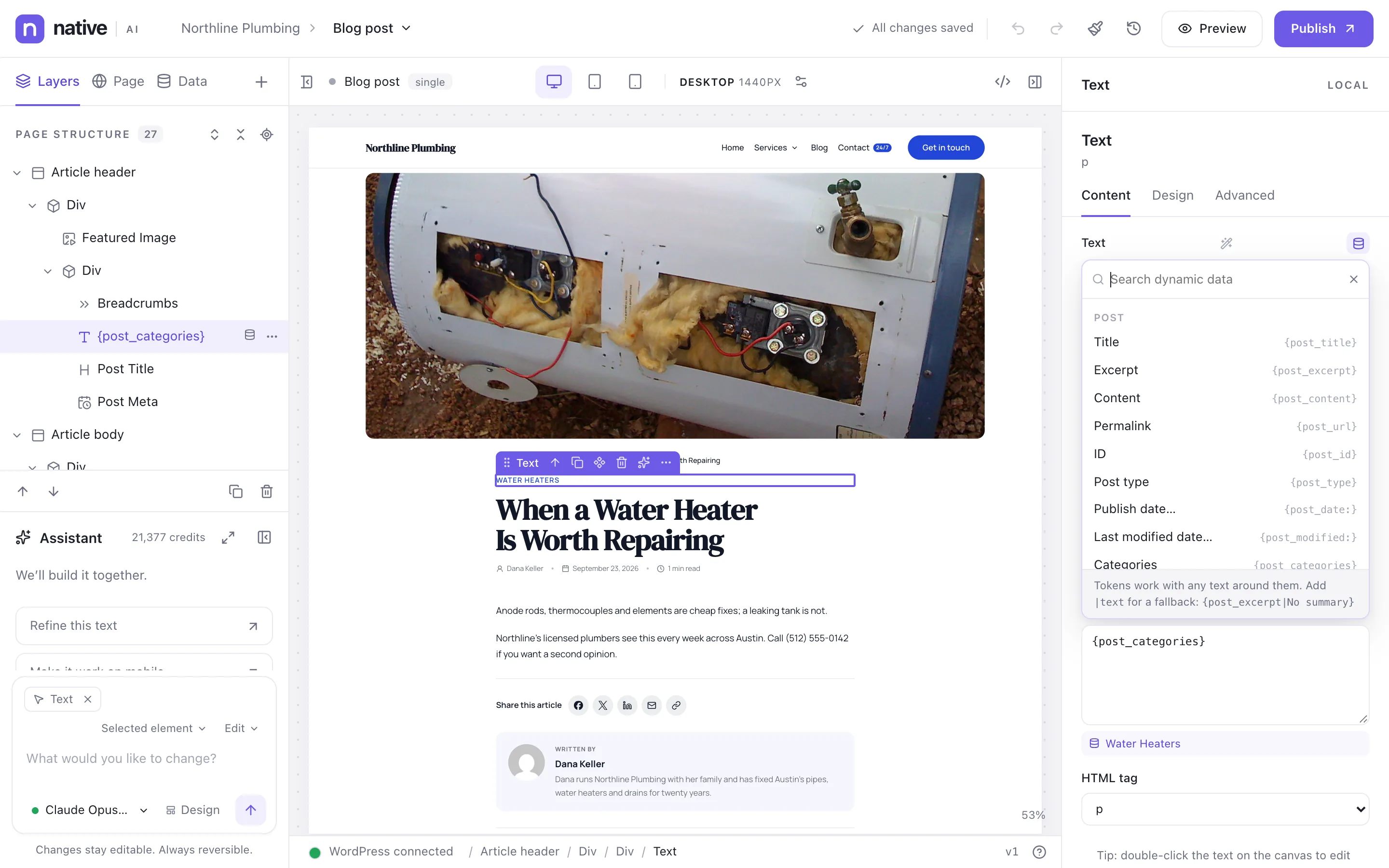
The dynamic data picker lists what you can insert — post title, excerpt, content, permalink, dates with your own format, categories, featured image, author, site and user details, custom fields and ACF fields. Tokens work with any text around them, and a fallback covers empty values.
The canvas shows real values from a preview post, so templates look like the real thing while you design.
- Post, author, site, user, date, terms and custom field tokens
- Advanced Custom Fields support
- Date formats and fallbacks
- Real values on the canvas
Data from other systems
Data & APIs connects external REST APIs or static JSON as data sources. Credentials are encrypted and stay in WordPress; responses are cached; requests are rate-limited per source. Loop over API results like posts, and use their fields as dynamic data.
- REST APIs and static JSON
- Encrypted credentials, kept in WordPress
- Caching and rate limits
- Loops and dynamic data over API results
Dynamic data & Query LoopsEverything included
Everything in dynamic data & Query Loops
Dynamic data
- Post: title, excerpt, content, link, dates, type, ID
- Taxonomies, author, comments, reading time
- Site and user details
- Custom fields and ACF fields
- Formats and fallbacks
Query Loops
- Post types including custom ones
- Current page’s query (archives, search)
- External data sources
- Filters, sort orders, offsets
- Pagination and Load more
- Presets and saved loops
- Live preview with result count
Data & APIs
- REST APIs with authentication
- Static JSON data
- Encrypted credentials
- Response caching
- Per-source rate limits and size limits
Questions about dynamic data & Query Loops
Does it work with Advanced Custom Fields?
Yes. ACF fields appear in the dynamic data picker and in Query Loop filters and sorting. You can choose which custom fields are available in Settings → Dynamic data.
Can I write PHP in a Query Loop?
Only if an administrator allows it in Settings → Advanced, and only for people with the custom code permission. Most sites never need it.
Works well with
Build your next WordPress site with AI you can edit.
Native AI is in early access. Tell us about your sites and we’ll set you up with a license.