Native AIGet started
From license to first page in ten minutes
Native AI installs like any WordPress plugin. Here’s everything, from getting a license to publishing the first page.
Get a license
Request access. You’ll get a license key by email — it looks like
NAI-XXXX-XXXX-XXXX-XXXX.Download the plugin
On the Download page, enter your license key to get the latest
native-ai-x.y.z.zip. Keep the file zipped.Install it in WordPress
Go to Plugins → Add New Plugin → Upload Plugin, choose the zip file, click Install Now, then Activate. Native AI appears in the admin menu. The builder and every other feature work right away.
- WordPress 6.9 or later
- PHP 8.1 or later
- Any host that runs WordPress
Turn on AI
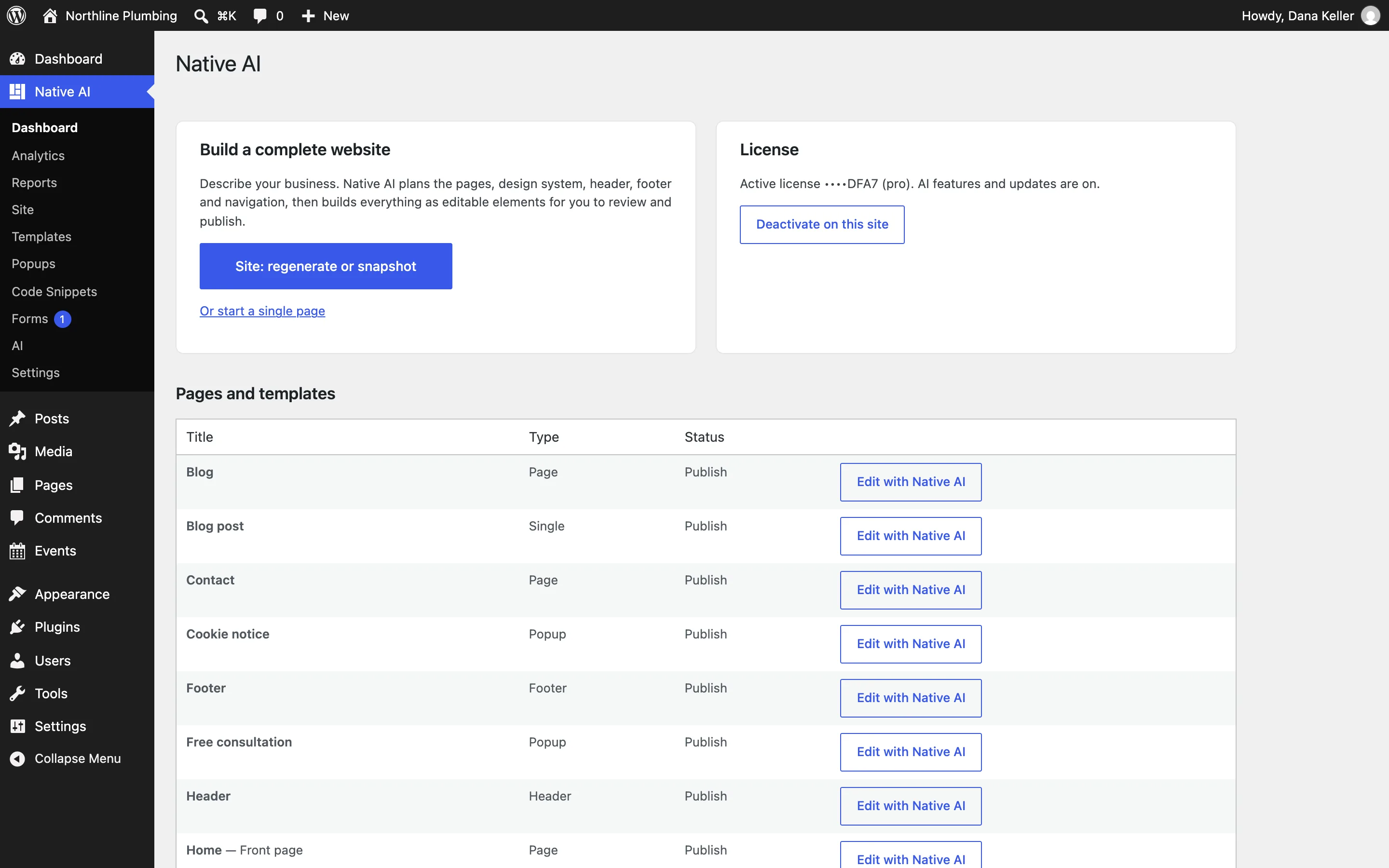
Open Native AI → Dashboard, paste your license key and click Activate. AI is now on for that site, and updates arrive in the Plugins screen like any other plugin.
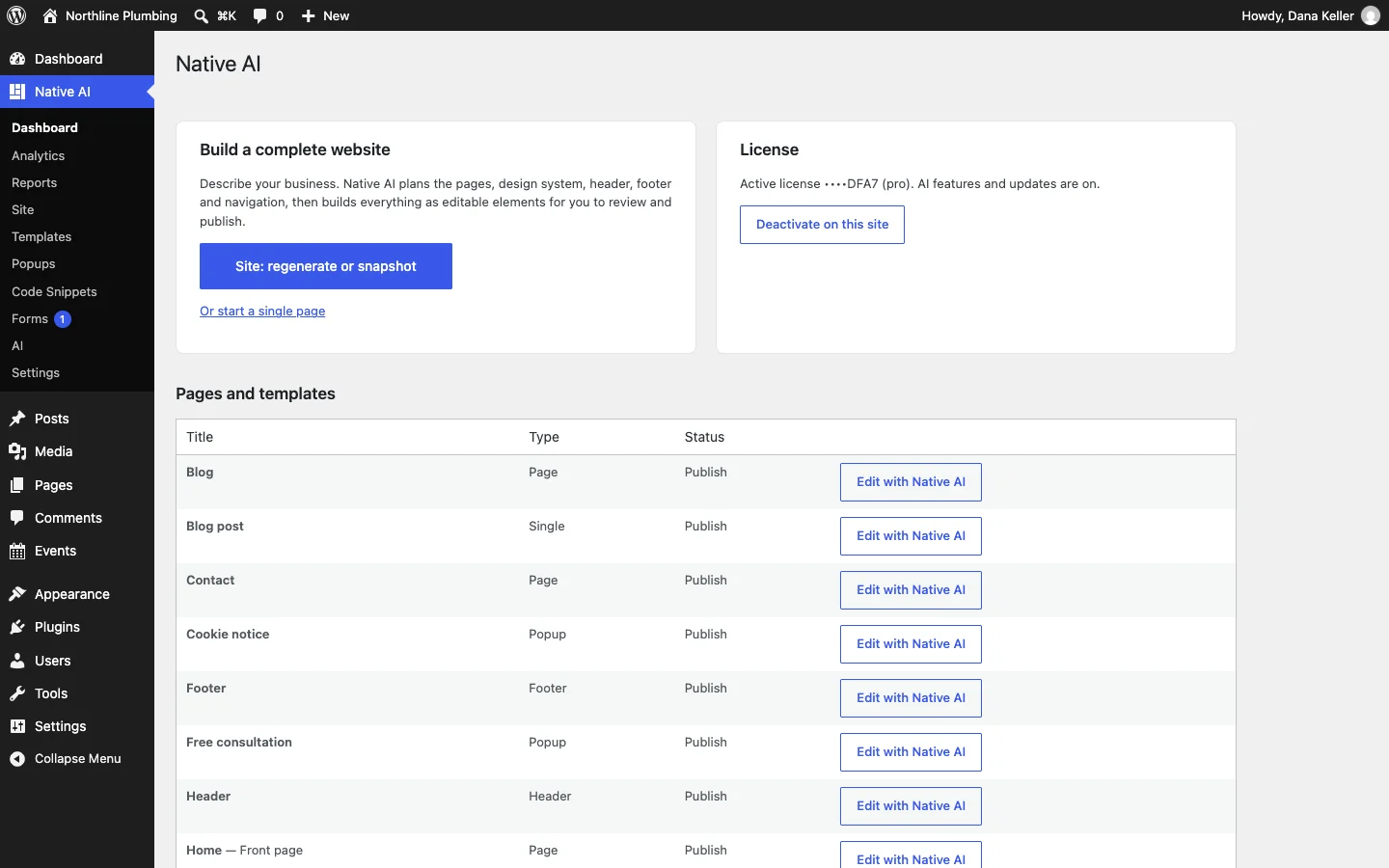
Build something
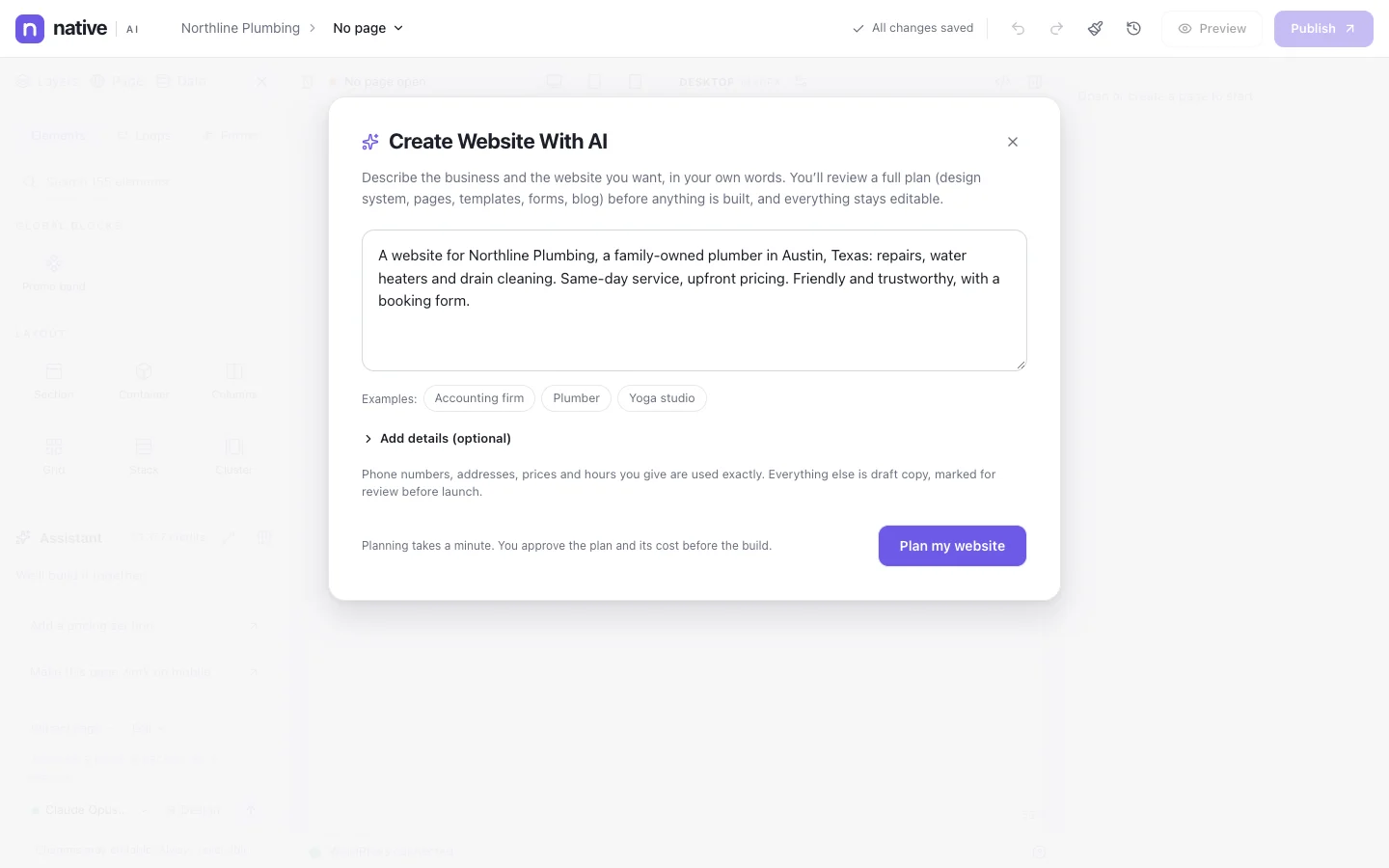
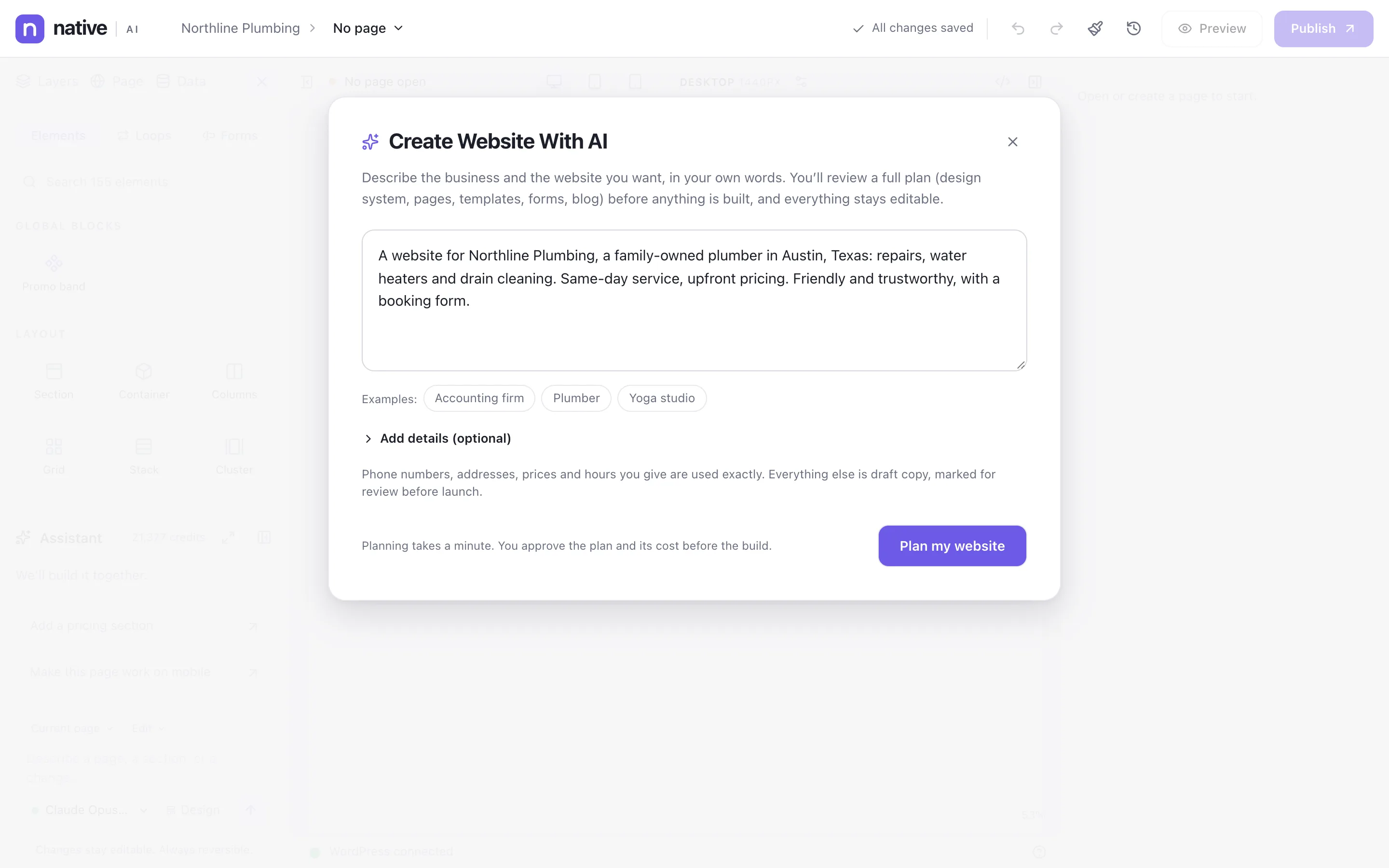
Start a whole site from Native AI → Site (describe the business; review the plan; approve), or open any page with Edit with Native AI and build by hand or with the assistant. Publish when it’s ready.
Build your next WordPress site with AI you can edit.
Native AI is in early access. Tell us about your sites and we’ll set you up with a license.