FeaturesRunWooCommerce Storekeeper
Your store, run with an assistant that knows it
See sales, orders waiting to ship, stock running low and what needs fixing on one screen. Edit products and stock, put a category on sale, change prices in bulk, create coupons, refund orders and change shipping — or just ask: “show me low-stock products”, “find unfulfilled orders”, “create a 15% sale for Shirts”. WooCommerce stays the source of truth: everything is read and saved through WooCommerce.
- Sales, orders, stock and store health on one screen
- Sales and bulk prices with every new price shown first
- Refunds, order statuses and customer emails wait for your OK
The store at a glance
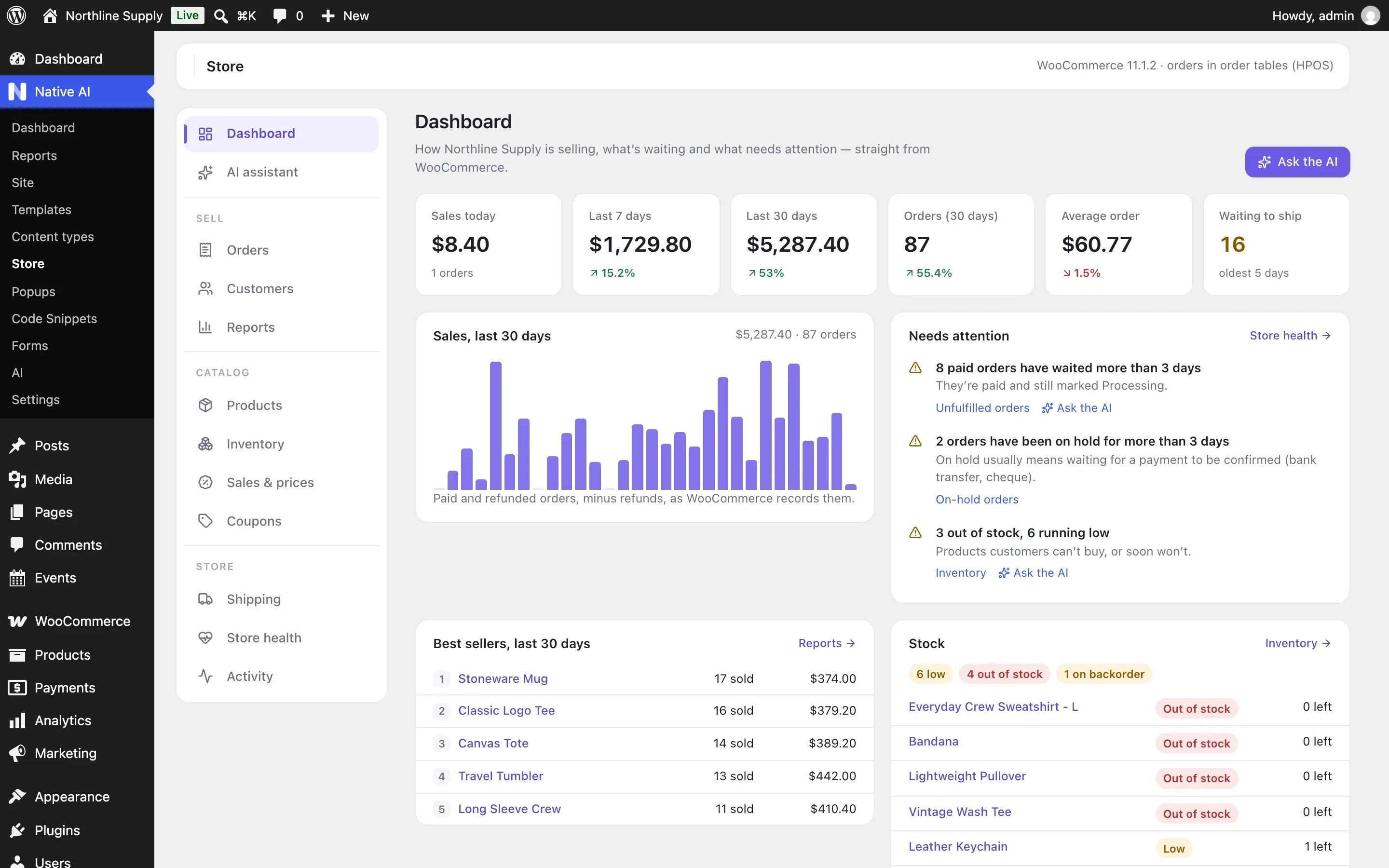
The dashboard puts today, this week and the last 30 days side by side with the period before, the paid orders waiting to ship (and how long the oldest has waited), best sellers, stock running low and anything stopping customers from buying — no payment method, a missing checkout page, orders stuck on hold.
Reports break any period down by day, product, category, customer and coupon, read straight from WooCommerce’s orders — nothing is copied or synced.
- Revenue, net sales, orders and average order against the period before
- Orders waiting to ship, oldest first
- Store health with where to fix each problem
Orders, handled
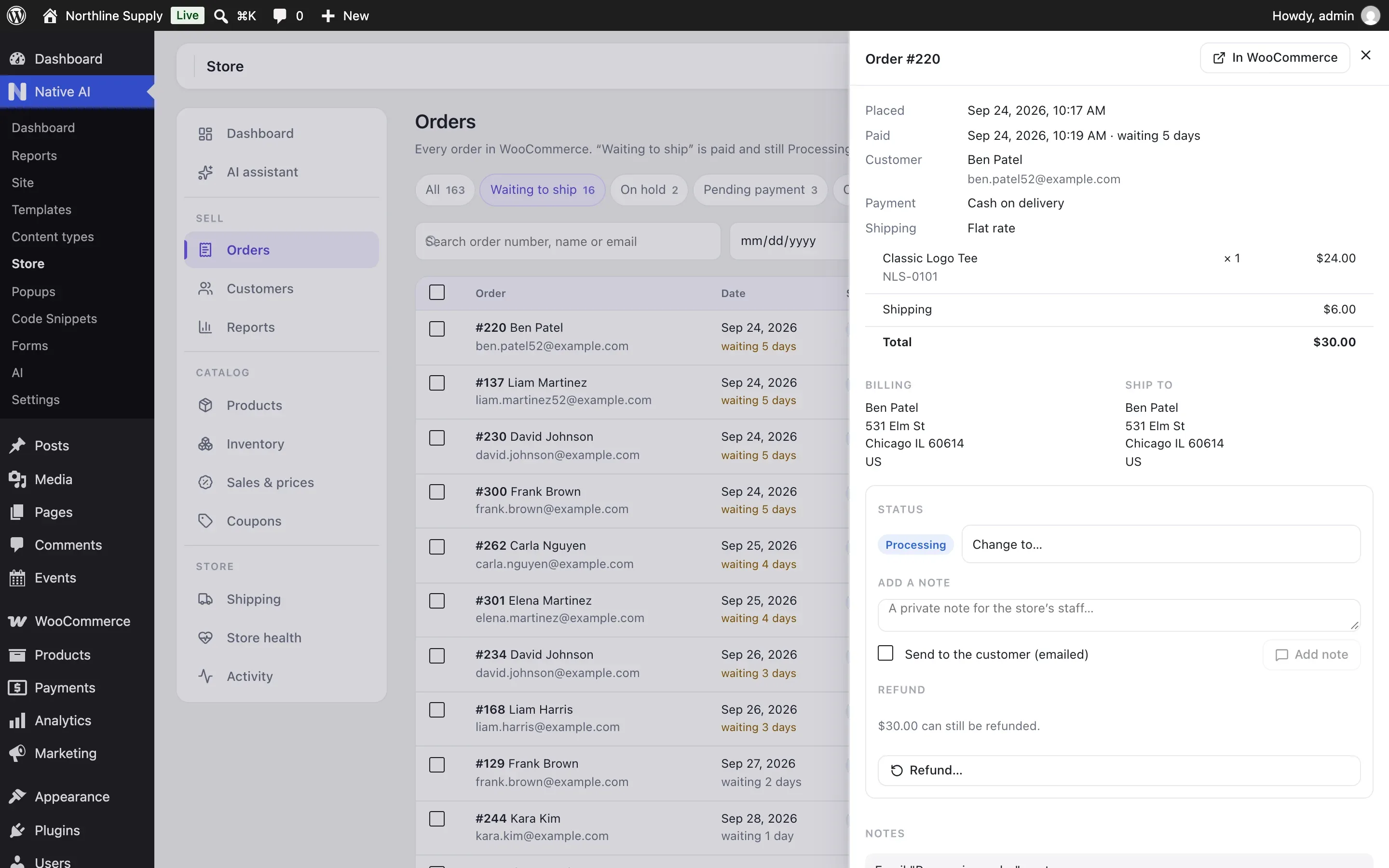
Open an order to see its items, addresses and notes. Change its status, write a private note or one the customer gets by email, or refund it — by item with restocking, or by amount, through the payment method when it can, or recorded manually.
Every change leaves a note on the order saying who made it, and anything that emails a customer or moves money is confirmed first.
- Bulk status changes
- Refunds by item or amount, with restocking
- A note on the order for every change
Sales and prices you can take back
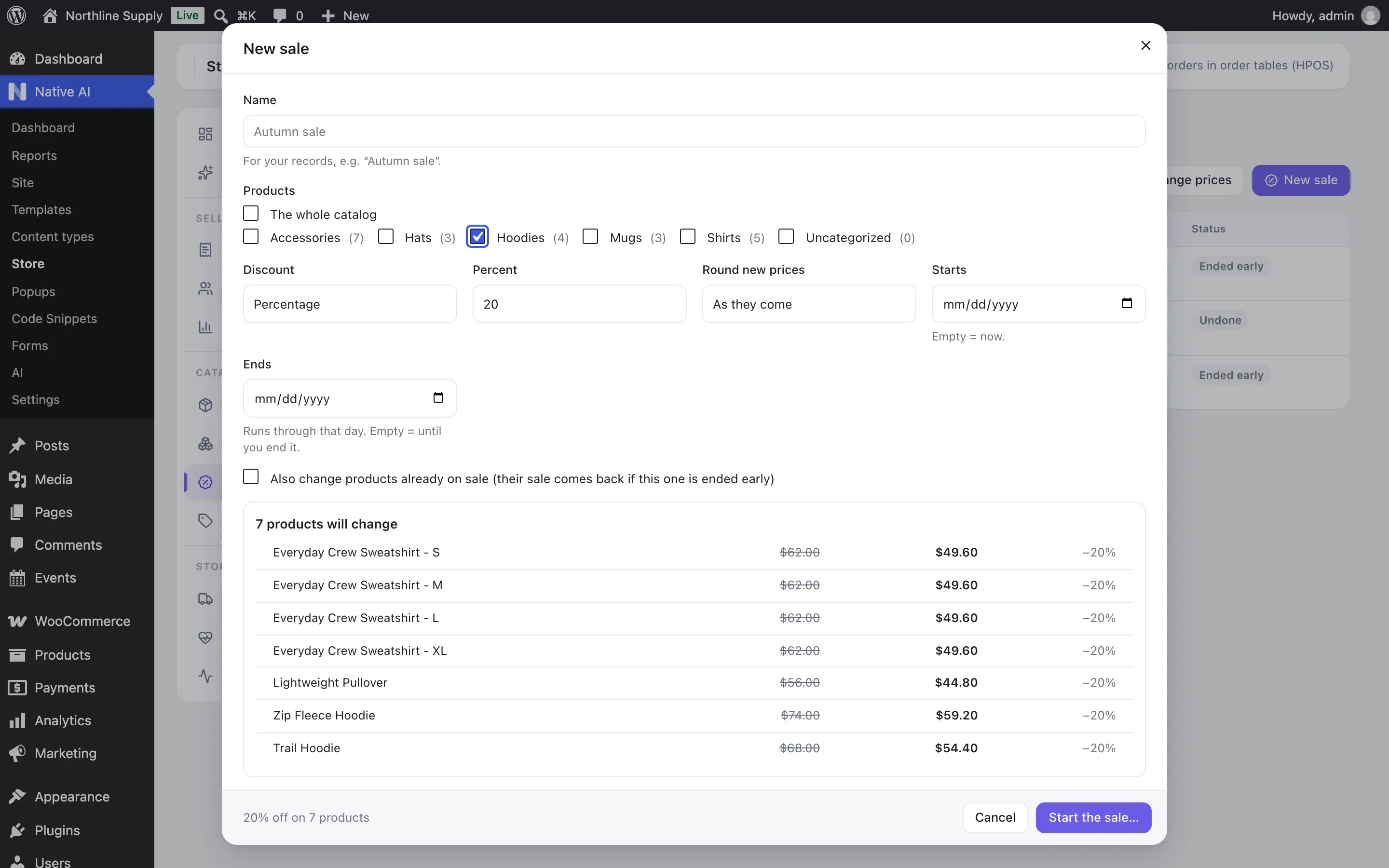
Put a category, the whole catalog or a few products on sale — a percentage, an amount off or a set price, rounded to .99 if you like, starting and ending when you say. You see every product’s old and new price before anything changes.
Every product’s price before and after is kept, so ending a sale early or undoing a bulk price change puts prices back exactly — and leaves alone any product someone changed since.
- WooCommerce sale prices and dates
- Variable products through their variations
- End or undo exactly
Ask the AI
“Which products sold the most this month?” “Find unfulfilled orders.” “Create a 15% sale for the Shirts category until Sunday.” The AI reads WooCommerce before it answers and uses the numbers exactly as they are.
It changes one product, stock or a coupon straight away, with undo. Refunds, order statuses, emails to customers, sales, bulk price changes and shipping costs wait for your confirmation, with a preview. Everything it does is listed, marked as the AI’s, and can be undone.
- Uses WooCommerce’s own permissions — shop managers too
- Previews and confirmation for risky changes
- An activity log of every change
Shop pages built with your products
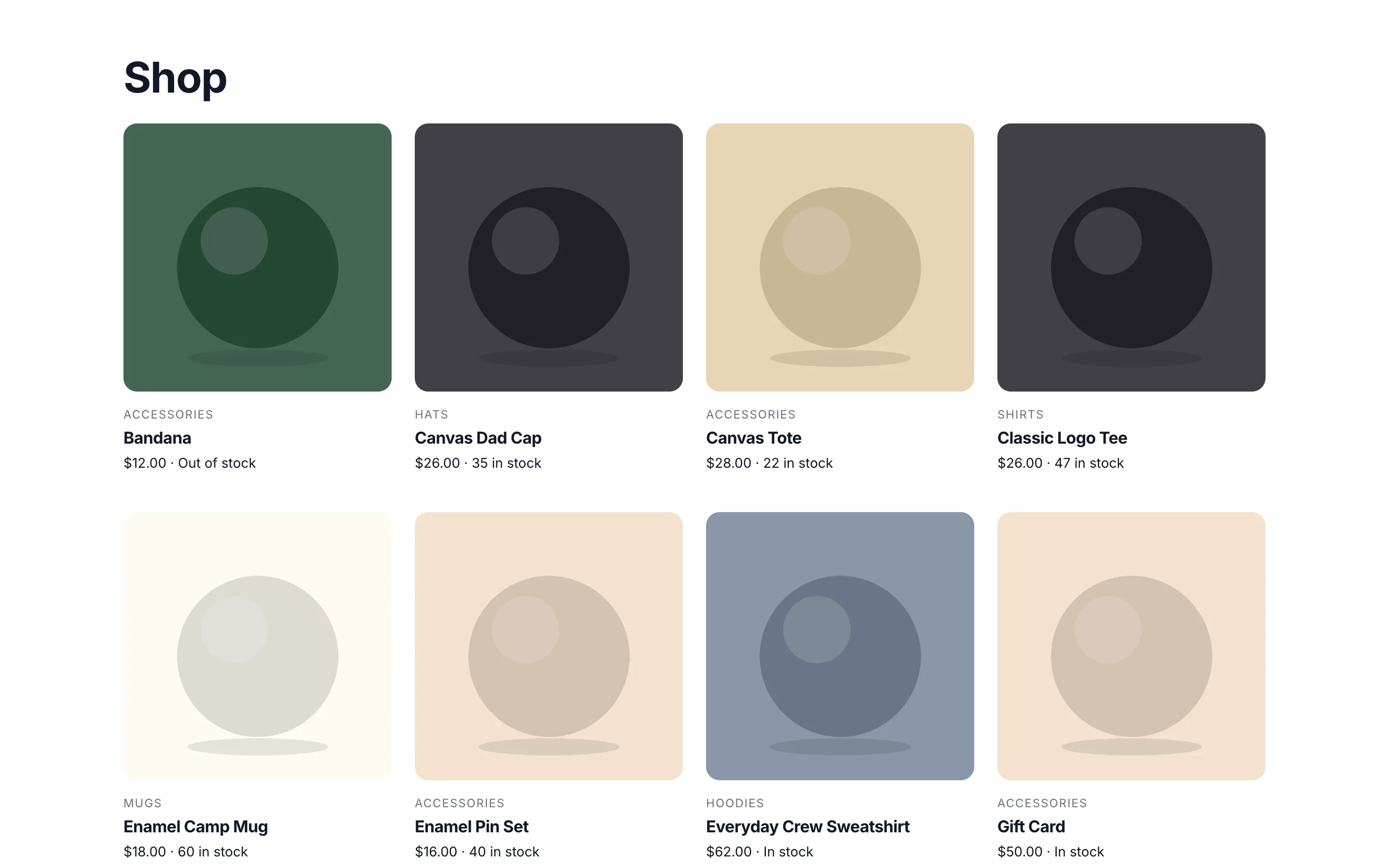
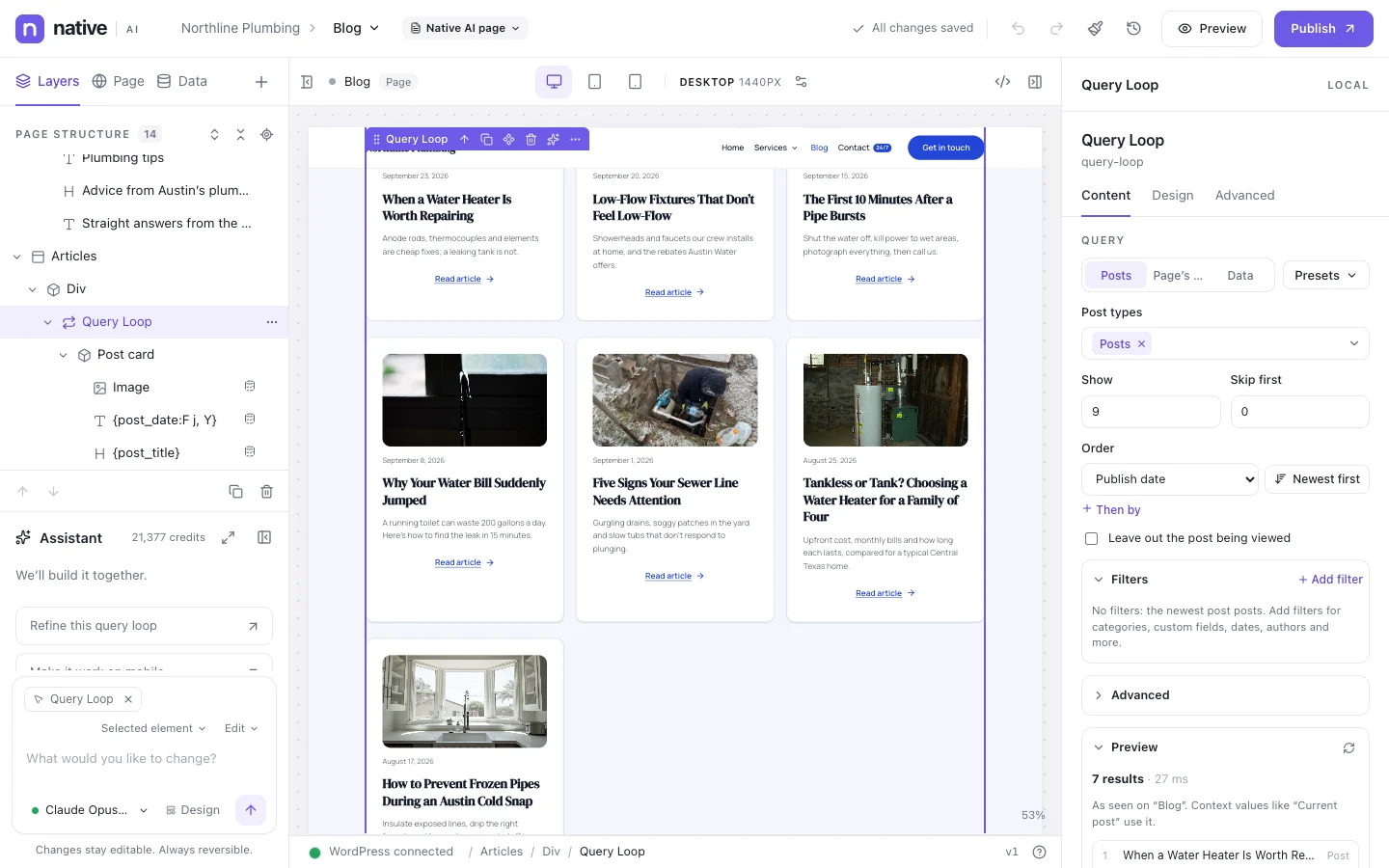
Product pages and shop pages are Native WP AI designs with real WooCommerce data: price, sale badge and discount, stock, rating, attributes, the cart. Query Loops show products on sale, best sellers, related products or upsells, and leave out what’s hidden or out of stock.
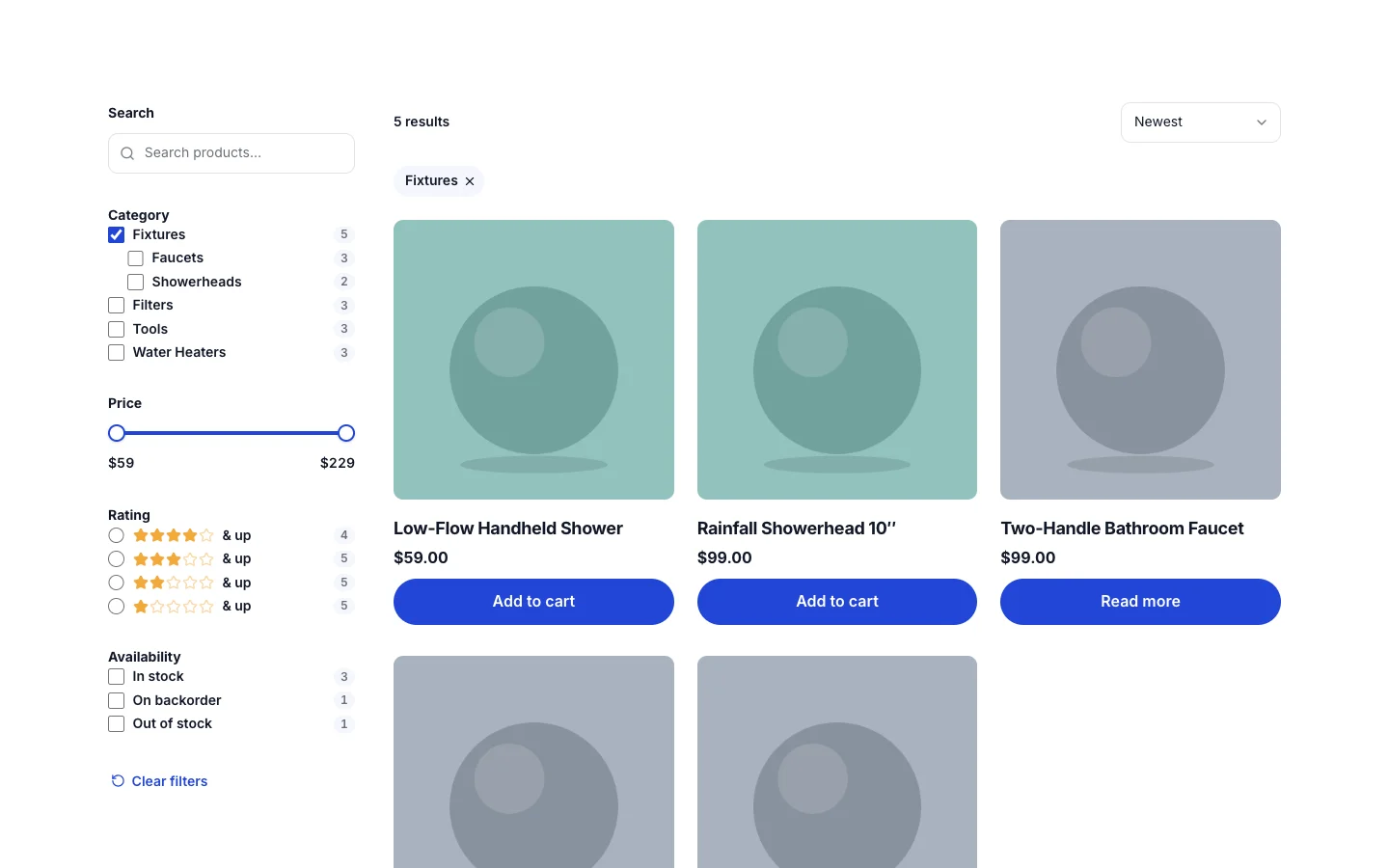
Filters let shoppers narrow the shop by category, attribute, price, rating and stock, with live counts and no page reloads.
- Product dynamic data
- Product loops and presets
- Related products, upsells and cross-sells
- Shop filters with live counts
WooCommerce StorekeeperEverything included
Everything in wooCommerce Storekeeper
Store screen
- Dashboard, reports by day, product, category, customer and coupon, CSV export
- Orders: filters, search, bulk status, notes, refunds
- Products and variations: prices, sale dates, stock, categories, descriptions
- Inventory: low, out of stock, on backorder, quick restock
- Sales and bulk price changes with preview, end and undo
- Coupons, customers, shipping zones and methods, store health, activity
WooCommerce
- Everything read and saved through WooCommerce’s own functions
- Works with orders in posts or in WooCommerce’s order tables (HPOS)
- WooCommerce’s permissions, so shop managers can use it
- WooCommerce’s emails, stock rules and gateways behave as usual
Across Native WP AI
- Product, cart and customer dynamic data
- Product Query Loops and presets
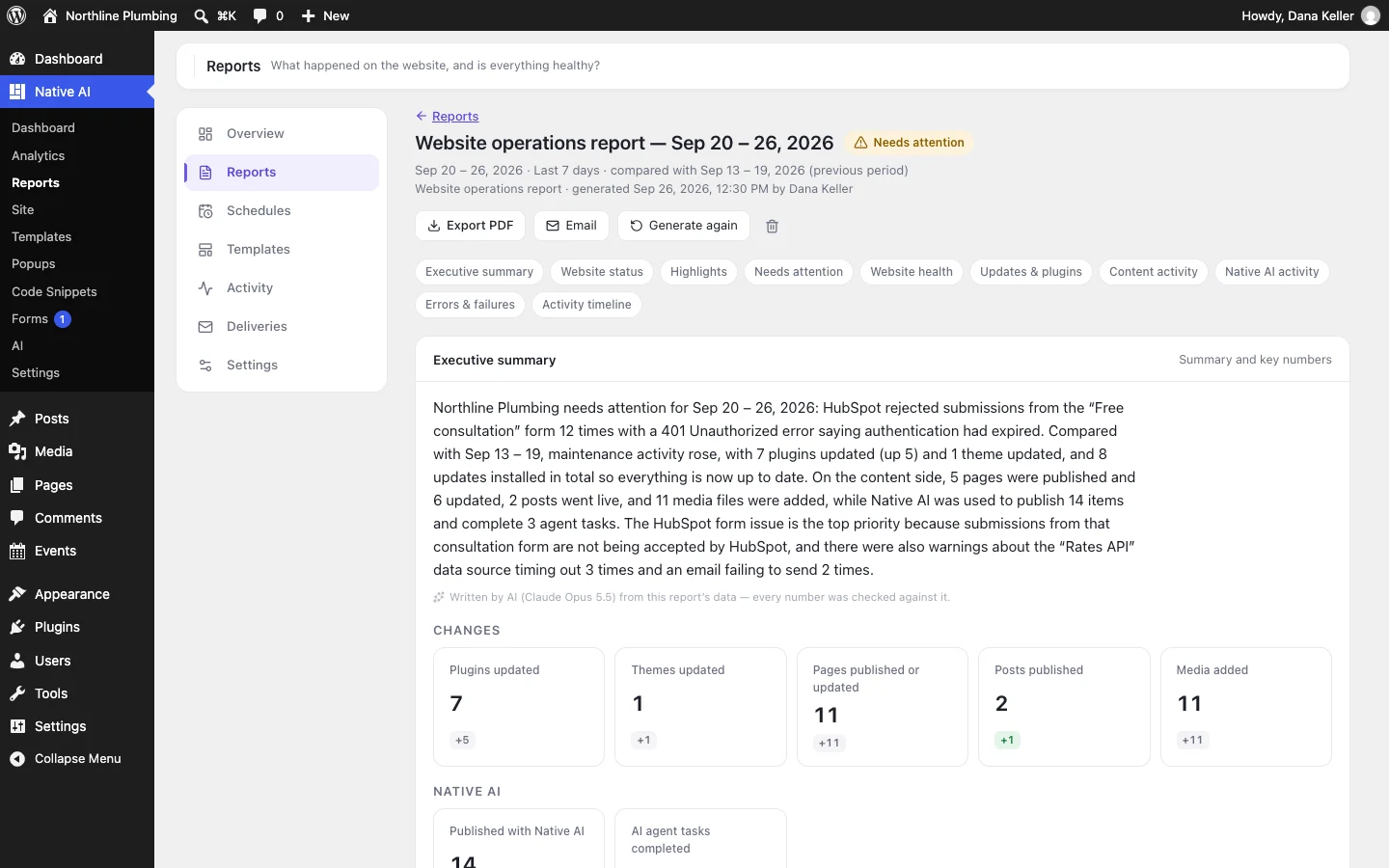
- A Store section in Site Reports
- Purchases as Analytics conversions, worth the order
AI
- Answers about sales, best sellers, stock, orders, customers and store health
- Changes products, stock and coupons, with undo
- Asks before refunds, order statuses, customer emails, sales, bulk prices and shipping
- Every change in the activity log
Questions about wooCommerce Storekeeper
Does it replace WooCommerce?
No. WooCommerce stays your store: checkout, payments, emails, taxes and its settings. The Storekeeper is a faster way to run it, and gives the AI safe ways to help.
Is my order data copied anywhere?
No. Figures and lists are read from WooCommerce each time (reports are kept for ten minutes). The AI sees what it needs to answer your question, like any request to the AI.
Can the AI refund an order on its own?
No. It prepares the refund and shows you the amount and how it will be refunded; nothing happens until you confirm. The same goes for order statuses, messages to customers, sales, bulk price changes and shipping.
Does it work with High-Performance Order Storage?
Yes. It uses WooCommerce’s order functions only and declares itself compatible, so it works with orders in posts or in WooCommerce’s order tables.
WooCommerce StorekeeperKnowledge base
How to use it
Step-by-step articles, settings and answers in the knowledge base.
- Run your WooCommerce store from Native WP AIThe WooCommerce Storekeeper adds a Store screen — sales, orders, products, stock, customers, coupons, sales and price changes, shipping and store health — and lets the AI help run the store. WooCommerce stays in charge of your data.
- Orders, notes and refundsFind the orders waiting to ship, change statuses, write to customers and refund — through WooCommerce, with a note on each order saying who did it.
- Products, stock, sales and price changesEdit products and stock, see what’s running low, put categories on sale with every new price shown first, change prices in bulk — and end or undo any of it exactly.
- Ask the AI about your storeAsk in plain words — “show me low-stock products”, “find unfulfilled orders”, “which products sold the most this month?”, “create a 15% sale for the Shirts category” — and the AI answers from WooCommerce or makes the change after you confirm.
- Store figures in reports and AnalyticsHow the Storekeeper counts sales, and where store figures appear: the Store screen’s reports, Site Reports, and Analytics with purchases as conversions.
Works well with
“Build a website for my plumbing business in Austin.”
Plans the pages and writes them in a look of their own, with a header, footer, templates and a design system you can edit.
“Make every button on the site pill-shaped.”
Finds the shared class behind every button, shows you the plan, then changes it once.
“Write meta descriptions for every page that doesn’t have one.”
Writes them from each page’s own words in a background job, shows the credits first, and puts each one beside its page for you to approve.
“Add an exit-intent popup offering a free consultation.”
A native popup with its trigger and how often it shows. It starts as a draft.
“Which pages lost visitors this month?”
Compares this month with last, page by page, and checks recent changes to those pages.
“Find unfulfilled orders.”
Lists the paid orders waiting to ship, oldest first.
“Write a six-lesson course on home budgeting with a quiz after each lesson.”
Writes the outline, every lesson and the quizzes as drafts for you to review, and sets who can take it.
“Why was a customer locked out this morning?”
Reads the security log, finds the lockout and its address, and can unblock it for you.
“Which plugins need updates?”
Lists the installed plugins and the ones with an update waiting.
“Use the color scheme of this website: https://…”
Opens the site, reads the colors and fonts it uses most, and sets your design system from them.
“Create a Services post type with Price and Duration fields.”
Its own menu in WordPress and custom fields — in ACF when it’s active — ready for a template.
“Add the prices from this PDF to the Services page.”
Reads the attached price list and builds it into the page in your design.
“Count quote requests as a conversion.”
Adds a conversion goal for the form, so Analytics counts every request.
“Show me low-stock products.”
Reads stock from WooCommerce and lists what’s running low or out, with how many are left.
“Refund order 1042 and put the items back in stock.”
Prepares the refund with the amount and how it’s paid back, and waits for your confirmation.
“When someone buys the course bundle, enroll them and tag them in the CRM.”
Builds the automation — the purchase, the enrollment, the CRM tag — as a draft, and asks before switching it on.
“What happened on the site this week?”
Reads the activity record, updates, errors and health checks, and sums them up.
“Add a snippet that turns off comments on pages.”
Writes and checks the code, and saves it as a draft that you switch on.
One plugin. One agent. Your whole site.
Start free: a license for one website and AI credits to build with, no card needed. Describe your business and watch Native WP AI design your home page.