FeaturesGrowCRM
A CRM inside WordPress, with automations the AI can build for you
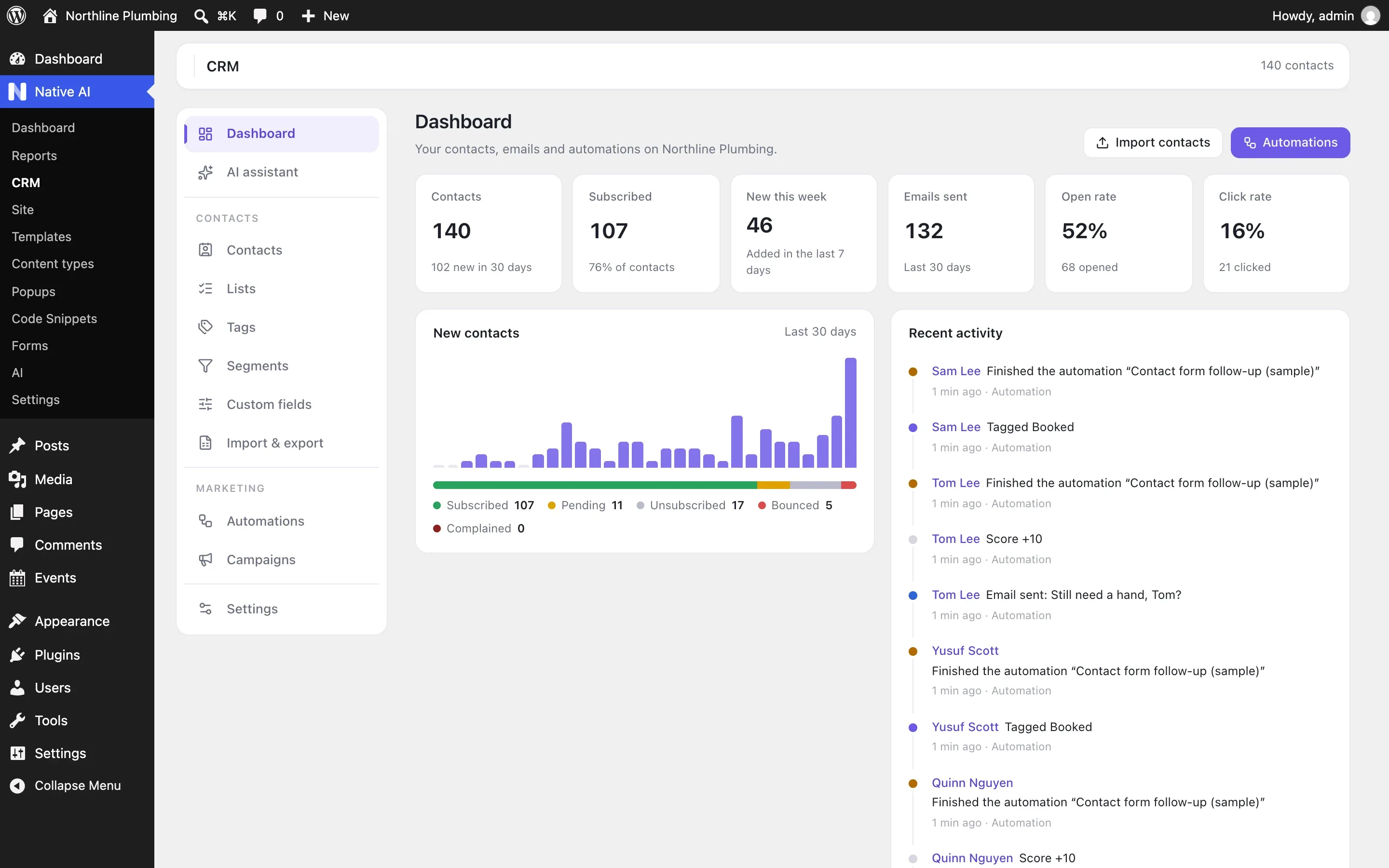
Switch the CRM on and every form, new user and WooCommerce order can become a contact, with lists, tags, custom fields, notes and a timeline of everything they did. Send campaigns to a list, a tag or a segment, and draw automations on a canvas — welcome series, follow-ups, lead scoring, birthdays — or describe one to the AI and check its draft on the canvas.
- Contacts, lists, tags, segments and custom fields
- Automations on a visual canvas, with recipes
- Campaigns with opens, clicks and unsubscribes
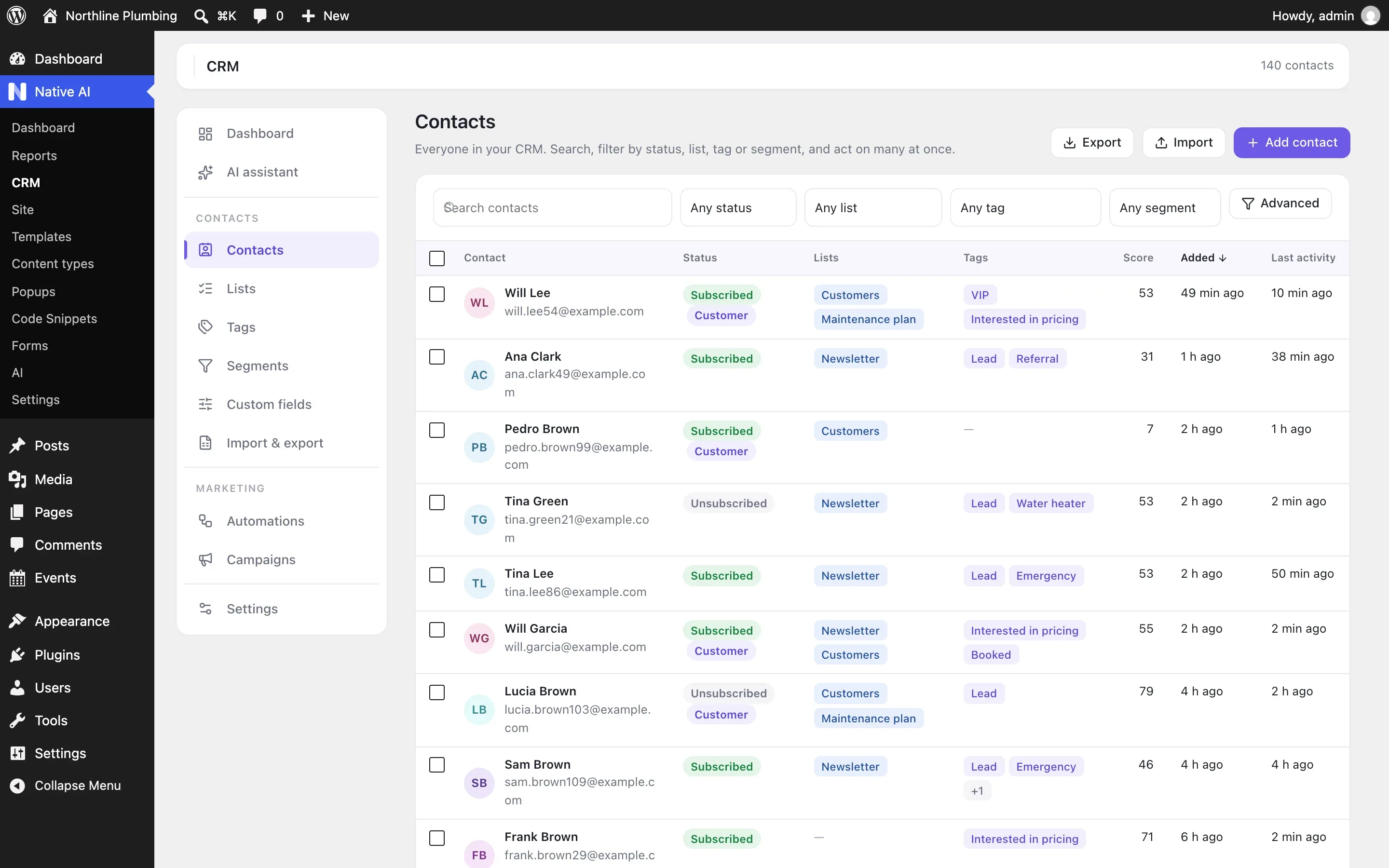
Everyone who reached out, in one place
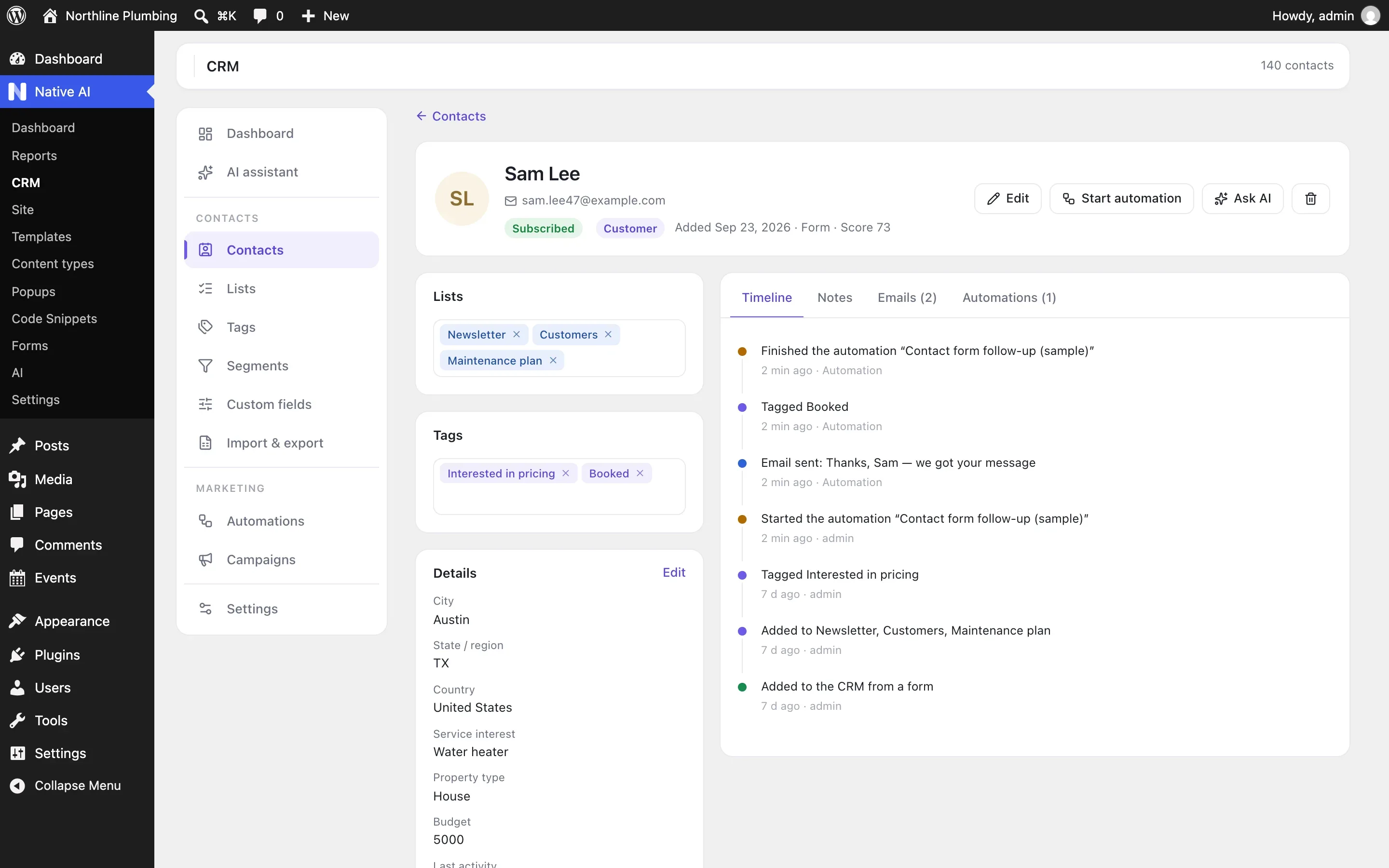
Contacts arrive from Native WP AI forms (the “Add to Native WP AI CRM” action, or an automation that starts when a form is sent), new WordPress users, paid WooCommerce orders, CSV imports from other tools, or by hand. Each has a status — subscribed, pending, unsubscribed, bounced — lists, tags, a score, your own custom fields, notes, and a timeline of the forms they sent, the emails they opened and clicked and the automations they went through.
Segments keep themselves up to date from rules — “subscribed leads in Austin who opened an email in the last 30 days” — and the Contacts screen filters, exports and acts on hundreds at once.
- Lists, tags, scores and custom fields
- A timeline for every contact
- Segments from rules, bulk actions, CSV import and export
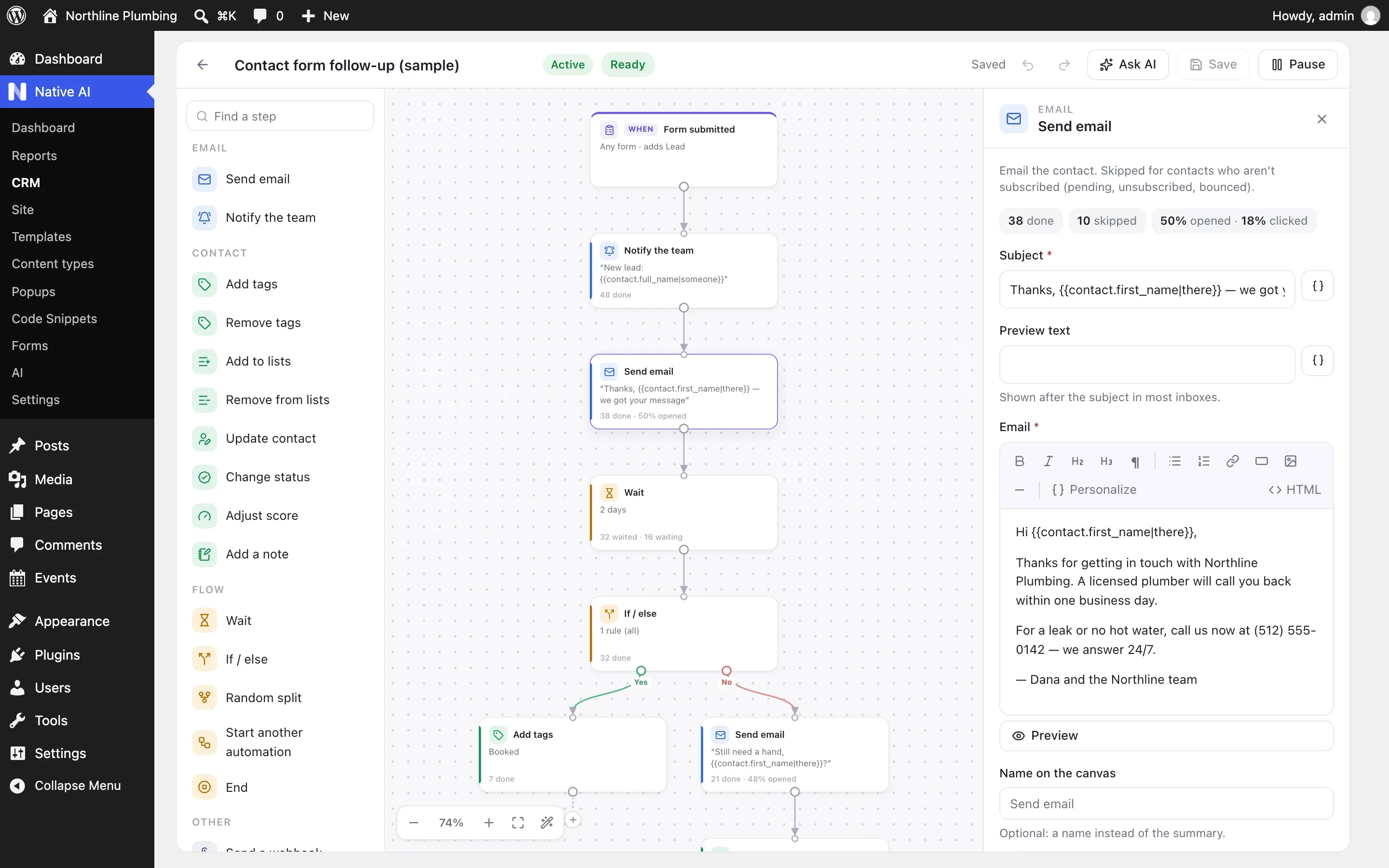
Automations on a canvas
Choose what starts it — a form, a tag, joining a list, a new user, a paid order, a status change, a birthday — then add steps: send an email, wait, if/else on any rule, random split, add or remove tags and lists, update fields, adjust the score, add a note, notify your team, send a webhook, create a WordPress user or start another automation. Drag steps from the side, connect them, and watch how many contacts passed each step and who is waiting where.
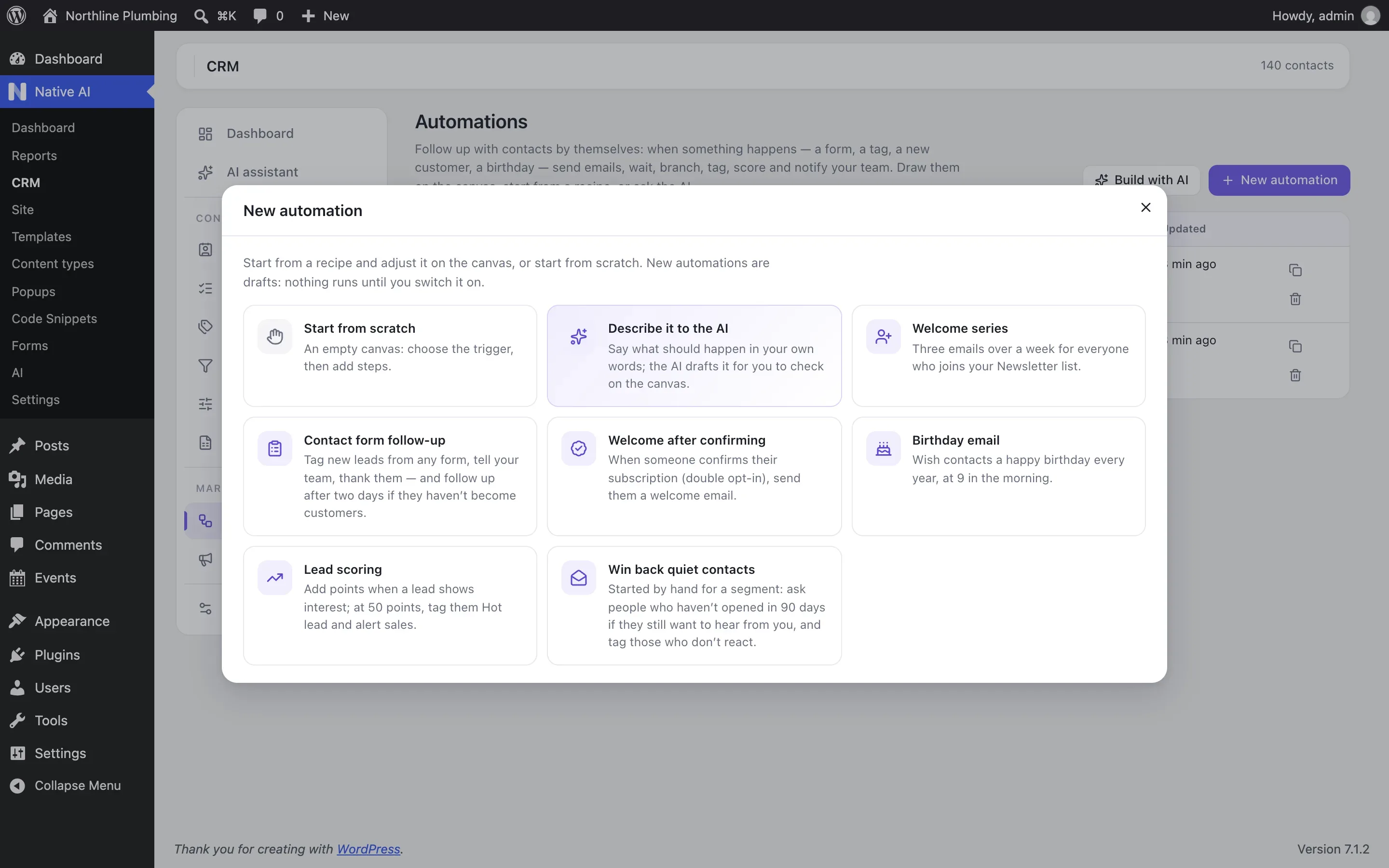
Start from a recipe — welcome series, contact form follow-up, lead scoring, birthday email, win back quiet contacts — or ask the AI: it drafts the automation from your description, and nothing runs until you switch it on.
- Triggers from forms, tags, lists, users, orders and dates
- Results on every step
- Recipes, and drafts from the AI
Campaigns that respect your list
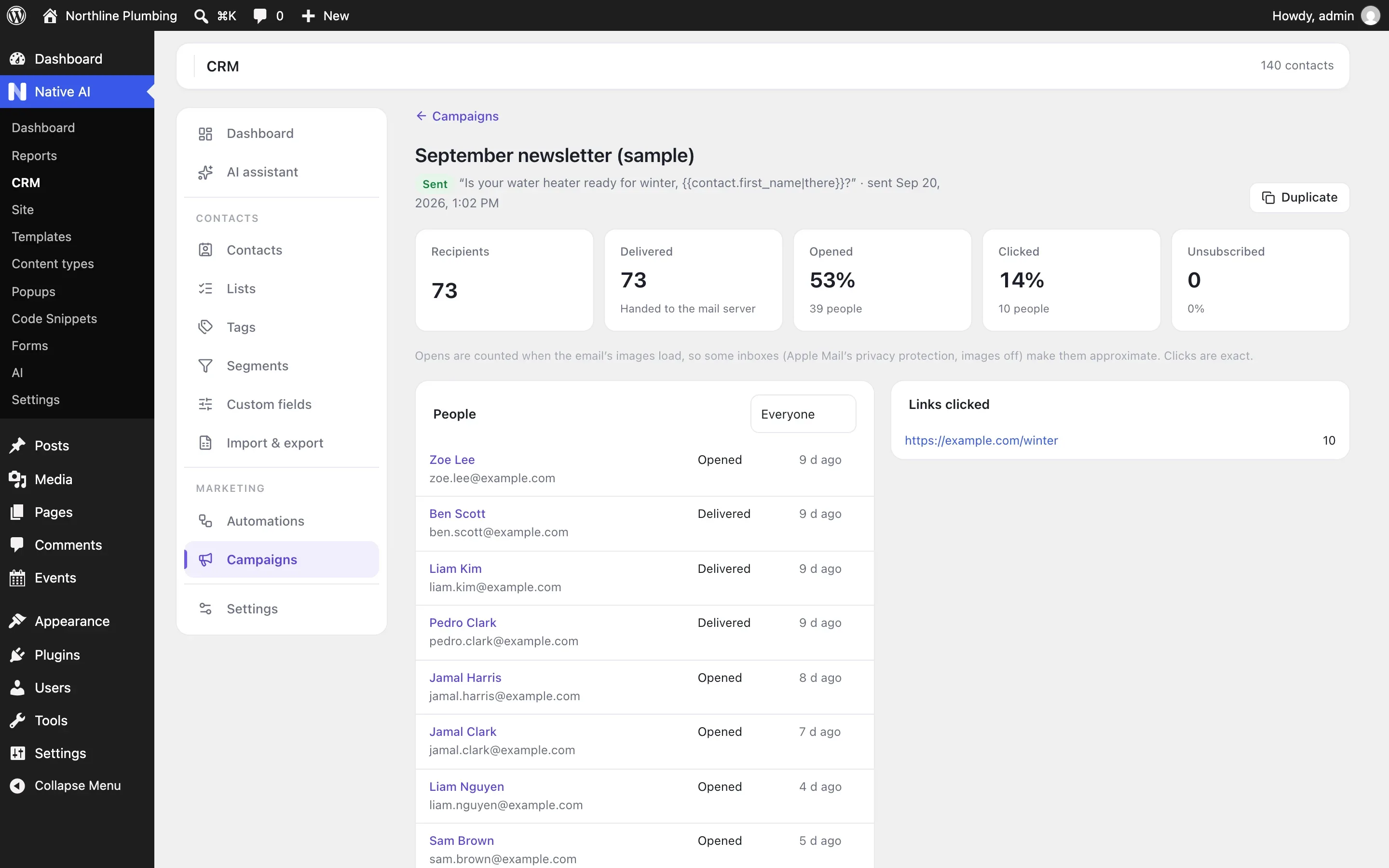
Write an email once — personalized with merge tags like the contact’s first name — preview it as it will arrive, send a test, then send it now or schedule it to the subscribed contacts in any lists, tags or segments. It goes out through your site’s own email setup a batch at a time, and every email has an unsubscribe link and a preferences page where people choose the public lists they want.
The report shows who got it, who opened and clicked, which links were clicked and who unsubscribed.
- Personalized emails with a live preview
- Scheduling, sending speed, pause and resume
- Unsubscribe, preferences and double opt-in built in
CRMEverything included
Everything in CRM
Contacts
- Statuses, contact types and sources
- Lists (public ones on the preferences page) and tags
- Custom fields: text, number, date, dropdown, multiple choice, yes/no, link
- Notes, calls and meetings
- A timeline of forms, emails, automations and changes
- Segments from rules
- CSV import and export, WordPress users
Automations
- Triggers: contact added, tag or list added or removed, status changed, form sent, user registered, date comes round, WooCommerce order paid, by hand
- Steps: email, notify the team, tags, lists, update fields, status, score, note, wait, if/else, random split, start another automation, webhook, create a user, end
- Results on every step, contacts waiting and finished
- Campaigns to lists, tags and segments
- Merge tags with fallbacks
- Opens and clicks (optional)
- Unsubscribe, preferences page and double opt-in
- Sent through WordPress’s own email (your SMTP service)
AI
- Find and change contacts, tags and lists
- Build segments from a description
- Draft automations and campaigns for you to check
- Asks before emailing people or deleting anything
Questions about CRM
Does the CRM send email itself?
It sends through WordPress’s own email, so whatever your site uses — an SMTP plugin connected to an email service, or your host’s mail — delivers it. For campaigns to many people, connect an email service; you choose how many emails go out per minute.
Is the CRM required?
No. It’s an optional feature you switch on in Settings → Features. Switching it off stops automations and campaigns and hides its screens; it never deletes contacts or history.
Can the AI email my contacts on its own?
No. The AI can find and organize contacts and draft automations and campaigns, but switching an automation on, starting contacts in one and sending a campaign always wait for you to approve them.
CRMKnowledge base
How to use it
Step-by-step articles, settings and answers in the knowledge base.
- Turn on the CRMThe Native WP AI CRM keeps contacts, lists, tags, automations and email campaigns in your own WordPress. Switch it on, set who emails come from, and connect where contacts come from.
- Contacts, lists, tags and segmentsFind and filter contacts, see everything about one person, organize them with lists, tags, custom fields and segments, act on many at once, and import or export CSV.
- AutomationsFollow up with contacts by themselves: choose what starts an automation, then draw its steps on the canvas — emails, waits, if/else, tags, scores, team notifications — or start from a recipe or ask the AI.
- Email campaignsWrite an email once and send it — now or at a time — to the subscribed contacts in lists, tags or segments; then see who opened, clicked and unsubscribed.
Works well with
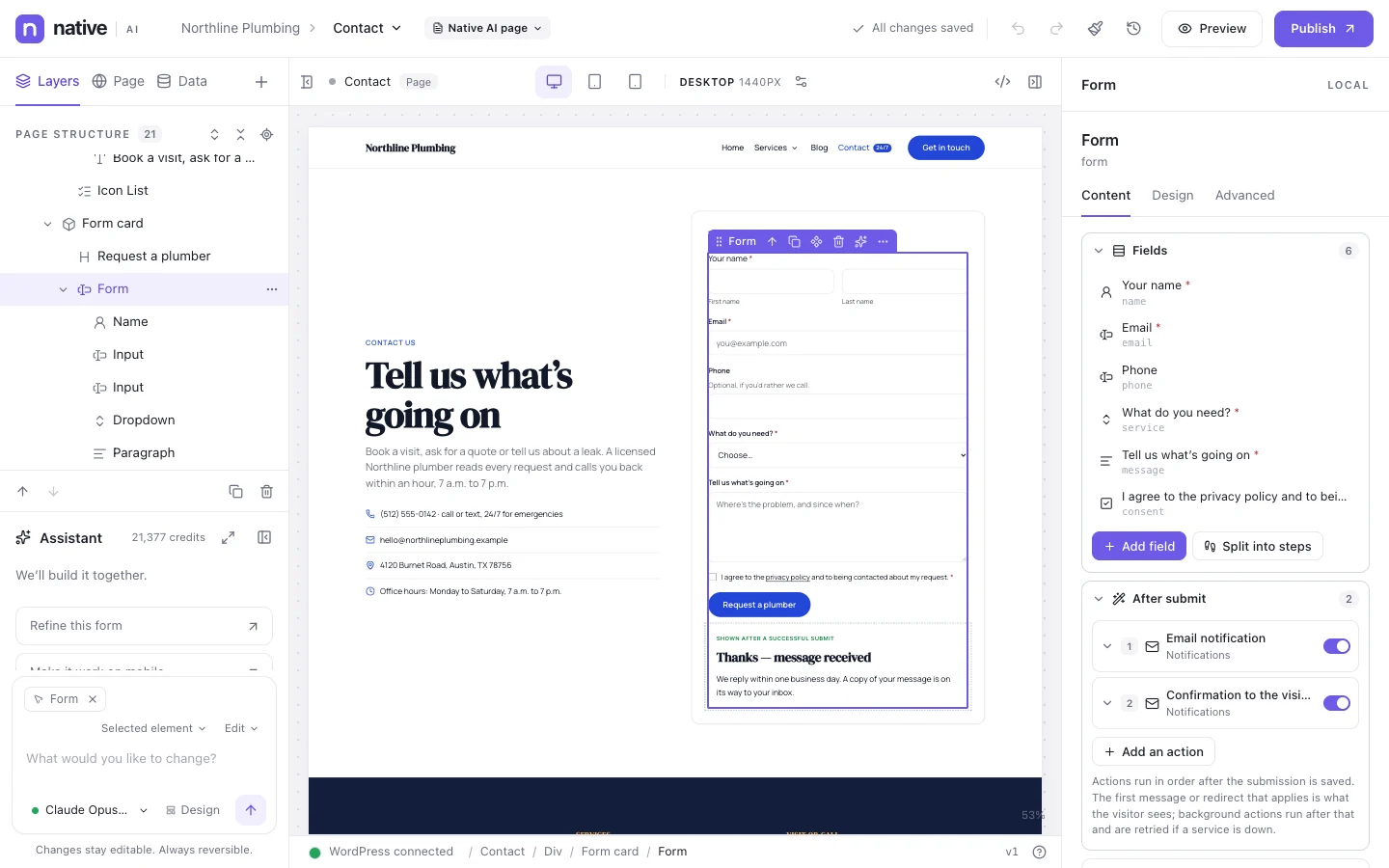
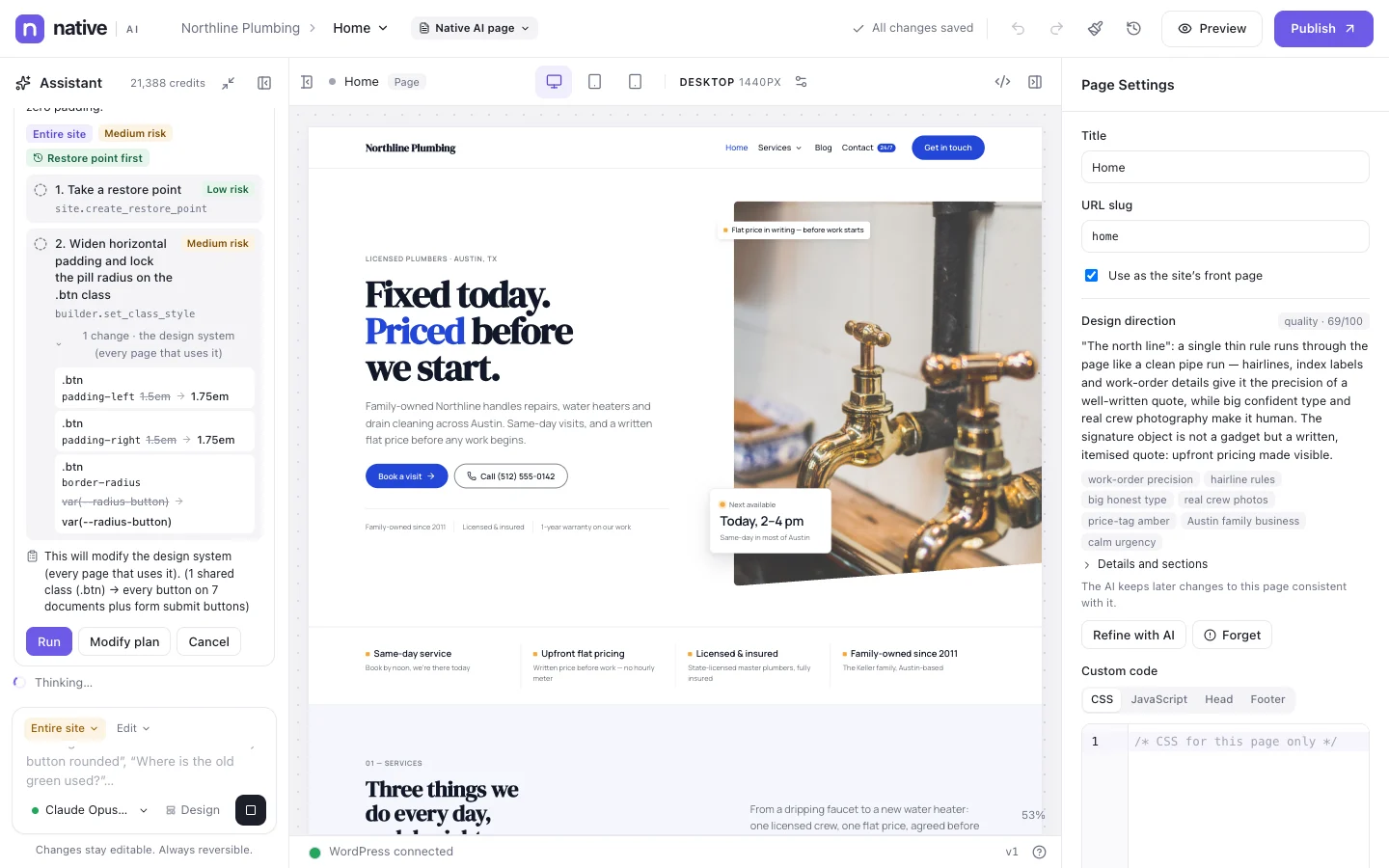
“Build a website for my plumbing business in Austin.”
Plans the pages and writes them in a look of their own, with a header, footer, templates and a design system you can edit.
“Make every button on the site pill-shaped.”
Finds the shared class behind every button, shows you the plan, then changes it once.
“Write meta descriptions for every page that doesn’t have one.”
Writes them from each page’s own words in a background job, shows the credits first, and puts each one beside its page for you to approve.
“Add an exit-intent popup offering a free consultation.”
A native popup with its trigger and how often it shows. It starts as a draft.
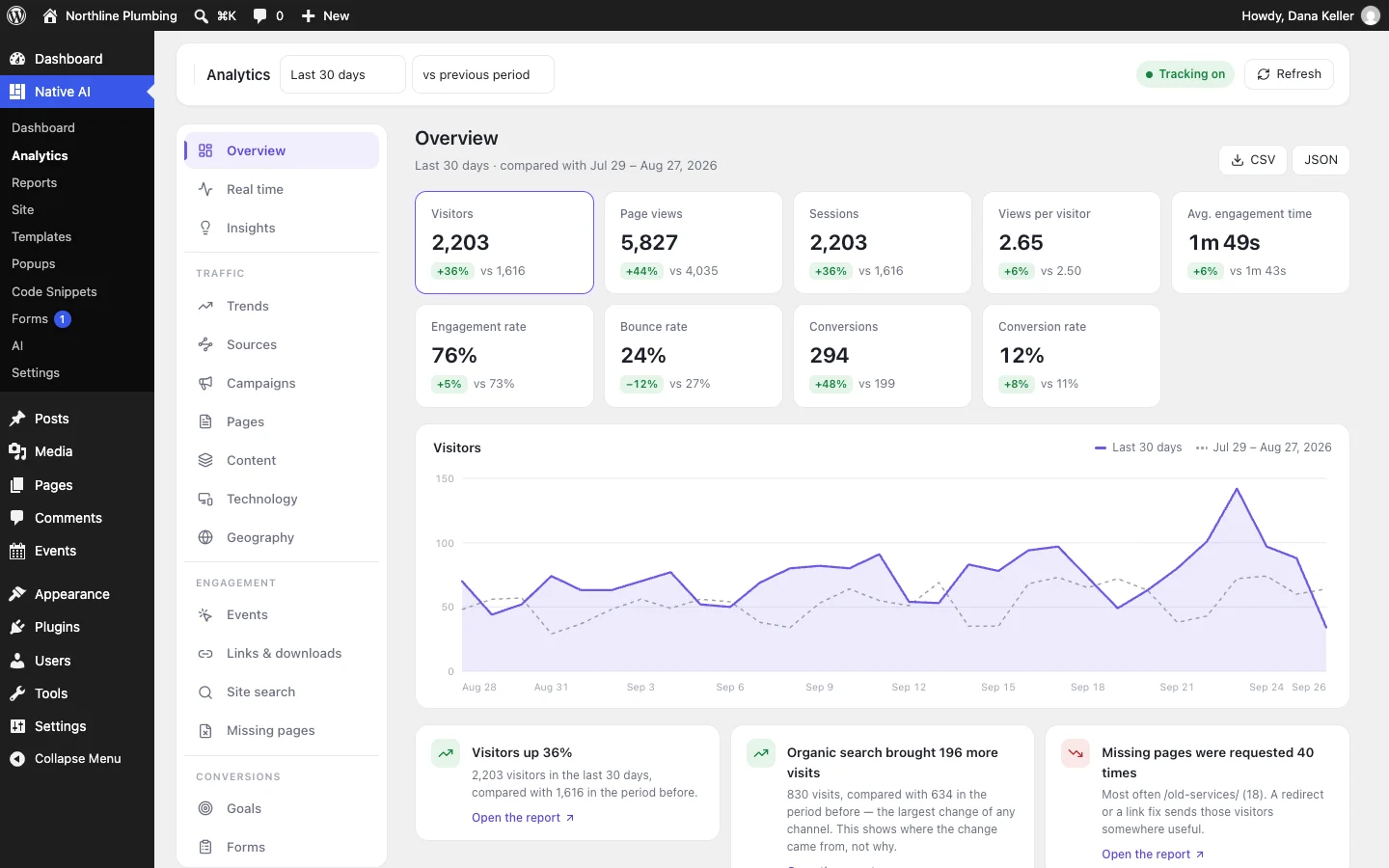
“Which pages lost visitors this month?”
Compares this month with last, page by page, and checks recent changes to those pages.
“Find unfulfilled orders.”
Lists the paid orders waiting to ship, oldest first.
“Write a six-lesson course on home budgeting with a quiz after each lesson.”
Writes the outline, every lesson and the quizzes as drafts for you to review, and sets who can take it.
“Why was a customer locked out this morning?”
Reads the security log, finds the lockout and its address, and can unblock it for you.
“Which plugins need updates?”
Lists the installed plugins and the ones with an update waiting.
“Use the color scheme of this website: https://…”
Opens the site, reads the colors and fonts it uses most, and sets your design system from them.
“Create a Services post type with Price and Duration fields.”
Its own menu in WordPress and custom fields — in ACF when it’s active — ready for a template.
“Add the prices from this PDF to the Services page.”
Reads the attached price list and builds it into the page in your design.
“Count quote requests as a conversion.”
Adds a conversion goal for the form, so Analytics counts every request.
“Show me low-stock products.”
Reads stock from WooCommerce and lists what’s running low or out, with how many are left.
“Refund order 1042 and put the items back in stock.”
Prepares the refund with the amount and how it’s paid back, and waits for your confirmation.
“When someone buys the course bundle, enroll them and tag them in the CRM.”
Builds the automation — the purchase, the enrollment, the CRM tag — as a draft, and asks before switching it on.
“What happened on the site this week?”
Reads the activity record, updates, errors and health checks, and sums them up.
“Add a snippet that turns off comments on pages.”
Writes and checks the code, and saves it as a draft that you switch on.
One plugin. One agent. Your whole site.
Start free: a license for one website and AI credits to build with, no card needed. Describe your business and watch Native WP AI design your home page.