Blog
Replace a Plugin a Week #5: Do You Still Need a Forms Plugin?
Week five of Replace a Plugin a Week: Native WP AI Forms builds single or multi step forms from native fields, saves every submission to an inbox inside WordPress before anything else runs, and sends leads on to 20 integrations. Here's what it covers, what to check before you move your forms, and how to try it free.
On this page
Welcome back to Replace a Plugin a Week. Each week we pick one plugin a typical WordPress site stacks up, look at what Native WP AI does in its place, and tell you honestly whether it's worth switching. One plugin at a time. No big, scary migrations.
So far we've covered security, the chatbot, SMTP and the LMS. This week it's the plugin almost every site has, often before anything else: the forms plugin. Forms are where visitors turn into real conversations, so they matter.
Native WP AI has Forms built in. Let's look at what it does.
First, respect to the forms plugin makers#
Contact Form 7, Gravity Forms, WPForms, Ninja Forms and Fluent Forms have collected a staggering number of leads for WordPress sites. They took "put a form on my page" from a coding job to a few clicks, and a lot of freelancers have built whole client workflows on them.
If your forms are working, nothing here says you made a bad call. This is just another way to get there: forms that live in the same plugin as your builder, popups, analytics, CRM and automations, so there's one less plugin to install, license and keep updated.
What Forms does#
Forms built from real elements#
Forms in Native WP AI are made of native fields on the builder canvas, so they follow your design system like everything else on the page. You can style every field instead of fighting a form plugin's default look.
There are 17 field types: text, email, phone, number, dates, name, address, radio buttons and checkboxes, dropdowns, long text, file uploads, signatures, ratings, ranges, consent, hidden fields and CAPTCHA.
You can start from one of 11 templates: contact, lead generation, newsletter, quote request, job application, event registration, support, booking, multi step lead, user registration and post submission. Or add fields one by one.
A few things that usually mean add ons or extra setup are just there:
Multi step forms with progress
Conditional logic that shows, hides, requires or fills fields and groups based on answers
A success state you design, not just a plain thank you line
Dynamic data in defaults and hidden fields
Forms work anywhere, popups included, and a popup can stop showing once its form is sent.
An inbox inside WordPress#
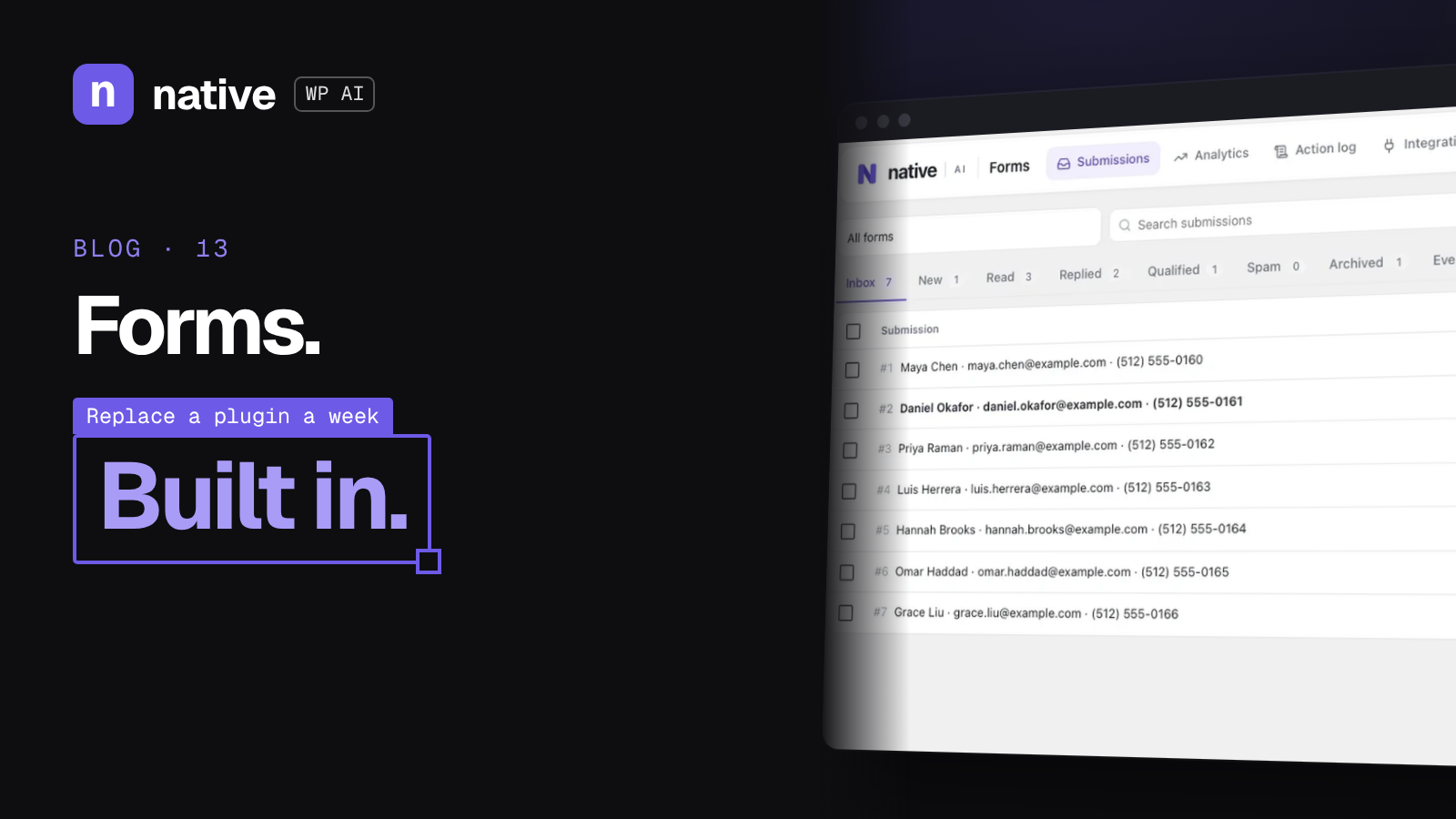
This is the part freelancers will like most. Every submission lands in Native WP AI → Forms with a status: new, read, replied, qualified, spam or archived. You see the page it came from and every field.
From there you can search, filter by form and dates, export to CSV, add notes for your team, and use bulk actions. Each submission also shows the actions that ran after it came in, with a way to retry one that failed.
File uploads are kept private. You can set submissions to be deleted after a number of days, and IP addresses aren't stored unless you choose to store them.
Saved first, then sent on#
Here's a detail that matters more than it sounds. A submission is saved before any action runs. Then the actions run in order: email notifications and confirmations, a message or redirect for the visitor, webhooks, REST API calls and integrations. Background actions are retried.
So if an email fails or a connected tool is down, the lead isn't lost. The action log shows what failed and you can try again. If you've ever had a client ask "why did we stop getting leads?", you know why this one is nice.
20 integrations, connected once#
You connect a tool once in Forms → Integrations and then use it in any form. The list on the features page:
CRM: HubSpot, Salesforce, Pipedrive
Email marketing: Mailchimp, ActiveCampaign, Kit, Klaviyo, Brevo
Messaging: Slack, Discord, Twilio
Automation: Zapier, Make, n8n, plus webhooks
Data: Google Sheets, Airtable, Notion
Payments: Stripe
CAPTCHA: reCAPTCHA, Turnstile
Credentials are stored encrypted in WordPress, never shown again, and never sent to the AI.
Spam stays out, and stays reviewable#
Spam protection comes in layers: a hidden honeypot field, a minimum time to fill in the form, rate limits per visitor, WordPress's disallowed words, a limit on links, Akismet when it's active, and CAPTCHA when you want it. Spam is kept for review, not deleted, so a real lead caught by mistake isn't gone forever.
You can see what's working#
Form analytics show views, starts, submissions, the conversion rate and how many people abandon the form. They also show which fields cause validation errors and how people answered choice questions. If a quote form has a lot of starts and few submissions, you can see where people bail.
And because Analytics is built in too, you can ask the AI to "count quote requests as a conversion" and it adds a conversion goal for the form.
Where the AI comes in#
Native WP AI's agent works across the whole plugin, forms included. You can ask it to add a form section to a page in your own design, set up a goal for a form, or build an automation that runs when a form is sent. Bigger changes come as a plan first, and it asks before anything risky.
Asking the AI uses AI credits. Using Forms by hand doesn't: the pricing page lists forms among the things that don't use credits.
What to check before you switch#
Let's be straight, because forms are where the leads come in.
Moving old entries. We didn't see an import tool for entries from another forms plugin on the forms features page. If you need years of past submissions in one place, keep your old plugin's export, or ask support before you plan the move.
Check your integrations. Twenty integrations plus webhooks and Zapier, Make and n8n cover a lot. But if a client form sends data somewhere unusual, confirm it's on the list or reachable by webhook before you switch.
Check any specialist workflows. If a form handles something very specific, like complex payment rules or a niche add on, test it on a new form first. We'd rather you check than assume.
What about cost?#
Native WP AI doesn't sell Forms as an add on. Every plan includes every feature. Pro is $99 a month for 3 websites and 3,000 AI credits every month. Agency is $249 a month for unlimited websites, 10,000 AI credits every month and white label for client sites.
So the real question isn't one forms plugin versus another. It's whether one plugin can cover the form, the page it sits on, the popup it lives in, and the place the lead goes next.
How to try it calmly#
You don't need to rip anything out. Here's the low risk way:
Start a trial on a test site or a staging copy.
Build a new form from a template, like quote request or contact.
Connect one tool you already use in Forms → Integrations.
Send yourself a few test submissions and watch them land in the inbox with their action log.
Leave your current forms live while you compare.
Who should keep their forms plugin (for now)#
If you run dozens of complex forms with years of entries, or a workflow built around one specific add on, there's no rush. Compare carefully and move one form at a time, starting with a new one.
Where built in Forms shines is the next site you build. The form, the inbox, the spam protection, the analytics and the handoff to the client's CRM all live in the same plugin as the site itself.
Build your first lead form free for 14 days#
Here's the offer: start a free 14 day trial of Native WP AI on one site, with 500 AI credits and no card needed. Build a quote request form from a template, connect it to the CRM or spreadsheet you already use, and watch your test leads land in the inbox. Every feature is included in the trial, so you can drop that form into a popup and track it as a conversion while you're there.
Start your free trial and build your first form
See you next week for a founder post, then back here for Replace a Plugin a Week #6.
Was this post useful?
Comments
No comments yet. Start the conversation.